Google Maps Street View: How to extract 360°?
-
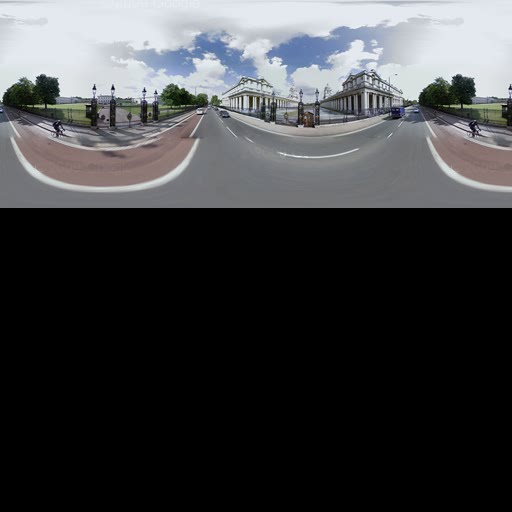
If you don't have any stitching software you can actually use SU to join the images. Apparently I didn't wait long enough for them all to download...either that or some just went missing from yesterday...because a few don't appear to be in the Temporary Internet folder. They are arranged in no particular order, but luckily, you get a low res overall image that you can use like the picture on the lid of a jigsaw box.
You can arrange them in SU, then explode them, then use the new command in V7 to Combine Textures and output a perfectly stitched pic.
Attached is the low res original...presumably it's higher res in Google Maps and just gets sliced in some way. I also attached the assembled (almost) SU file.
-
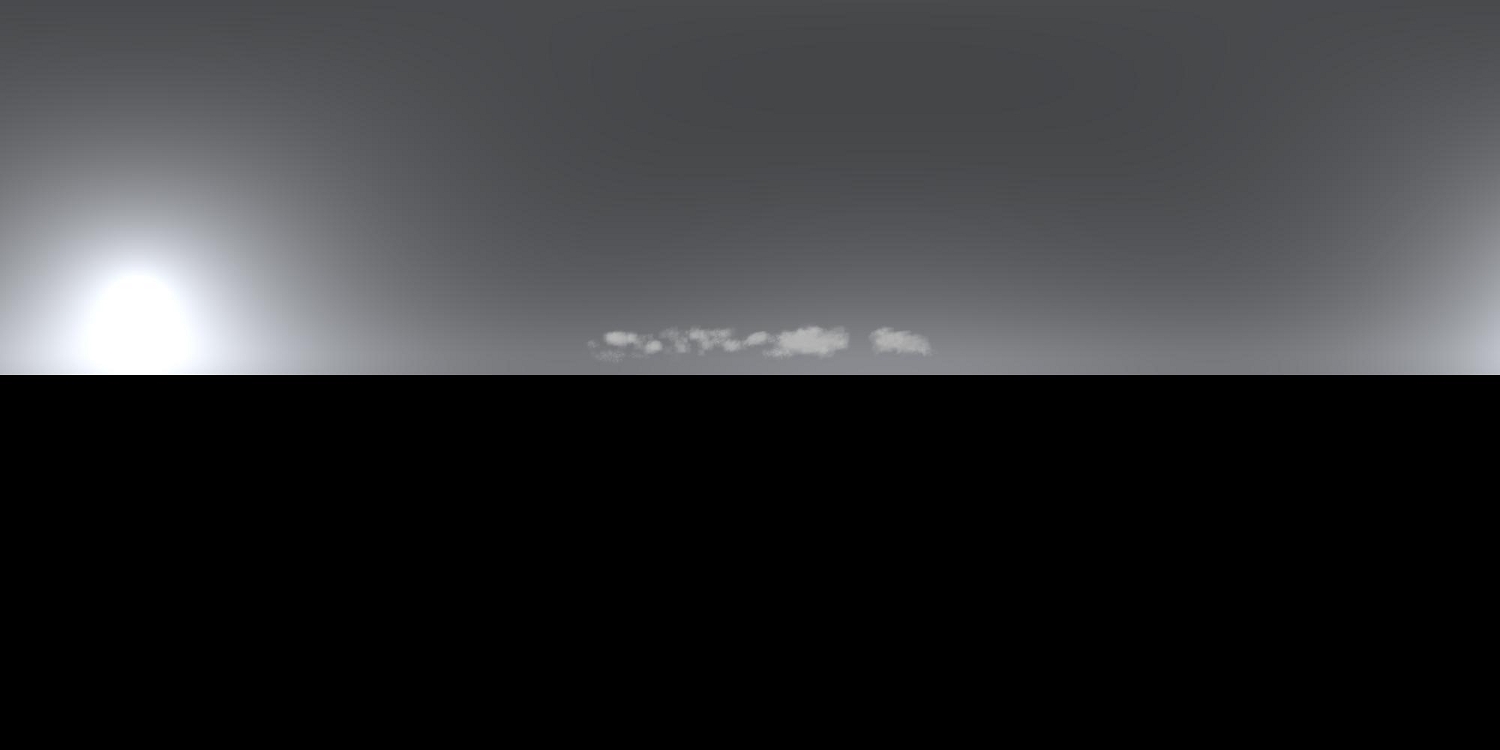
Here's an example jpg from an hdri. I tried extracting clouds from Google earth but found it hard to do that, and use the Gimp for making clouds.
-
Here's a batch file for Sky.exe to make HDRI's. Just click on the batch file and HDRI is created automaticaly and your editor is open automaticaly also. Your editor can be PhotoShop or just a viewer that can read PFM files.
Named of batch file i use: Preetham Sky.bat
The text for this batch file is:
Sky [INPUT.PFM] OUTPUT.PFM /K /H=1000 /W=2000 /A=7 /B:=3 /C=12 /D=7 /E=3 /F=32.3 /G=-106.917 /S=2.6179938 /T=2.84
OUTPUT.PFMThis are your options:
Sky [INPUT.PFM] OUTPUT.PFM
OPTIONS:
/I CIE Standard Overcast Sky
/J CIE Clear Sky
/Z CIE Partially Cloudy
/K Preetham Sky
/L:[float=0.109] Red Color Sky (not for Preetham Sky)
/M:[float=0.349] Green Color Sky (not for Preetham Sky)
/N:[float=0.680] Blue Color Sky (not for Preetham Sky)
/H:[int=256] Height
/W:[int=512] Width
/A:[int=6] Month
/B:[int=17] Day
/C:[int =10] Hour
/D:[int =12] Minute
/E:[int =5] Second
/F:[float=10.9625] Longitude
/G:[float=45.3545] Latitude
/S:[float=0.261] Standard Meridian
/T:[float=1.0] Turbidity (only for Preetham sky model) -
What is "Sky.exe"?

-
This one here. http://www.hdrlabs.com/picturenaut/plugins.html
Just click on sky on the left.
-
I asked my youngest brother, about this and he sent me this sites.
http://gizmodo.com/gadgets/office-voyeurism/the-google-maps-street-view-camera-264972.php
http://gadgets.boingboing.net/2008/06/17/google-street-view-c.html -
Hi there,
I found this interesting page on the Google Maps API.
apparently it is possible to extract the whole panorama:http://code.google.com/apis/maps/documentation/services.html
Unfortunately, I am not a coder...
This makes me think: would it be possible to setup a 'plugin' that makes a 360° panorama (LatLong) using the code above and map the obtained panorama on a cilinder or sphere to be used in Sketchup?
That would be awesome.
For each new project, you just run the plugin and your backdrop of the real environment is in your Sketchup file......
Possible? .... -
Which bit do you think it is that lets you make panoramas? I can only see the GStreetviewPanorama object, which is just an API for the normal streetview as far as i can tell.
-
@remus said:
Which bit do you think it is that lets you make panoramas? I can only see the GStreetviewPanorama object, which is just an API for the normal streetview as far as i can tell.
The procedure to do it manually is described here by Swilsonmc:
Basically, all we need is an automated script to get the 21 images that make the whole panorama.
From there, we can use a photostitcher (e.g Autopano) for assembly and map the panorama to a sphere/cilinder in Sketchup... -
There is this new function in SU 7.1 "Get Photo Texture", which lets you grab (at least "some" of) the street view panorama (for texturing purposes, not for grabbing the whole panorama, by default).
Now if I am not mistaken, this new feature (thank Scott Lininger) is driven by a ruby script "webtextures_loader.rb" in the Tools folder\WebTextures. Now if someone could look more deeply into that plugin and see what can be done...

-
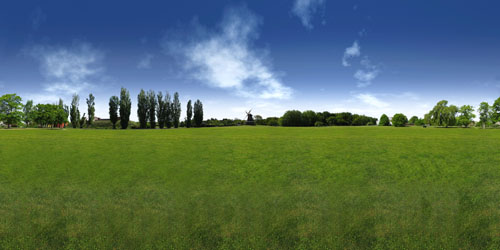
Hi all i am looking for hdr images using with V-ray viewing like this image where can i find this. It's really necessary. Thanks.
-
-
Hi, folks.
I found your discussion while looking for links back to my Flickr pages. I don't personally use Sketchup but have spent time looking into Google's Street View panoramas. After glancing over the other posts I thought I would offer a few ideas.
I recently posted some additional instructions on how to obtain the 21 images that make up each panorama, including a way to automatically grab them for each stop along driving directions.
If you read the comments under the related images you'll see where I try to clarify to another user that the 21 images make up an already-stitched panorama. This means that Google has already rendered the equirectangular panorama and therefore no need to stitch the 21 images. Instead, just arrange them like a puzzle.
I hope this helps.
-swilsonmc -
Here is another easy way to get the image tiles from Street View: http://jamiethompson.co.uk/web/2010/05/15/google-streetview-static-api/
It looks like it only works in UK though as it needs a Postcode, although I may be too dense to see how its done elsewhere.




Hello! It looks like you're interested in this conversation, but you don't have an account yet.
Getting fed up of having to scroll through the same posts each visit? When you register for an account, you'll always come back to exactly where you were before, and choose to be notified of new replies (either via email, or push notification). You'll also be able to save bookmarks and upvote posts to show your appreciation to other community members.
With your input, this post could be even better 💗
Register Login


Advertisement