[CityGen] [code] Building Generator
-
Don't get too excited! This just does a simple pushpull.
So how de we think we organize this? I'm imagining different building types. I'll simplify it and use High rise, mid rise and residential. So I'm thinking we have a "buildings" folder. Inside that folder resides a folder for each building type. So there would be a "High Rise", "Mid Rise" and "Residential" folder. THen indise each of those folders would go all the different building scripts. So this example here would just be a simgle file inside the High Rise folder. Then as we make more High Rise building generators, they just get added as separate files into the approproiate directory. So maybe we create 10 High Rise building types - that means 10 different .rb files inside of CityGen\Buildings\High Rise\ folder. Then when the core program goes to generate the buildings, there is a color assigned for "High Rise" and all scripts in that folder will get run in random order.
So this is a start. It is a simple method that accepts an array of faces (can be an array of a single face if desired), an minimum building height, maximum building height and a floor height. It then runs through each building footprint face that it is given and generates a building on it. Thats it! Here's a pic:
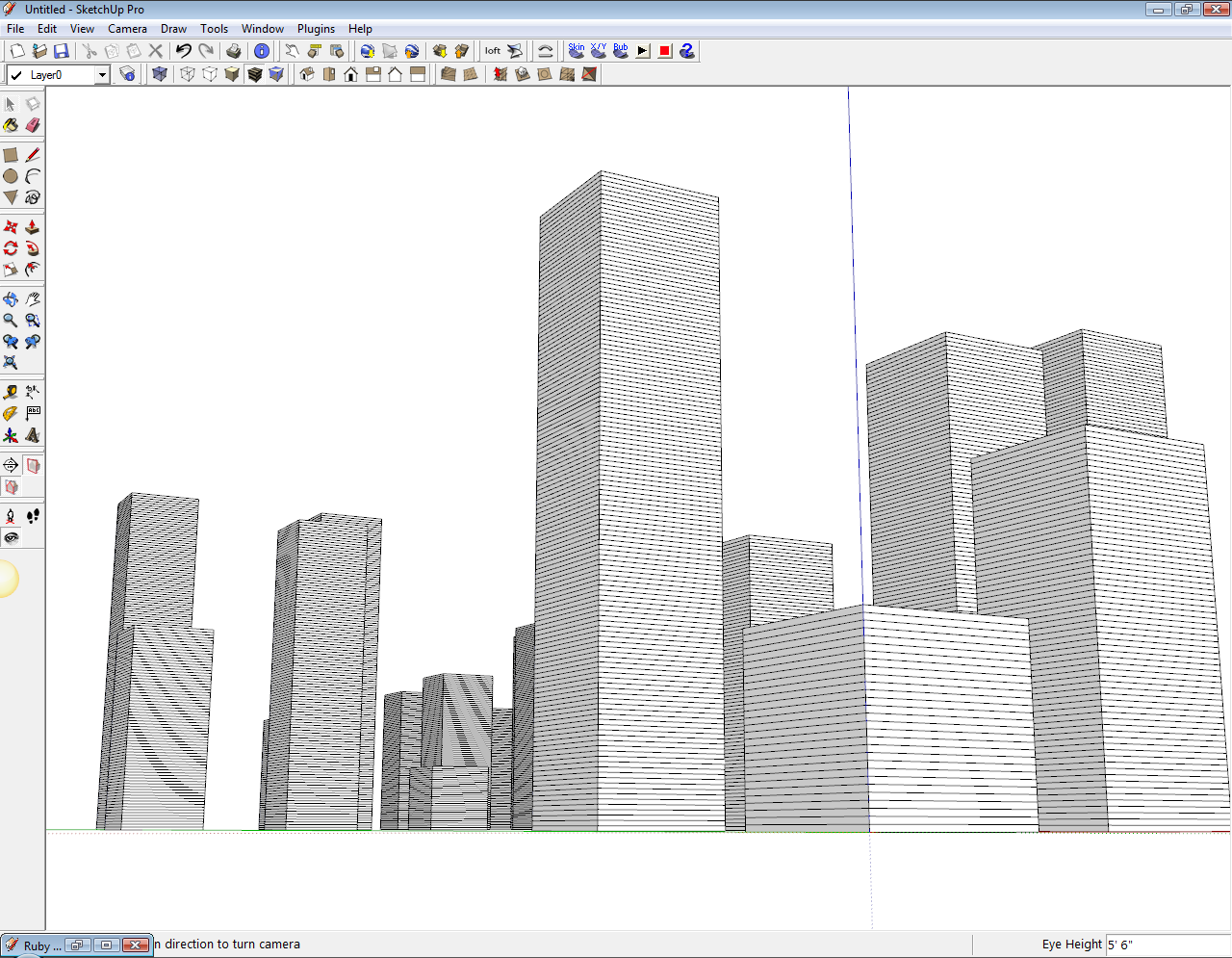
And here's the method to look at. Note: This is how I have it in my Web Console, but the real ruby file would probably just be the method - not all the "model = Sketchup.active_model" stuff. I've only got that here so that I can run this code, exactly how it stands, in the web console. The min height, max height, etc would not be included in the file, that would be passed to the building generator - I think.
model = Sketchup.active_model
ents = model.active_entities
building_faces = []
ents.each { |e| building_faces << e if e.typename == "Face" }

def citygen_highrise(fp, min, max, floor)
	Sketchup.active_model.start_operation "", true, true, true
	height = 0
	floor_num = 0
	face = []
	face1 = []
	pre_pull = []
	new_ents = []
	fp.each do |e|
		difference = max.to_l - min.to_l
		floor_num = (((rand(difference+1) + min.to_l)/floor.to_l).to_i)
		e.reverse! if e.normal[2] < 0
		face = e
		face_norm = face.normal
		pre_pull = face.all_connected.to_a
		floor_num.times do
			face.pushpull floor.to_l, true
			post_pull = face.all_connected.to_a
			new_ents = post_pull - pre_pull
			new_ents.each do |entity|
				if entity.typename == "Face"
					face = entity if entity.normal == face_norm
				end
			end
			pre_pull = face.all_connected.to_a
		end
	end
	Sketchup.active_model.commit_operation
end

min = "100m"
max = "500m"
floor = "4m"
citygen_highrise(building_faces, min, max, floor)
Chris
-
Good stuff chris

Personally i think a more general 'building generator' module would be more appropriate than modules for individual building types. Splitting things up too much could over complicate the whole thing for the user, i think.
I've got a feeling the file structure could also get pretty messy if/when we start on modules for other styles of building.
So to summarise: i reckon keep your buildings in a single ruby/module.
p.s. im think i need to start writing some code rather than just talking about it

-
New York New York!

-
Round and oval buildings are always needed...
Like you thought process...

-
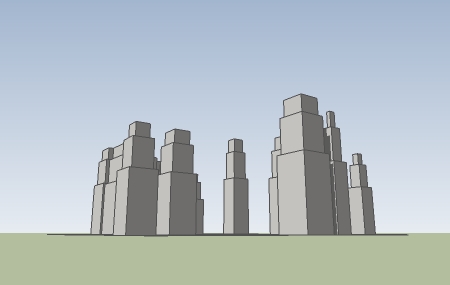
Here's one I named "classic" in the short term - I just made up a height of 300 -600 feet - i have no idea how tall one of these would run.
-
Looks great Jim!
To get the core and building modules in order, my thought was that somehow we set up our core program to find all faces with the same color code first. Then the core program know how many "High Rise" modules or building types are installed, and it sends the faces randomly (or realisticly a single arrray of randomly selected faces) off to each module for that module to process. So now the core should be able to recognize that we have 2 High Rise modules installed, and it would then randomly divide all faces into 2 arrays, and send one array to each building module. Then each building module just generates buildings on all the faces it is sent.
None of that is implemented in the core at this point, but those are my initial thoughts on how buildings should be implemented. That ways its easy if someone wants to add a single High Rise building type. The core recoginzes the total amount of High Rise building types and sorts the High Rise faces accordingly.
Chris
-
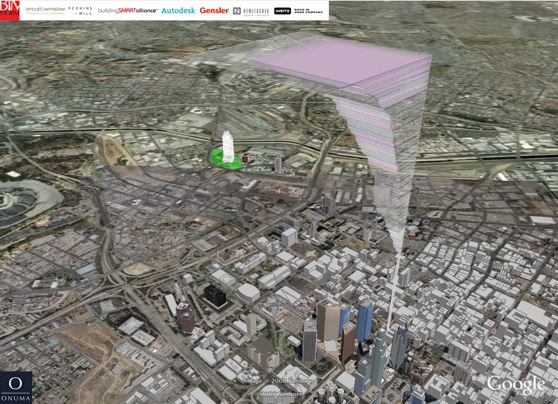
Have you lot seen what Kimon Onuma has been doing? Not really my scene but if not it seems remarkably similar and you may find a visit here worthwhile. Here's a pic of what they did in LA.
Chris



Hello! It looks like you're interested in this conversation, but you don't have an account yet.
Getting fed up of having to scroll through the same posts each visit? When you register for an account, you'll always come back to exactly where you were before, and choose to be notified of new replies (either via email, or push notification). You'll also be able to save bookmarks and upvote posts to show your appreciation to other community members.
With your input, this post could be even better 💗
Register Login


Advertisement