3ds max
-
hi! sorry i know this is not really a sketchup question. but for 3ds max users, im just wondering how you create objects in 3ds max with your desired dimension. i mean, for sketchup, it is very convenient to just type the dimensions while you draw an object. thats what i really love in sketchup!
 hope something like that also works in 3ds max.
 -
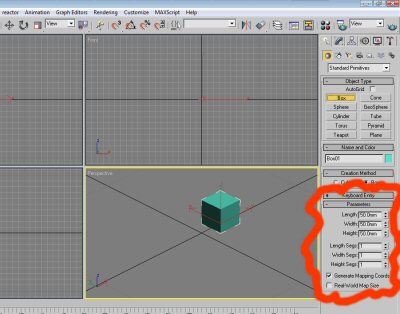
I presume you are talking about creating solids? You can type in the dimensions first or resize the objects after you have drawn them. To type them in first you need to type into the "keyboard entry" box. See image 1.
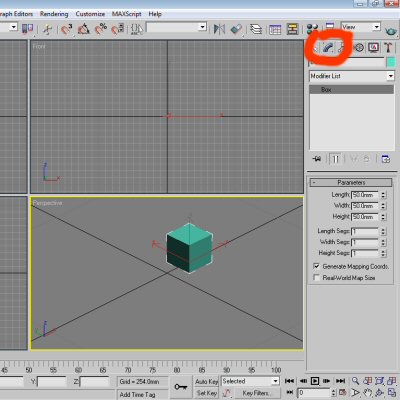
OR To resize afterwards click on the modify tab and change the dimensions of the shape that you have already created. See image 2.
Better still, save yourself the headache of Max and just use Sketchup!
Hello! It looks like you're interested in this conversation, but you don't have an account yet.
Getting fed up of having to scroll through the same posts each visit? When you register for an account, you'll always come back to exactly where you were before, and choose to be notified of new replies (either via email, or push notification). You'll also be able to save bookmarks and upvote posts to show your appreciation to other community members.
With your input, this post could be even better 💗
Register Login


Advertisement