SCFLicense: Extension Licensing on Sketchucation
-
Hi, I have a problem with FredoCorner License, when I try validate the License it appears a popup window with this message:
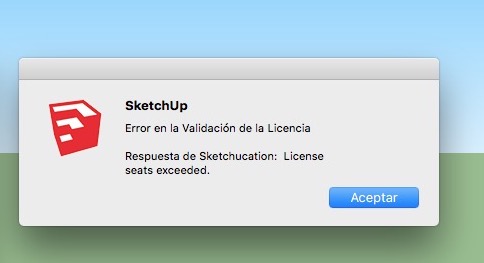
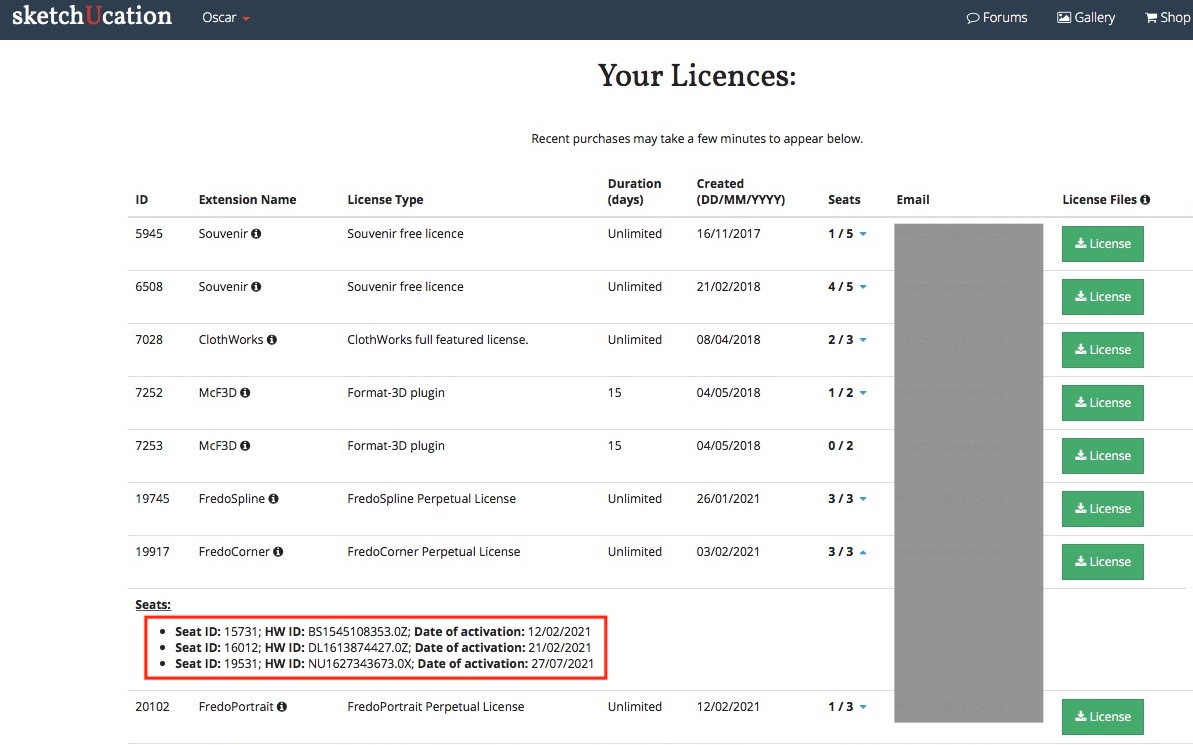
I have installed Sketchup 2016 Make & Sketchup 2017 Make in my desktop computer and Sketchup 2017 Make in my laptop, but FredoCorner isn't validate in these 3 computers. I can't release the licences to have seats free.
In the Licenses folder the FredoCorner ins't:
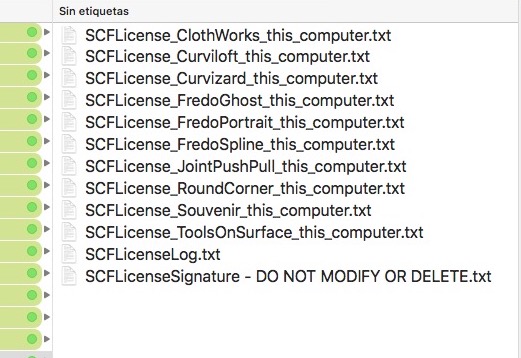
My Licenses Page:
Global Status:
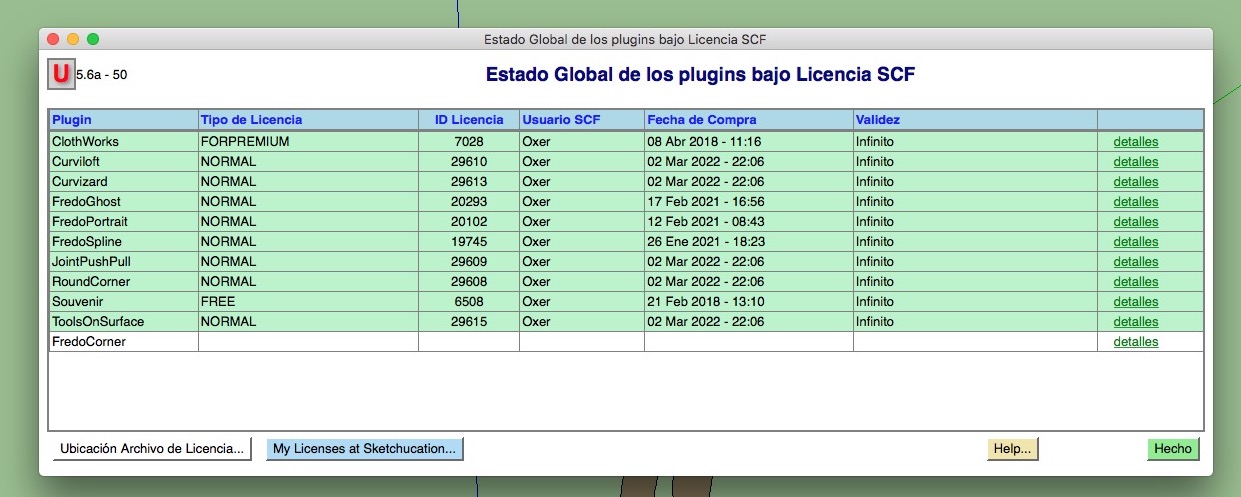
How can I reset the seats for FredoCorner?
Waiting the answer, Greetings!!
-
Hi, I have a problem with FredoCorner License, when I try validate the License it appears a popup window with this message:
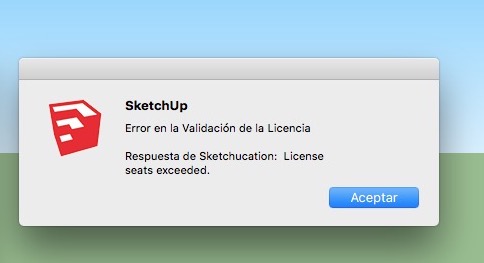
I have installed Sketchup 2016 Make & Sketchup 2017 Make in my desktop computer and Sketchup 2017 Make in my laptop, but FredoCorner isn't validate in these 3 computers. I can't release the licences to have seats free.
In the Licenses folder the FredoCorner ins't:
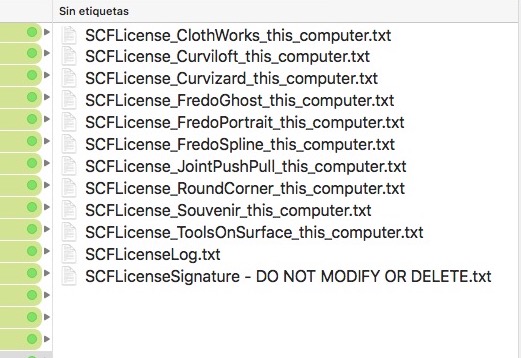
My Licenses Page:
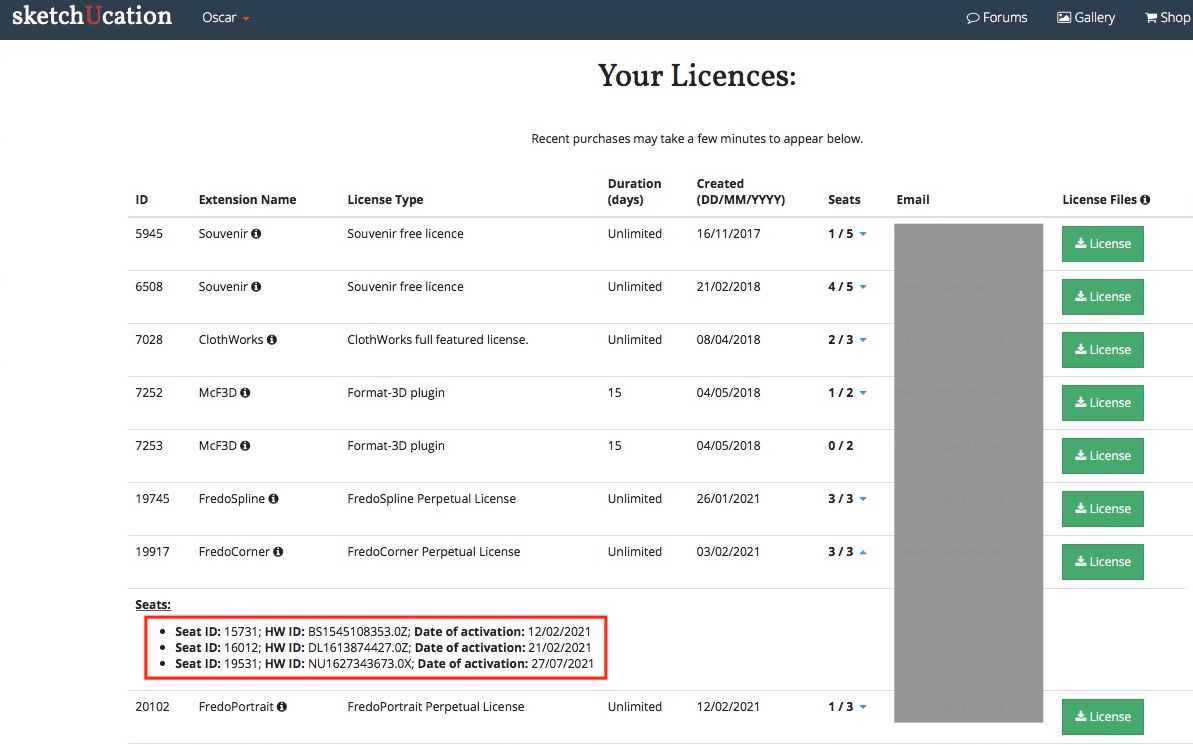
Global Status:
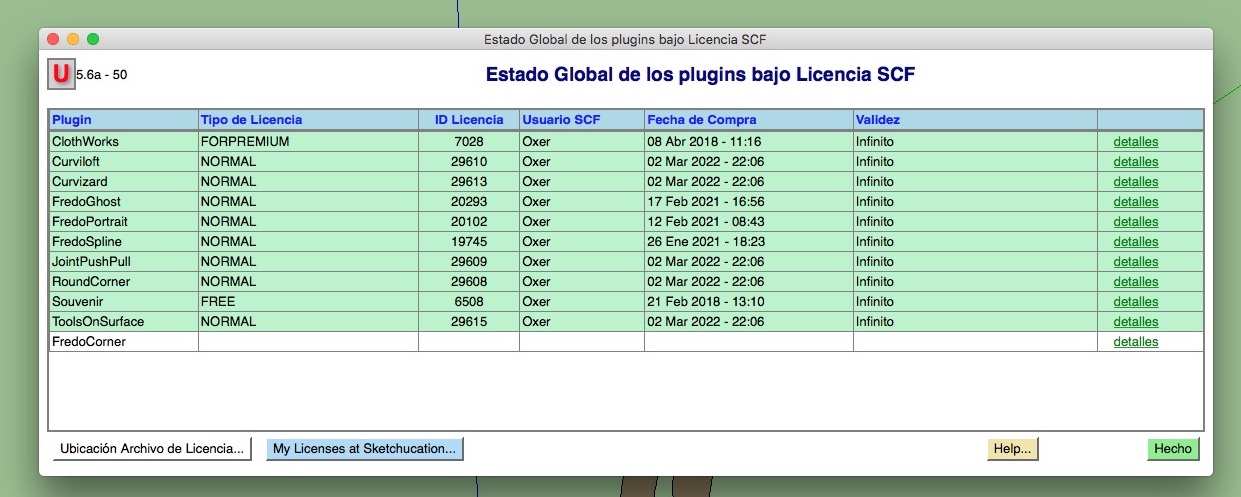
How can I reset the seats for FredoCorner?
Waiting the answer, Greetings!!
-
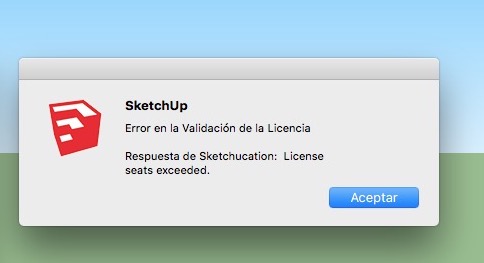
Hi, I have a problem with FredoCorner License, when I try validate the License it appears a popup window with this message:
I have installed Sketchup 2016 Make & Sketchup 2017 Make in my desktop computer and Sketchup 2017 Make in my laptop, but FredoCorner isn't validate in these 3 computers. I can't release the licences to have seats free.
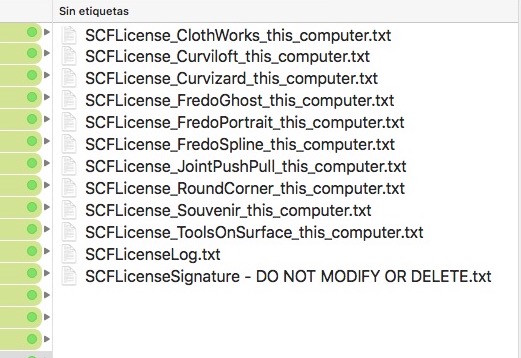
In the Licenses folder the FredoCorner ins't:
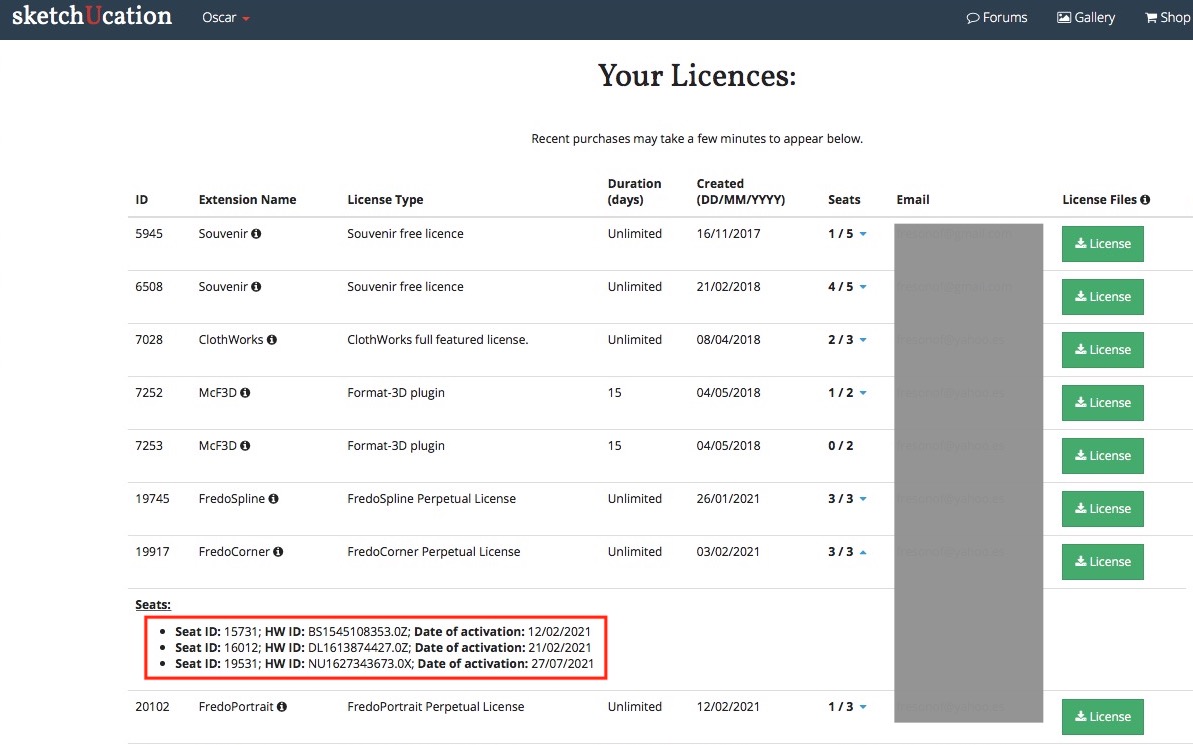
My Licenses Page:
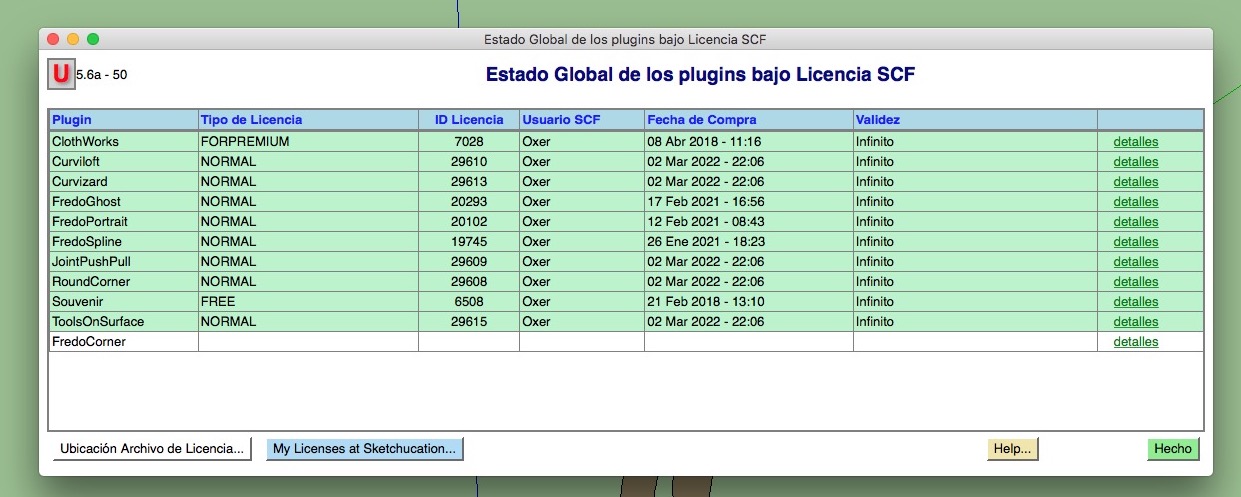
Global Status:
How can I reset the seats for FredoCorner?
Waiting the answer, Greetings!!
-
Hi, I have a problem with FredoCorner License, when I try validate the License it appears a popup window with this message:
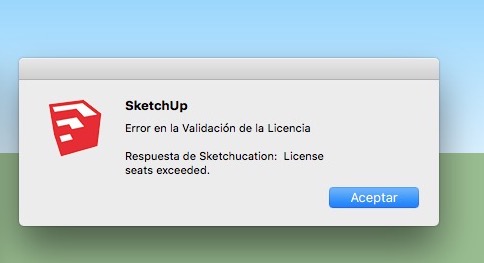
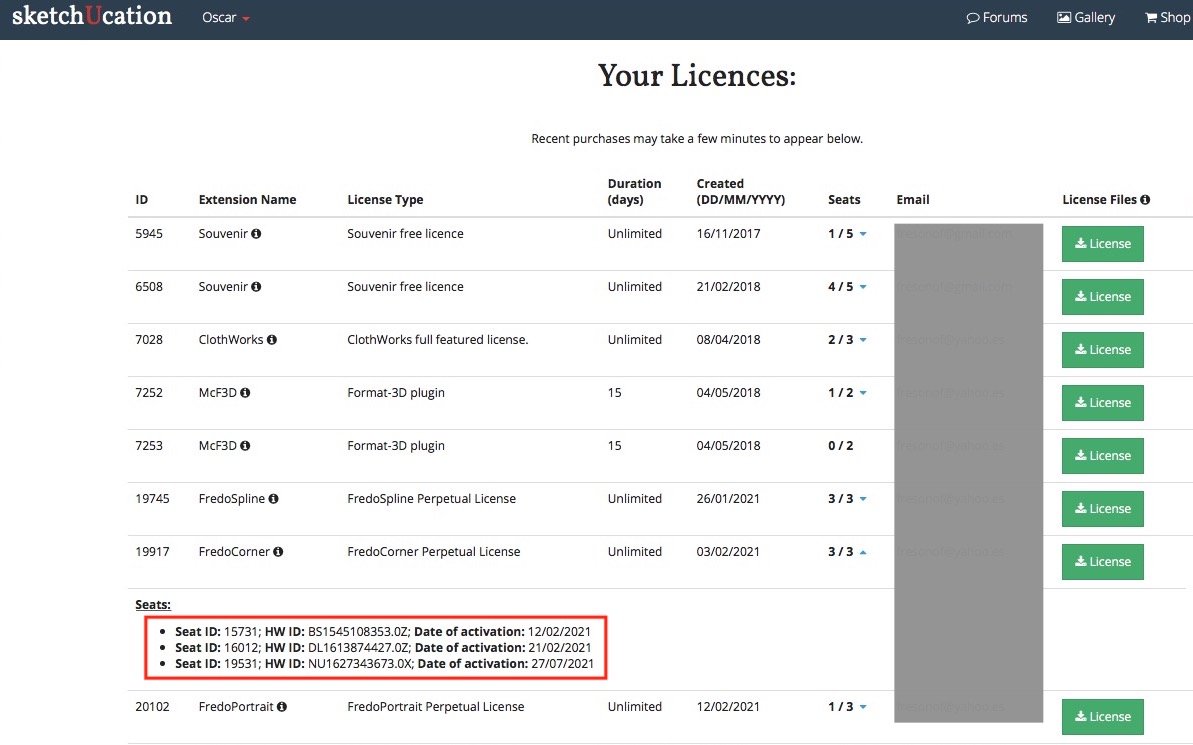
I have installed Sketchup 2016 Make & Sketchup 2017 Make in my desktop computer and Sketchup 2017 Make in my laptop, but FredoCorner isn't validate in these 3 computers. I can't release the licences to have seats free.
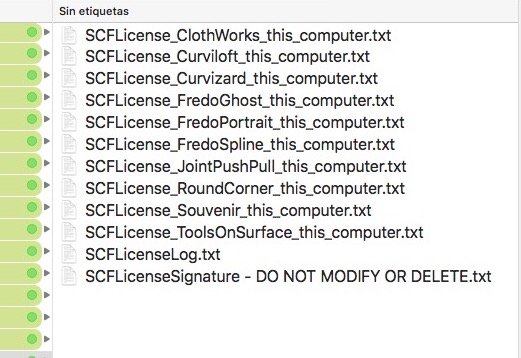
In the Licenses folder the FredoCorner ins't:
My Licenses Page:
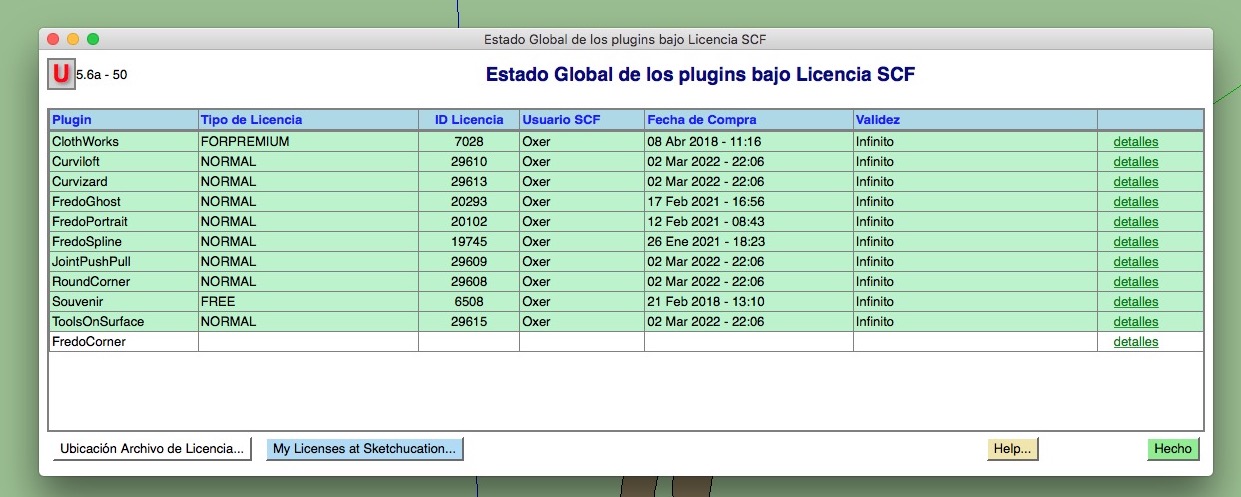
Global Status:
How can I reset the seats for FredoCorner?
Waiting the answer, Greetings!!
-
Hi, I have a problem with FredoCorner License, when I try validate the License it appears a popup window with this message:
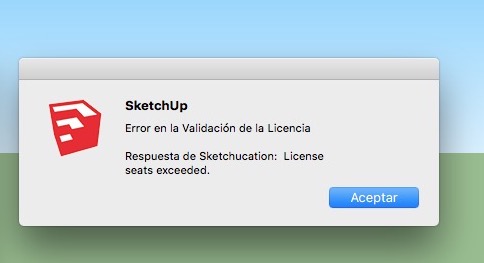
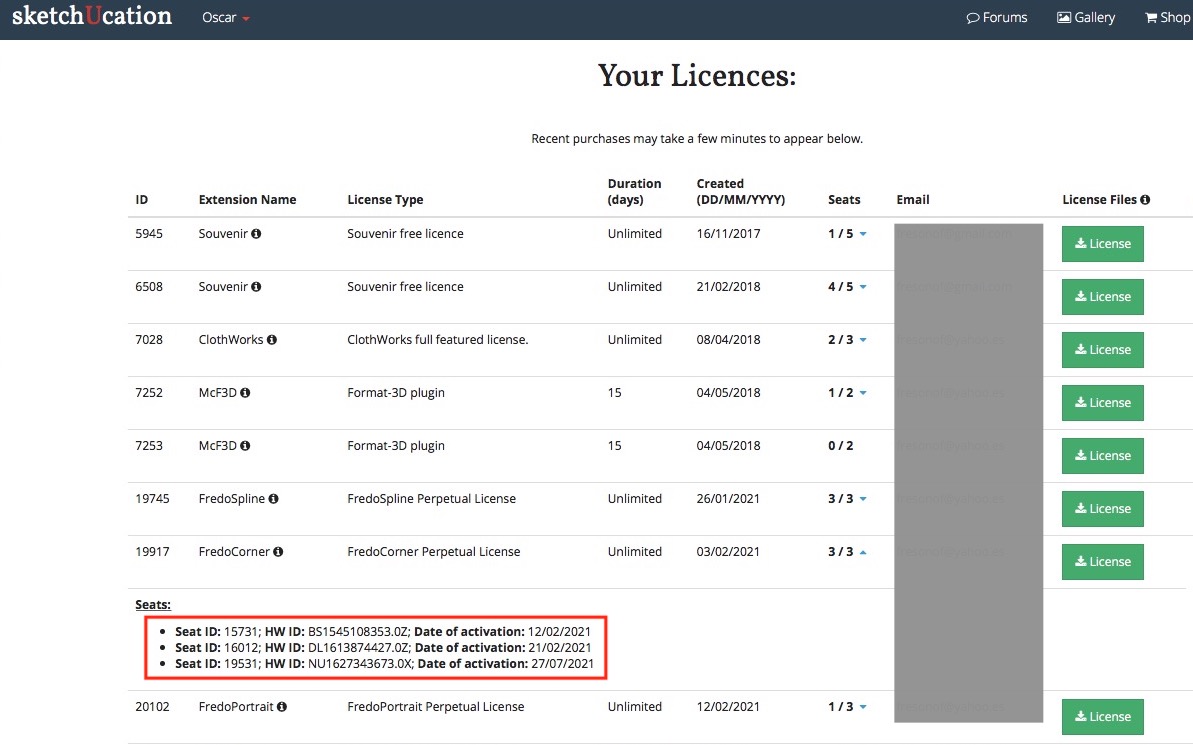
I have installed Sketchup 2016 Make & Sketchup 2017 Make in my desktop computer and Sketchup 2017 Make in my laptop, but FredoCorner isn't validate in these 3 computers. I can't release the licences to have seats free.
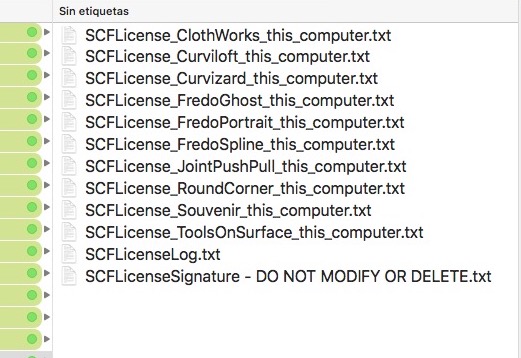
In the Licenses folder the FredoCorner ins't:
My Licenses Page:
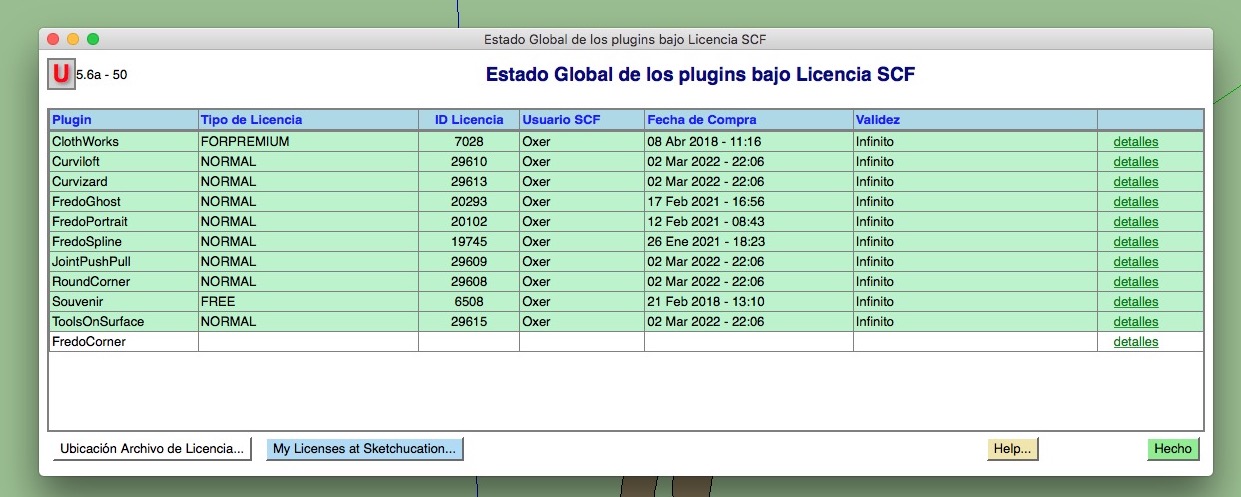
Global Status:
How can I reset the seats for FredoCorner?
Waiting the answer, Greetings!!
-
Hi, I have a problem with FredoCorner License, when I try validate the License it appears a popup window with this message:
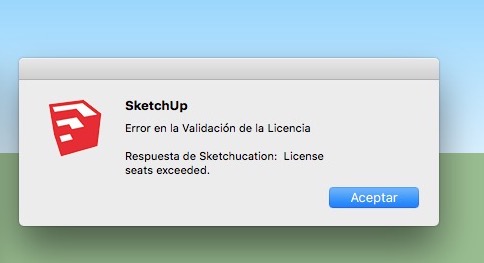
I have installed Sketchup 2016 Make & Sketchup 2017 Make in my desktop computer and Sketchup 2017 Make in my laptop, but FredoCorner isn't validate in these 3 computers. I can't release the licences to have seats free.
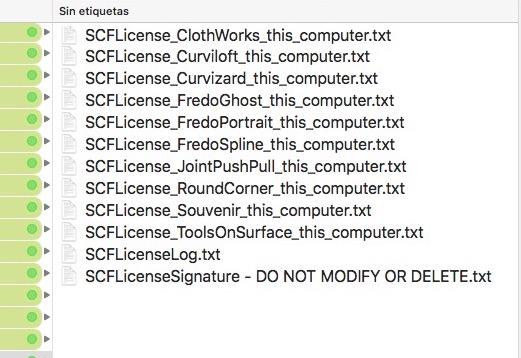
In the Licenses folder the FredoCorner ins't:
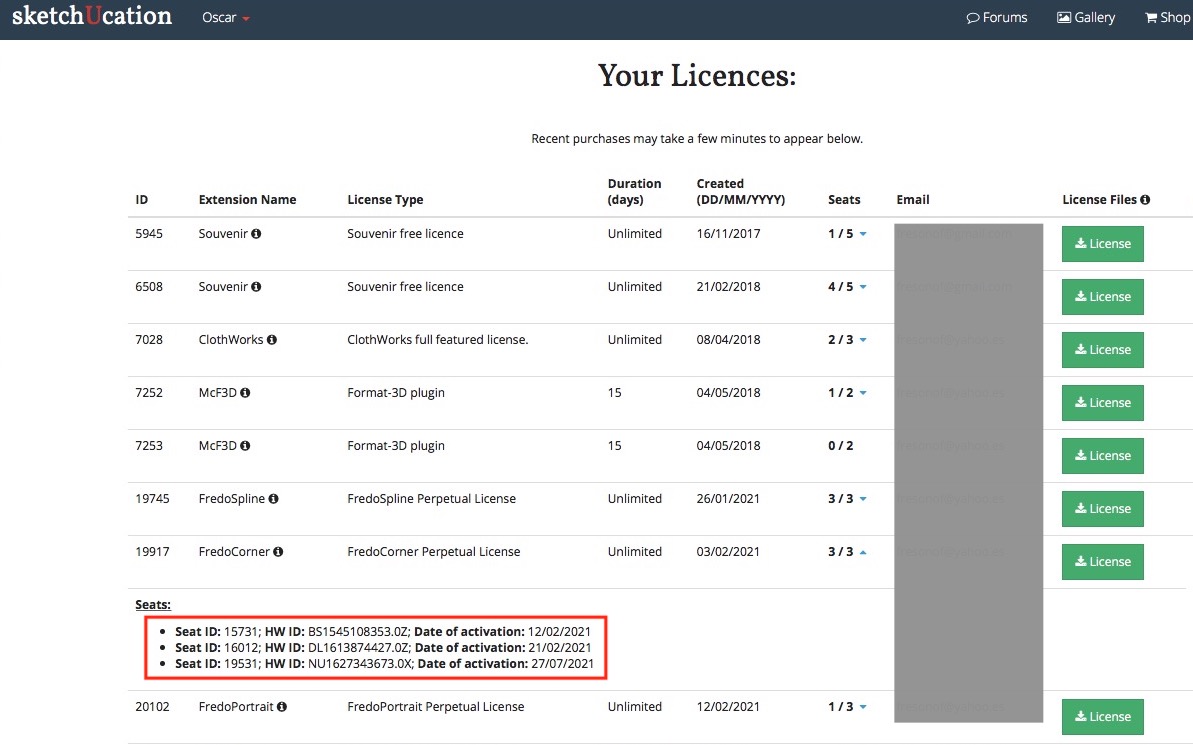
My Licenses Page:
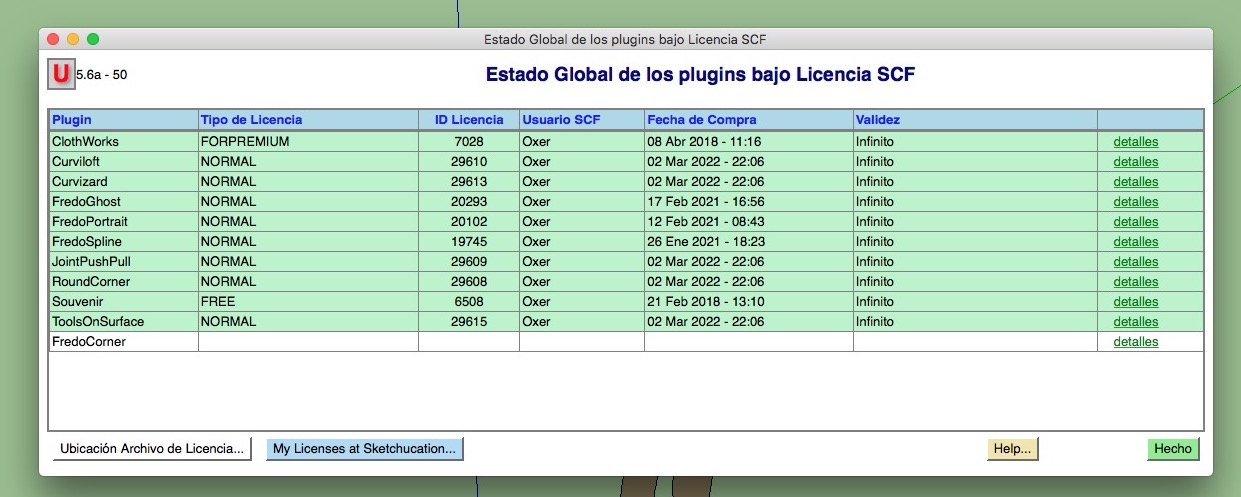
Global Status:
How can I reset the seats for FredoCorner?
Waiting the answer, Greetings!!
-
Hi, I have a problem with FredoCorner License, when I try validate the License it appears a popup window with this message:
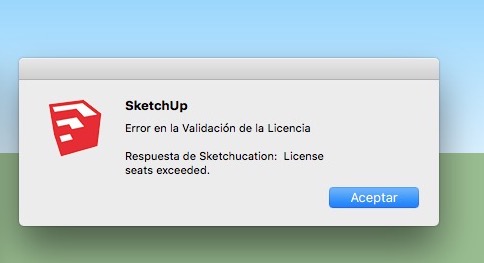
I have installed Sketchup 2016 Make & Sketchup 2017 Make in my desktop computer and Sketchup 2017 Make in my laptop, but FredoCorner isn't validate in these 3 computers. I can't release the licences to have seats free.
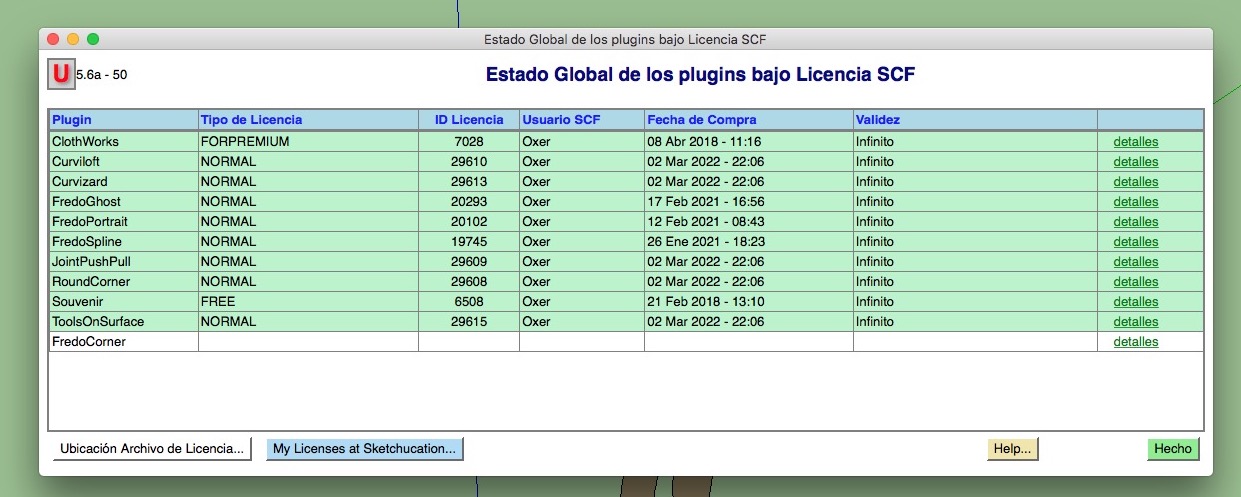
In the Licenses folder the FredoCorner ins't:
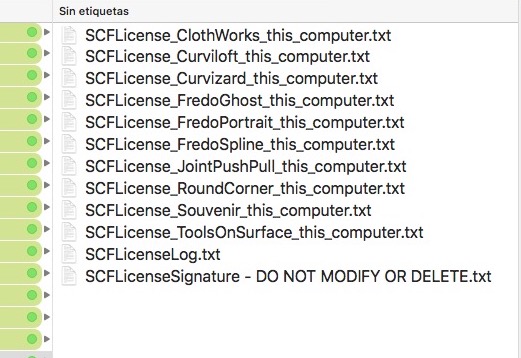
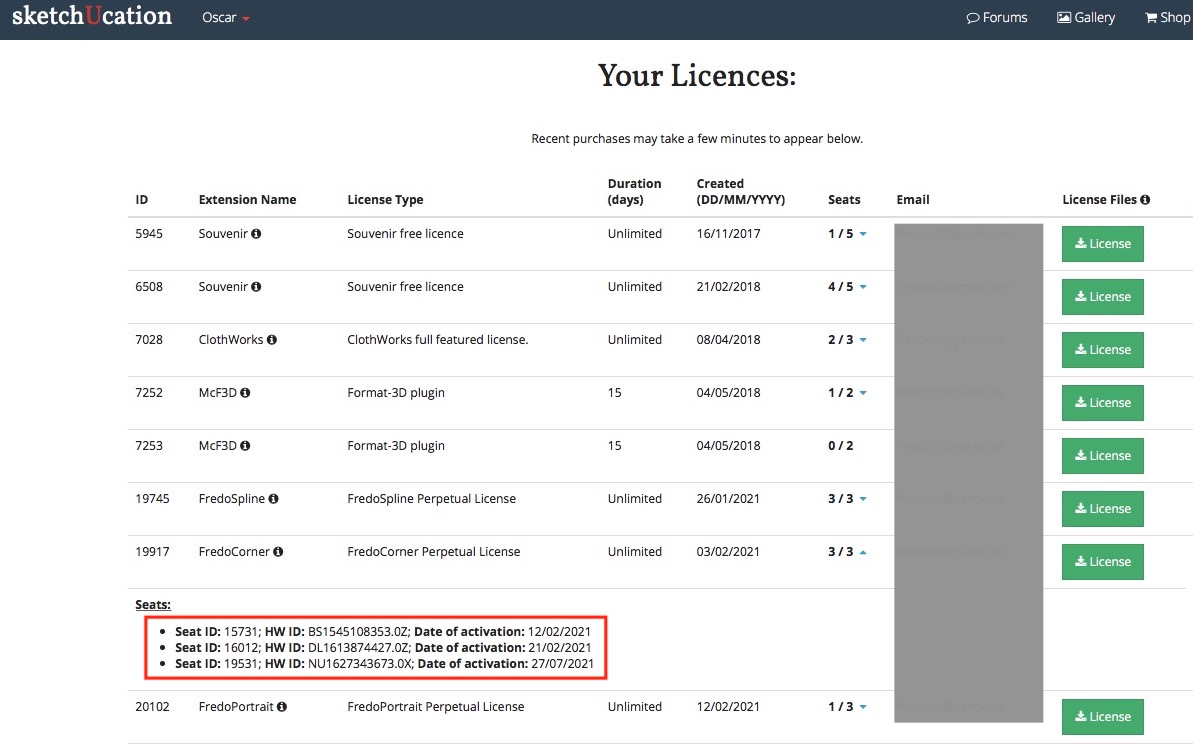
My Licenses Page:
Global Status:
How can I reset the seats for FredoCorner?
Waiting the answer, Greetings!!
-
Hi, I have a problem with FredoCorner License, when I try validate the License it appears a popup window with this message:
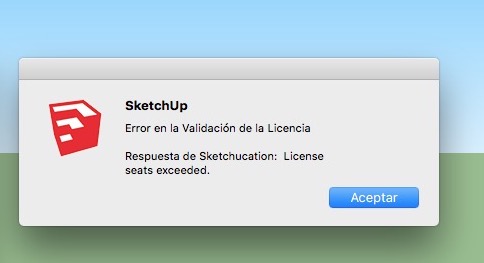
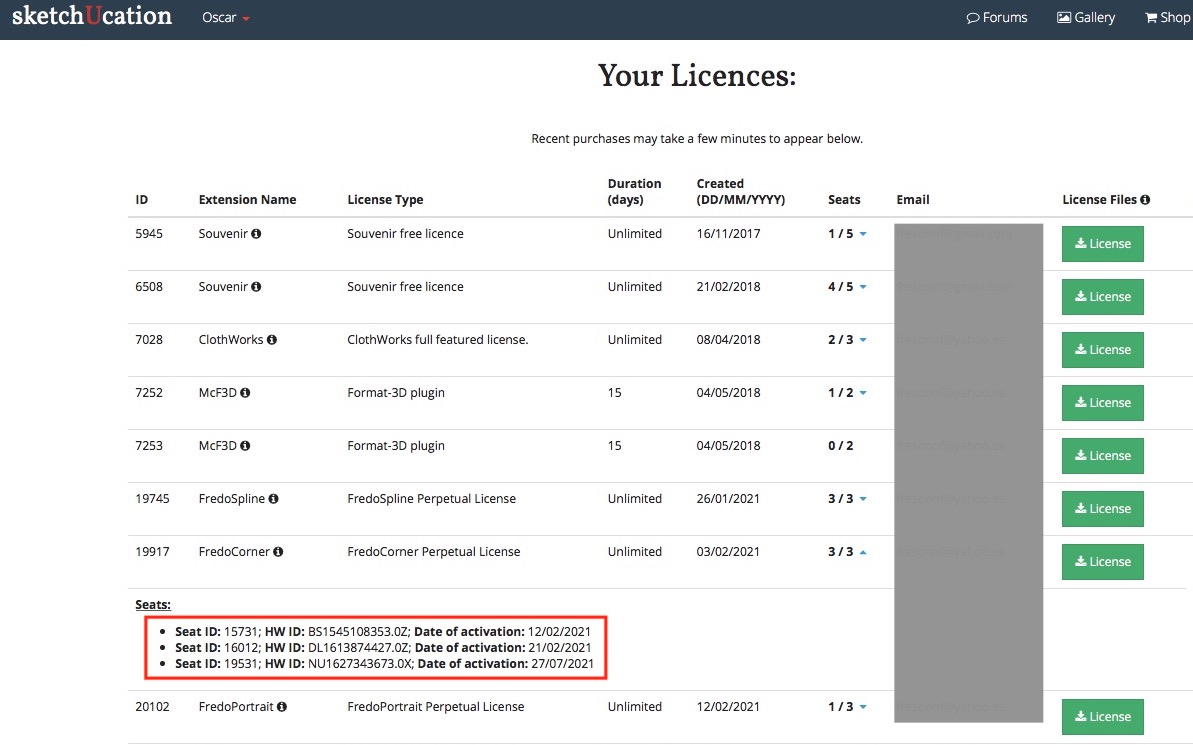
I have installed Sketchup 2016 Make & Sketchup 2017 Make in my desktop computer and Sketchup 2017 Make in my laptop, but FredoCorner isn't validate in these 3 computers. I can't release the licences to have seats free.
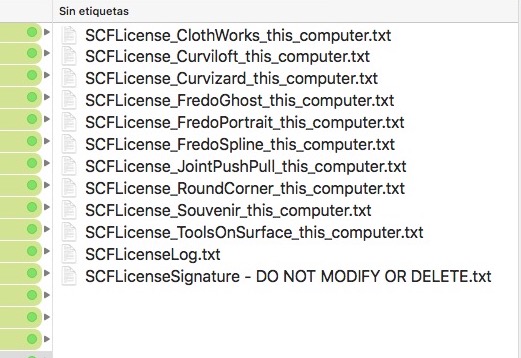
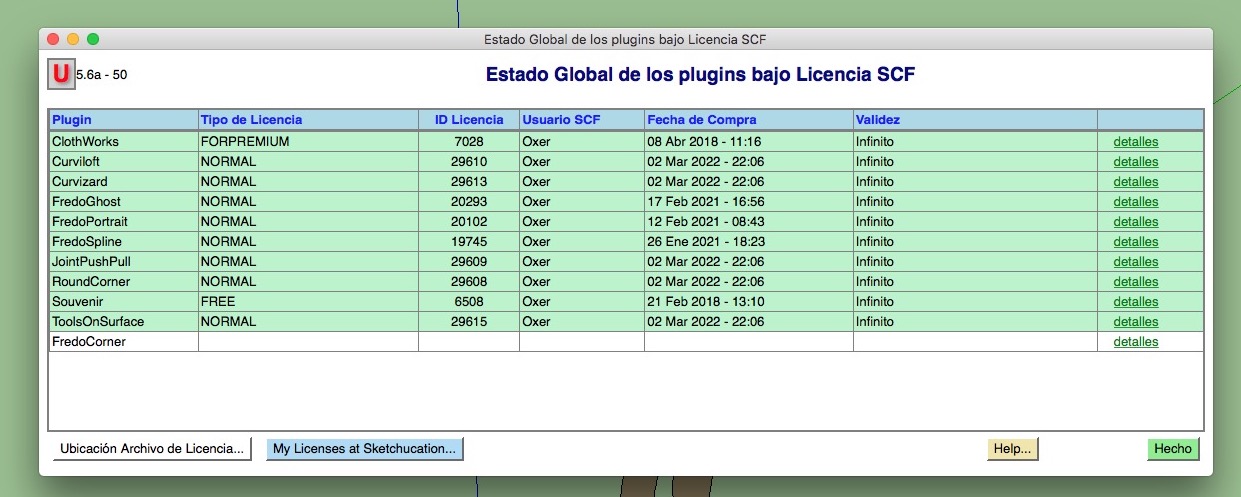
In the Licenses folder the FredoCorner ins't:
My Licenses Page:
Global Status:
How can I reset the seats for FredoCorner?
Waiting the answer, Greetings!!
-
Hi, I have a problem with FredoCorner License, when I try validate the License it appears a popup window with this message:
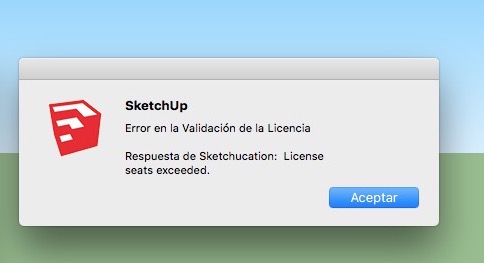
I have installed Sketchup 2016 Make & Sketchup 2017 Make in my desktop computer and Sketchup 2017 Make in my laptop, but FredoCorner isn't validate in these 3 computers. I can't release the licences to have seats free.
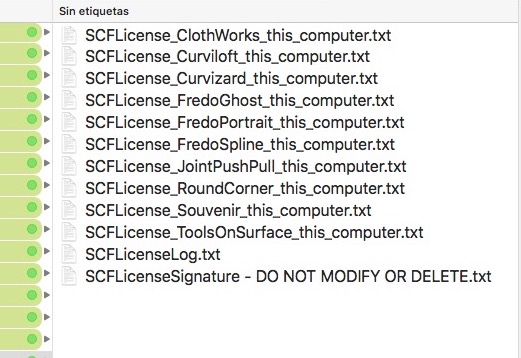
In the Licenses folder the FredoCorner ins't:
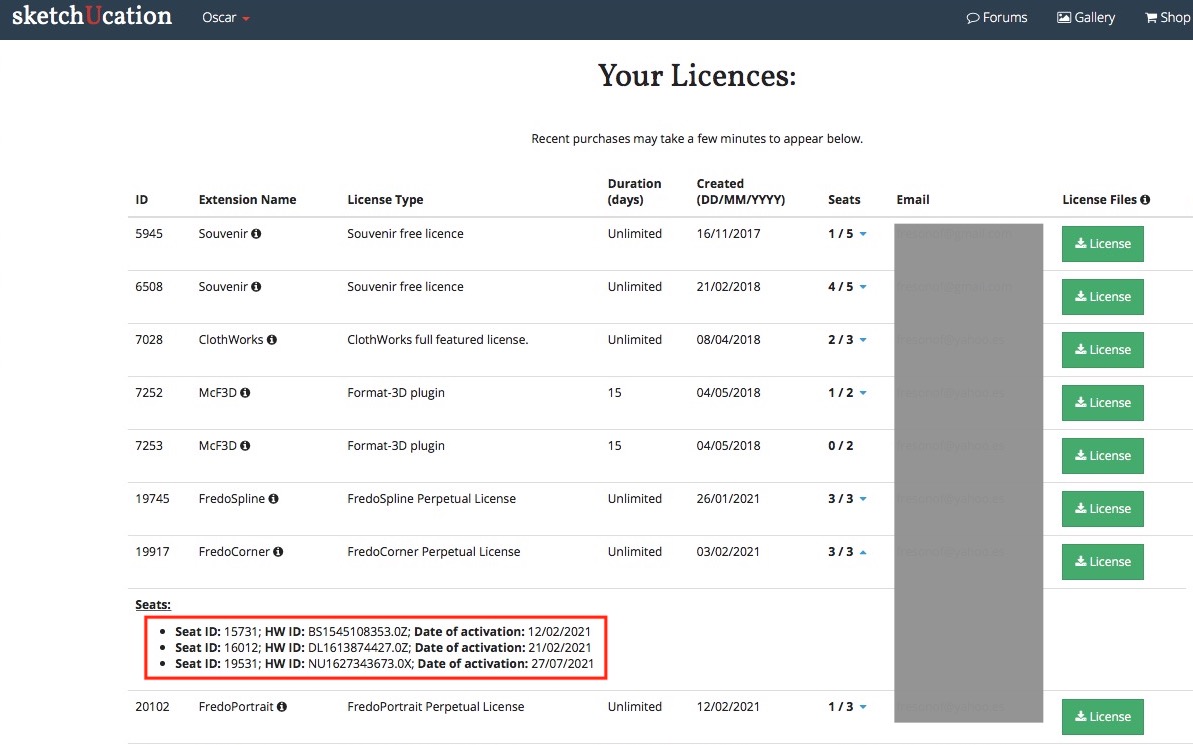
My Licenses Page:
Global Status:
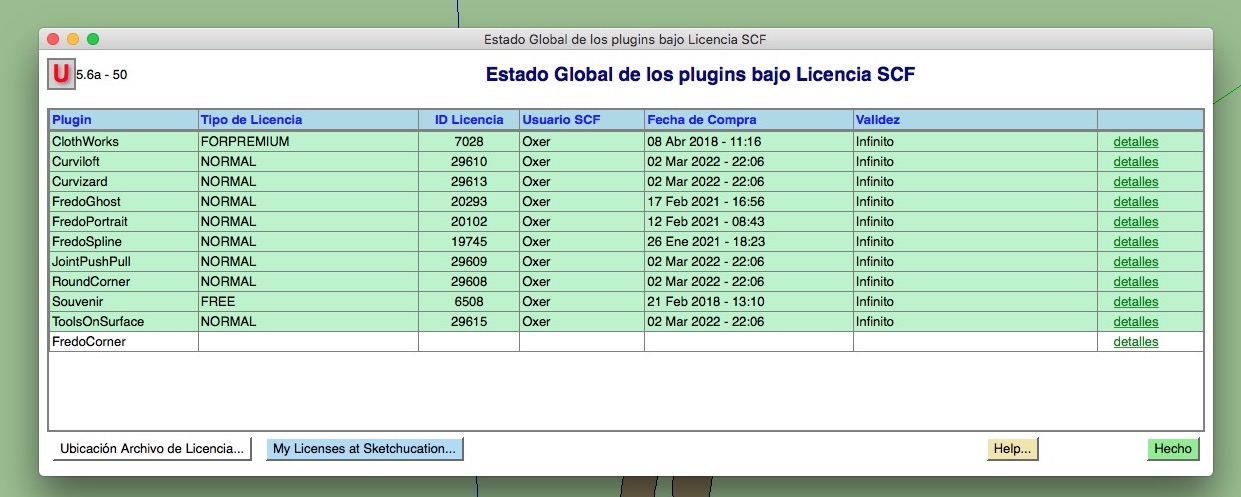
How can I reset the seats for FredoCorner?
Waiting the answer, Greetings!!
-
Hi, I have a problem with FredoCorner License, when I try validate the License it appears a popup window with this message:
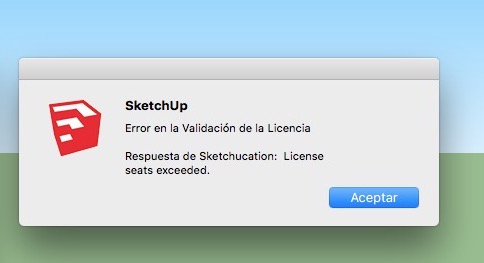
I have installed Sketchup 2016 Make & Sketchup 2017 Make in my desktop computer and Sketchup 2017 Make in my laptop, but FredoCorner isn't validate in these 3 computers. I can't release the licences to have seats free.
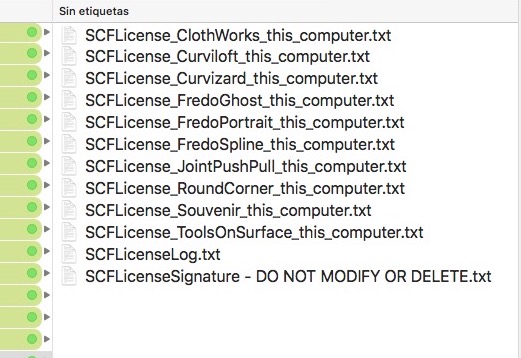
In the Licenses folder the FredoCorner ins't:
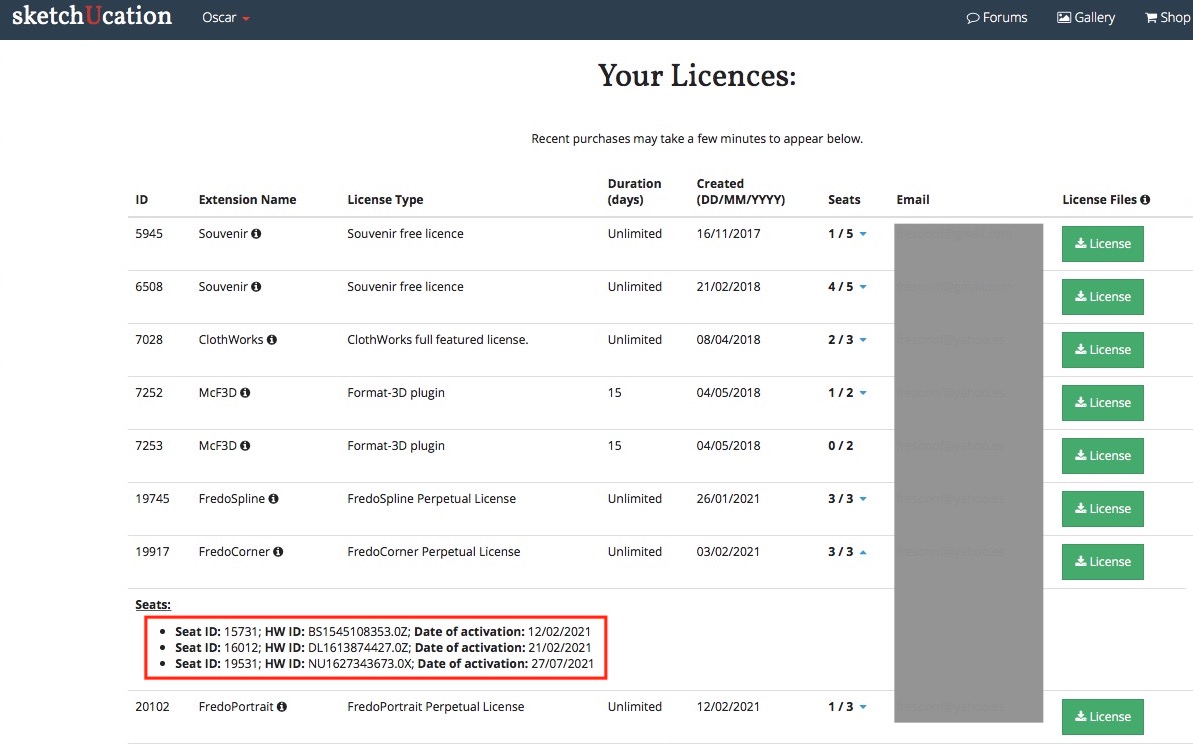
My Licenses Page:
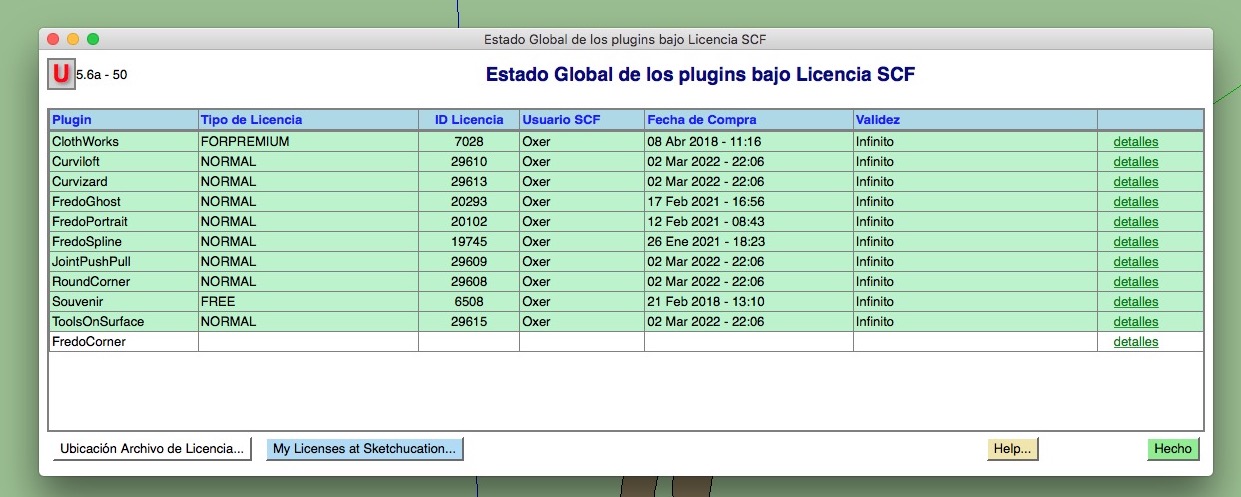
Global Status:
How can I reset the seats for FredoCorner?
Waiting the answer, Greetings!!
-
Hi, I have a problem with FredoCorner License, when I try validate the License it appears a popup window with this message:
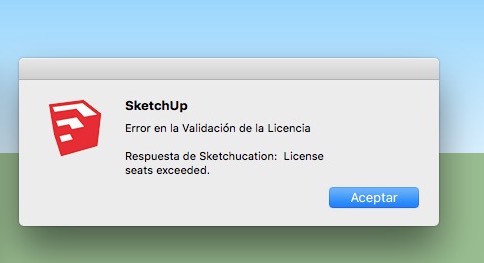
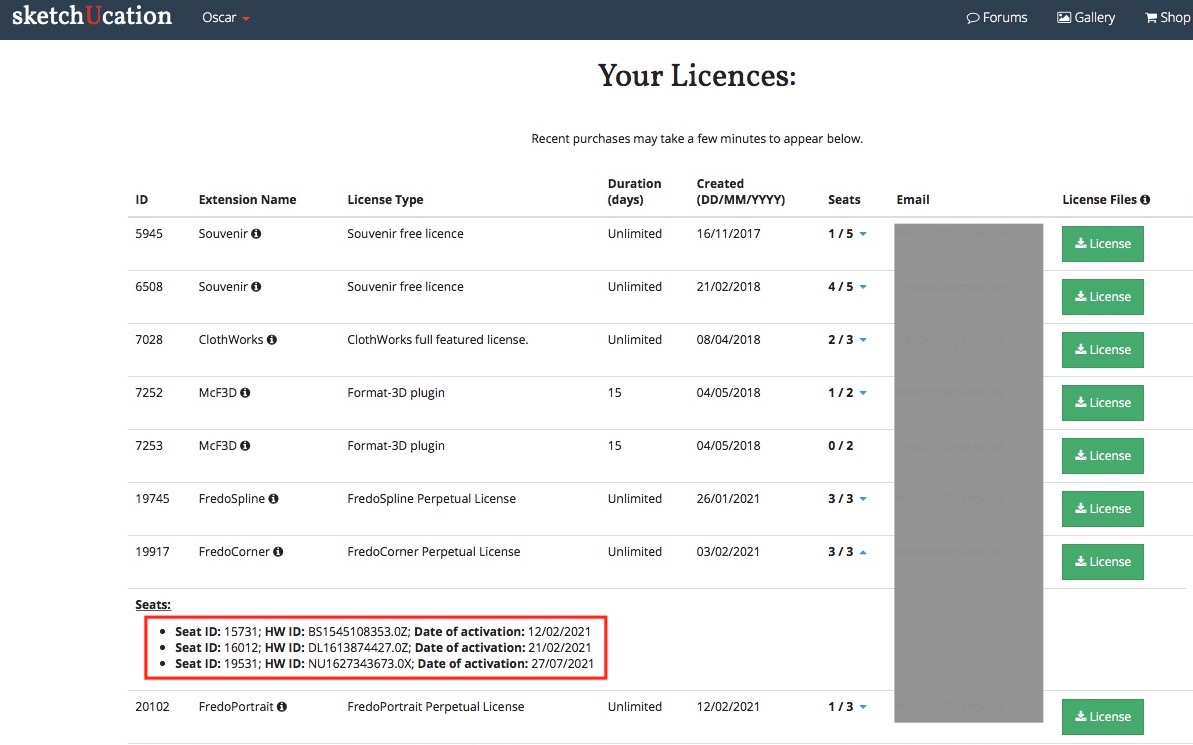
I have installed Sketchup 2016 Make & Sketchup 2017 Make in my desktop computer and Sketchup 2017 Make in my laptop, but FredoCorner isn't validate in these 3 computers. I can't release the licences to have seats free.
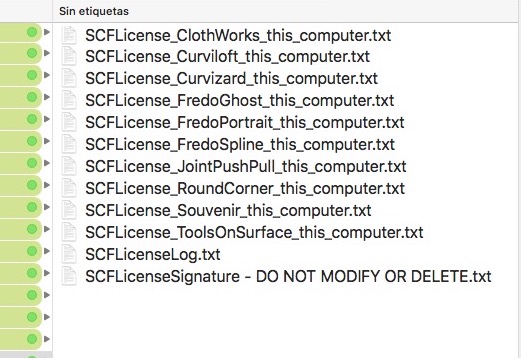
In the Licenses folder the FredoCorner ins't:
My Licenses Page:
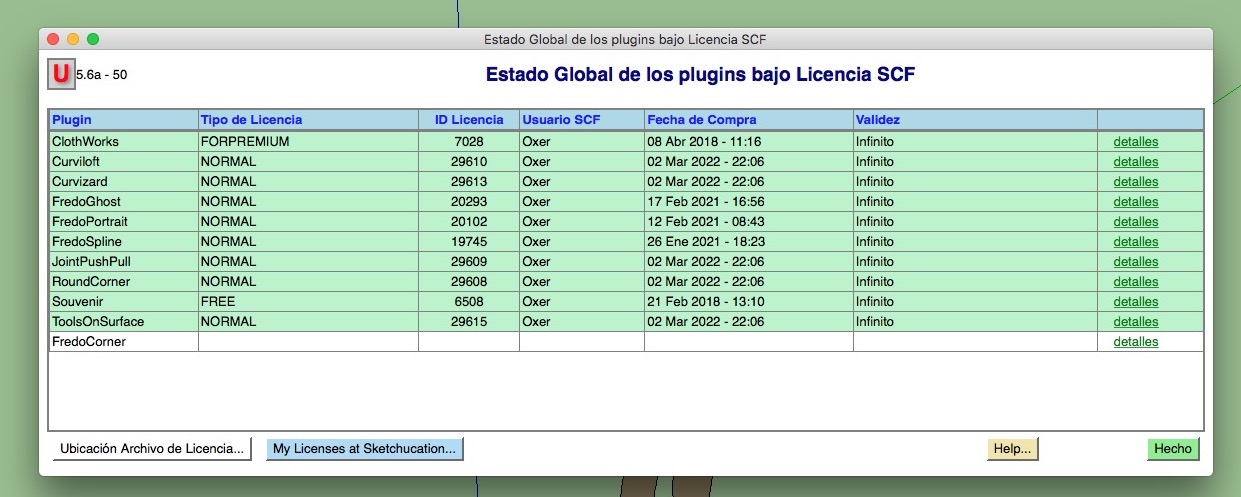
Global Status:
How can I reset the seats for FredoCorner?
Waiting the answer, Greetings!!
-
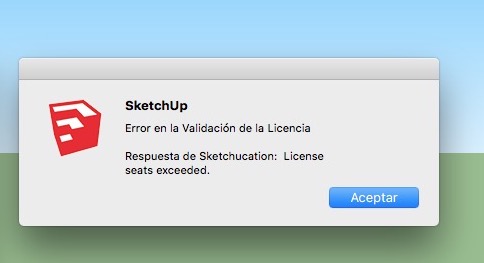
Hi, I have a problem with FredoCorner License, when I try validate the License it appears a popup window with this message:
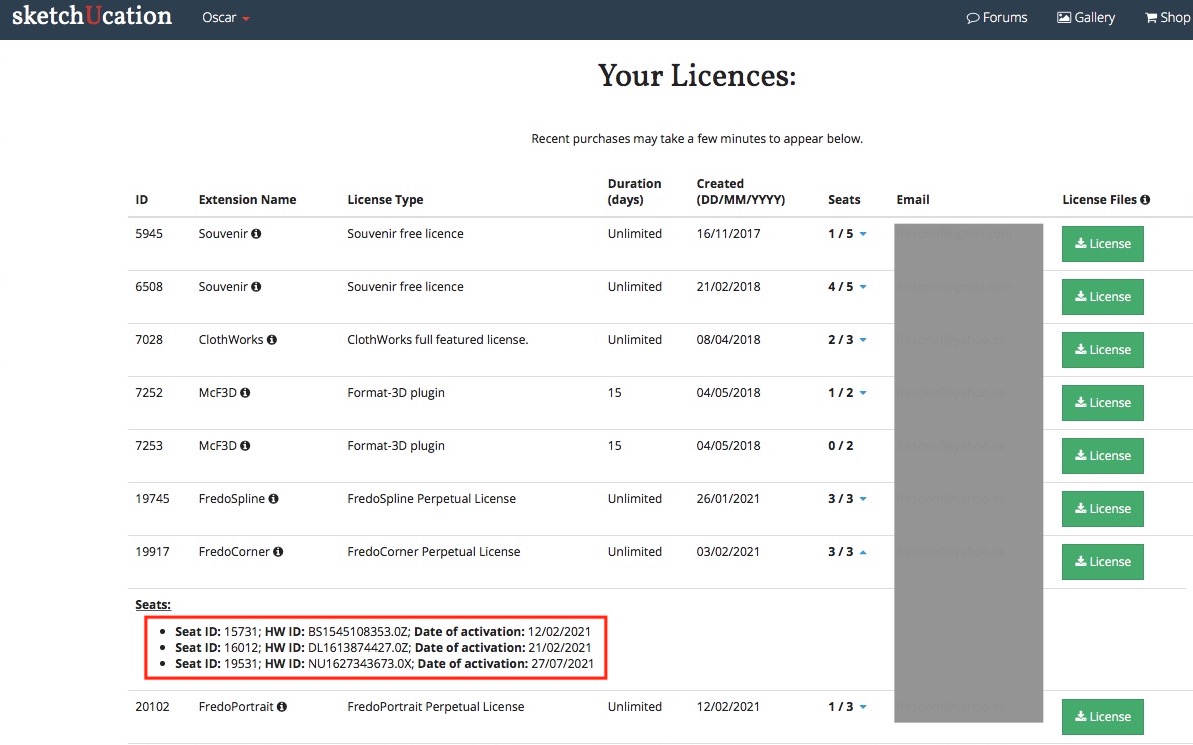
I have installed Sketchup 2016 Make & Sketchup 2017 Make in my desktop computer and Sketchup 2017 Make in my laptop, but FredoCorner isn't validate in these 3 computers. I can't release the licences to have seats free.
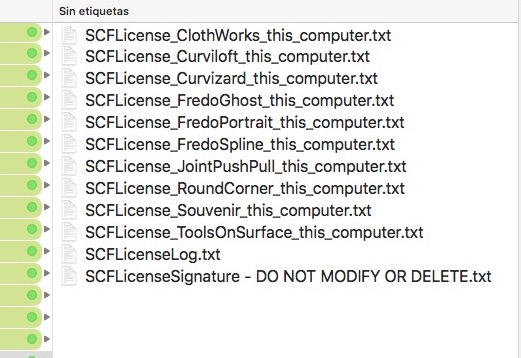
In the Licenses folder the FredoCorner ins't:
My Licenses Page:
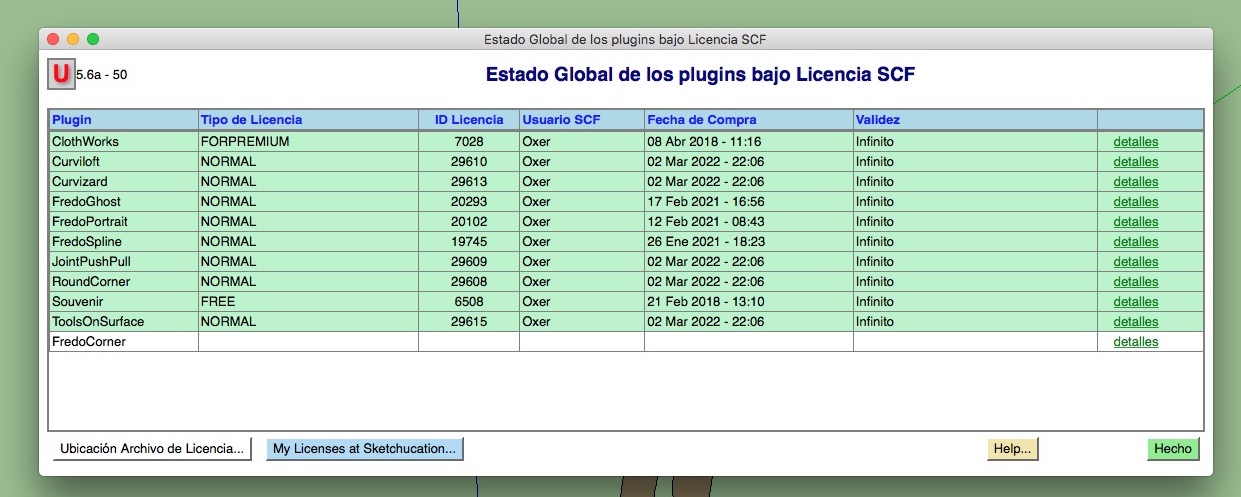
Global Status:
How can I reset the seats for FredoCorner?
Waiting the answer, Greetings!!
-
Hi, I have a problem with FredoCorner License, when I try validate the License it appears a popup window with this message:
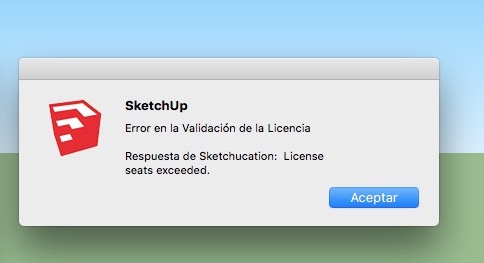
I have installed Sketchup 2016 Make & Sketchup 2017 Make in my desktop computer and Sketchup 2017 Make in my laptop, but FredoCorner isn't validate in these 3 computers. I can't release the licences to have seats free.
In the Licenses folder the FredoCorner ins't:
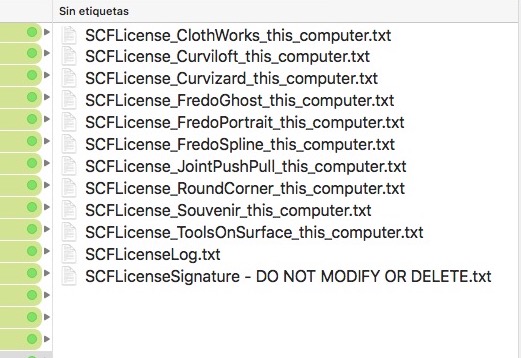
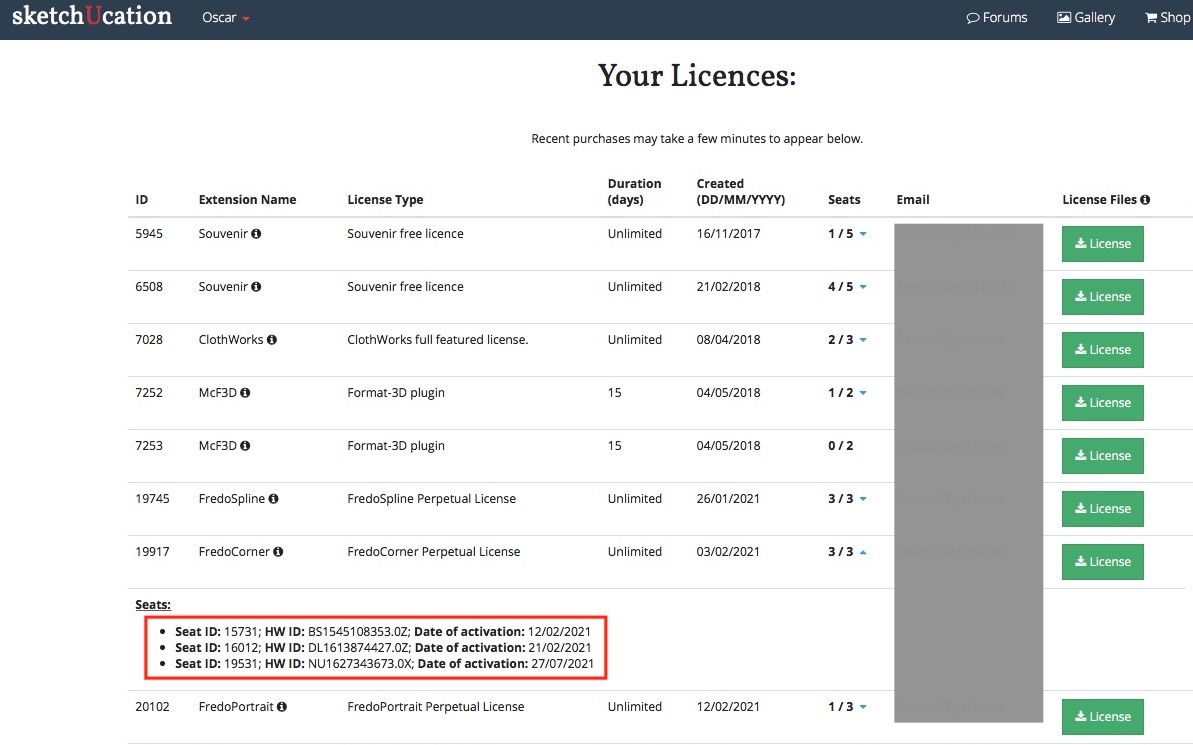
My Licenses Page:
Global Status:
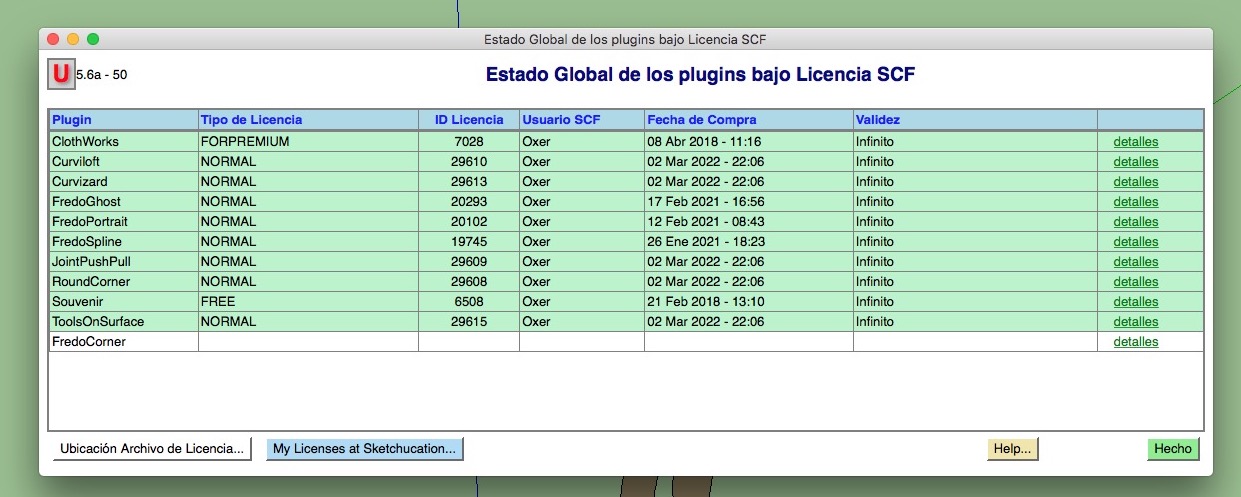
How can I reset the seats for FredoCorner?
Waiting the answer, Greetings!!
-
Hi, I have a problem with FredoCorner License, when I try validate the License it appears a popup window with this message:
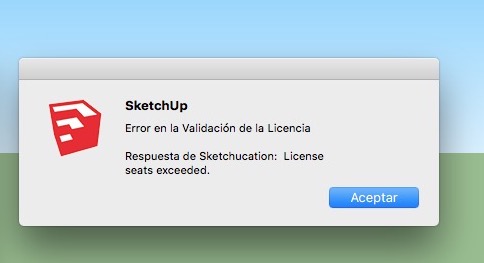
I have installed Sketchup 2016 Make & Sketchup 2017 Make in my desktop computer and Sketchup 2017 Make in my laptop, but FredoCorner isn't validate in these 3 computers. I can't release the licences to have seats free.
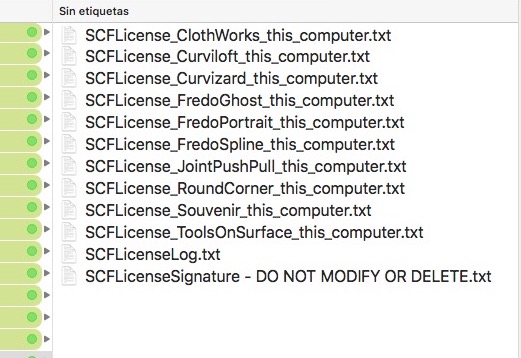
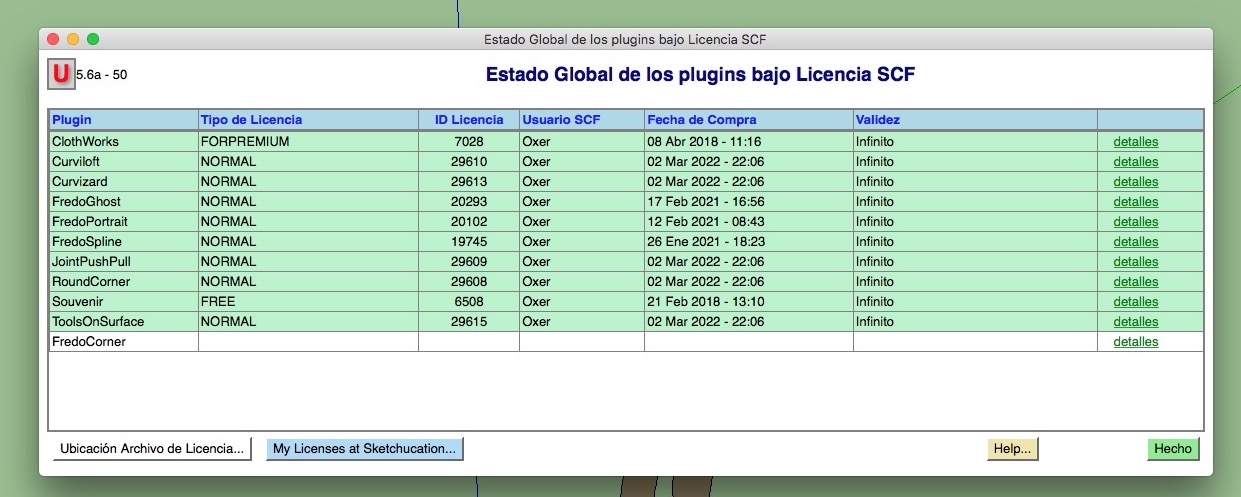
In the Licenses folder the FredoCorner ins't:
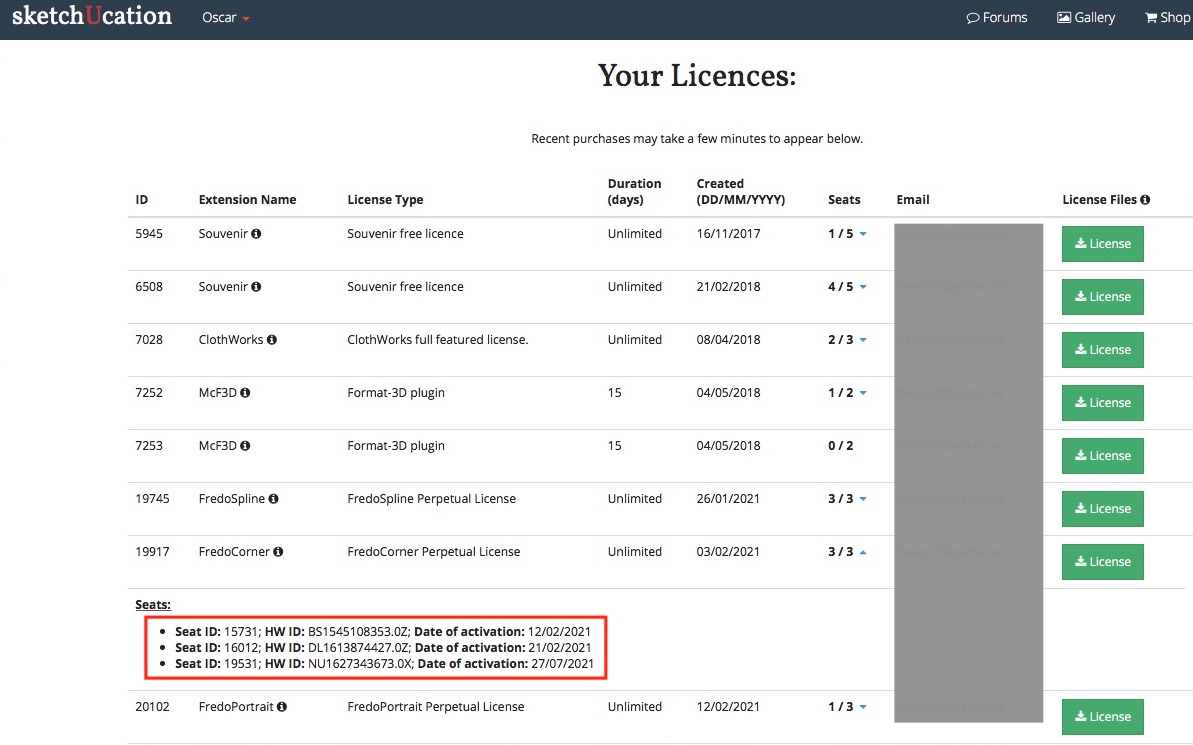
My Licenses Page:
Global Status:
How can I reset the seats for FredoCorner?
Waiting the answer, Greetings!!
-
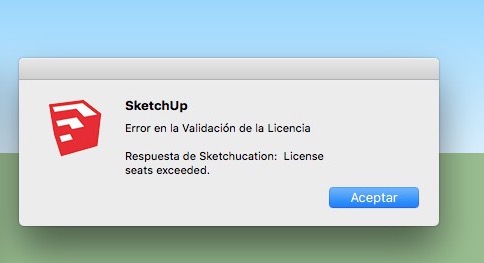
Hi, I have a problem with FredoCorner License, when I try validate the License it appears a popup window with this message:
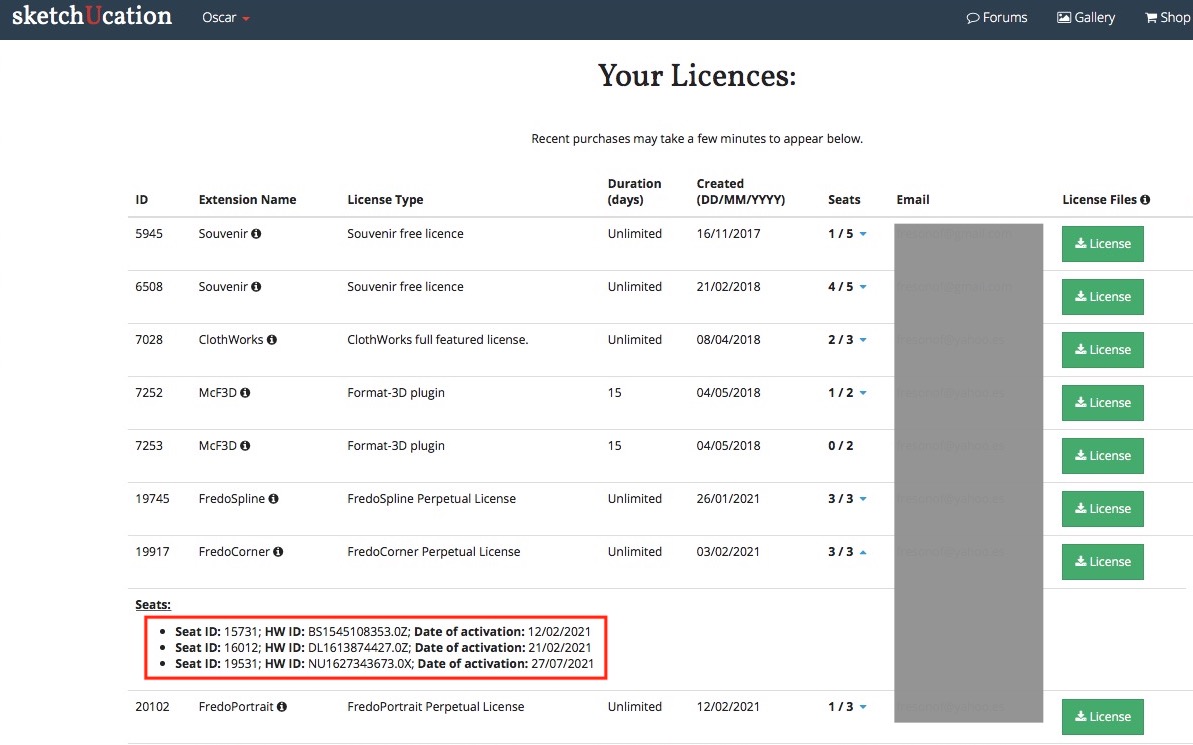
I have installed Sketchup 2016 Make & Sketchup 2017 Make in my desktop computer and Sketchup 2017 Make in my laptop, but FredoCorner isn't validate in these 3 computers. I can't release the licences to have seats free.
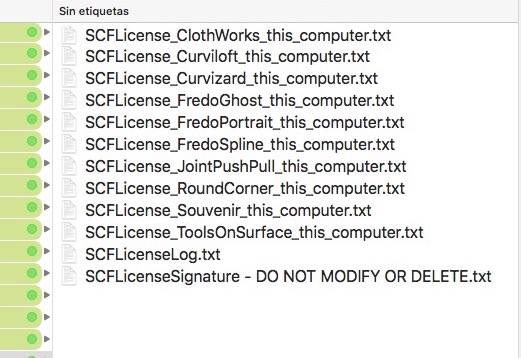
In the Licenses folder the FredoCorner ins't:
My Licenses Page:
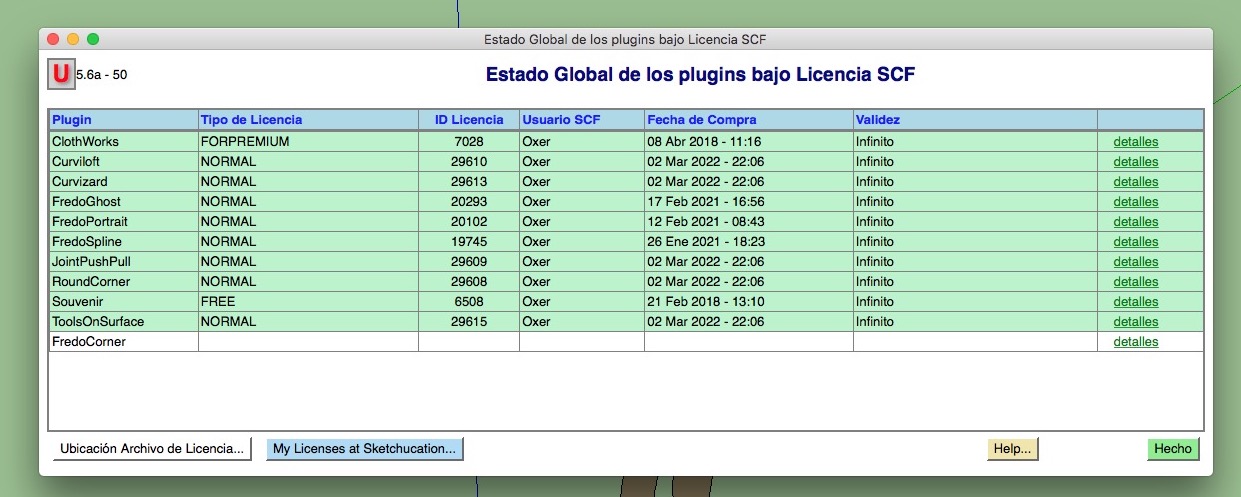
Global Status:
How can I reset the seats for FredoCorner?
Waiting the answer, Greetings!!
-
Hi, I have a problem with FredoCorner License, when I try validate the License it appears a popup window with this message:
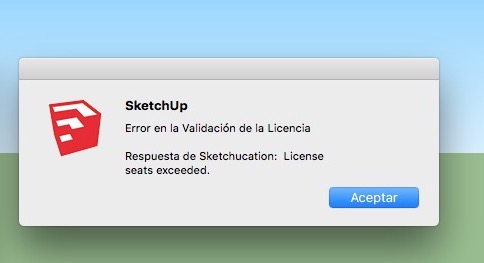
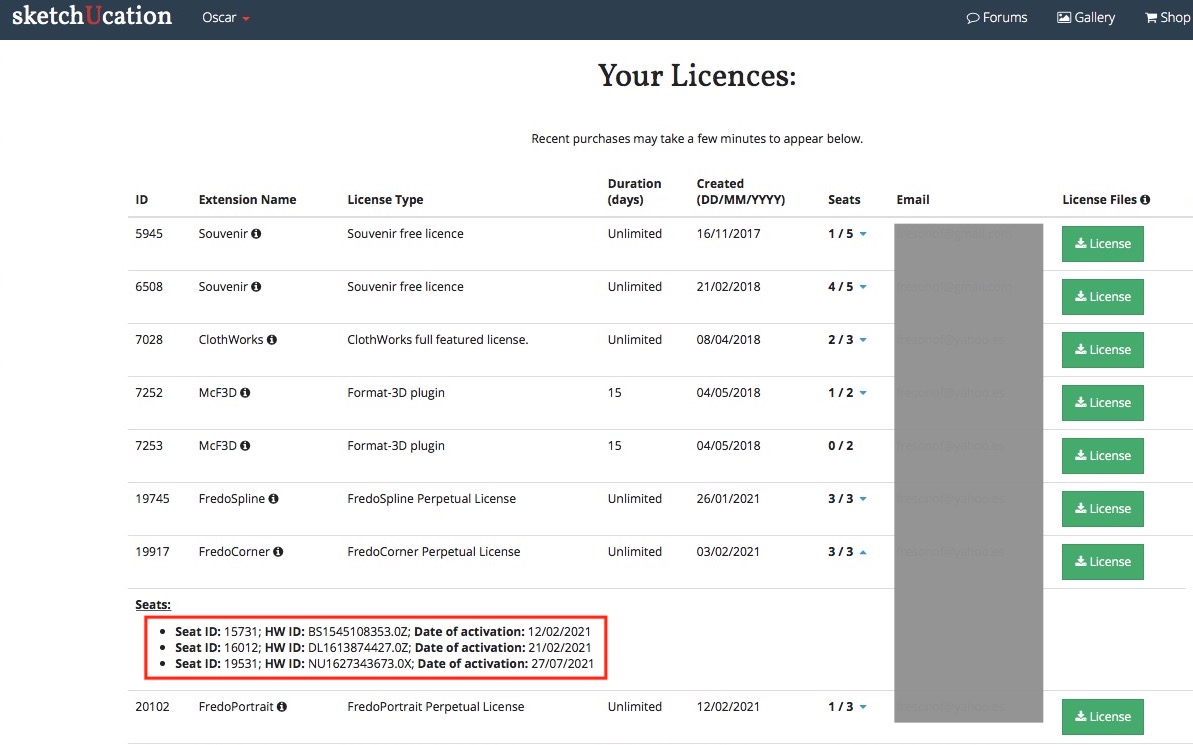
I have installed Sketchup 2016 Make & Sketchup 2017 Make in my desktop computer and Sketchup 2017 Make in my laptop, but FredoCorner isn't validate in these 3 computers. I can't release the licences to have seats free.
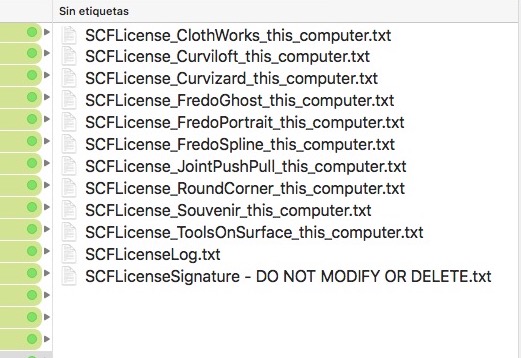
In the Licenses folder the FredoCorner ins't:
My Licenses Page:
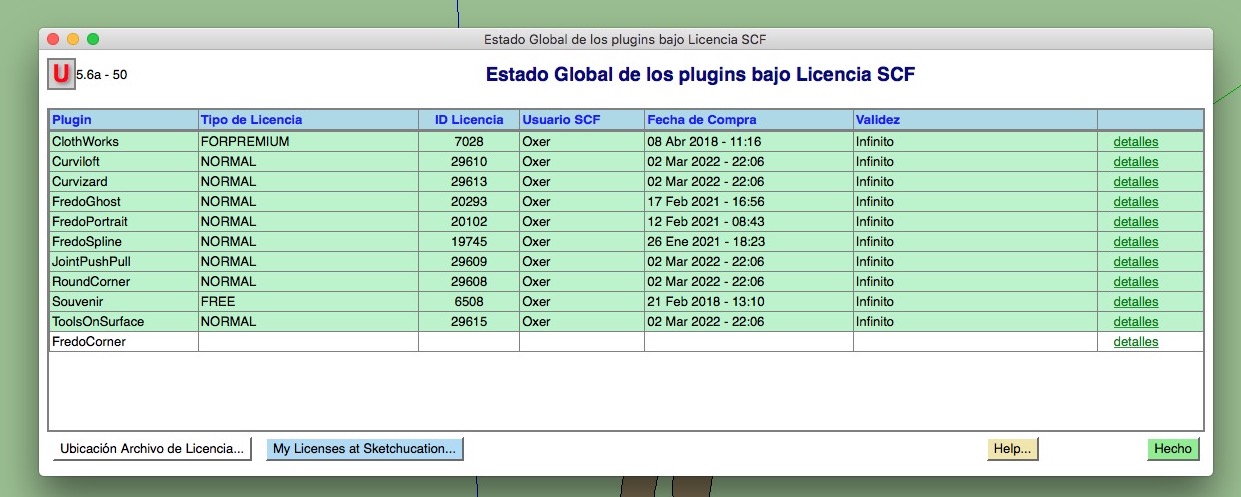
Global Status:
How can I reset the seats for FredoCorner?
Waiting the answer, Greetings!!
-
Hi, I have a problem with FredoCorner License, when I try validate the License it appears a popup window with this message:
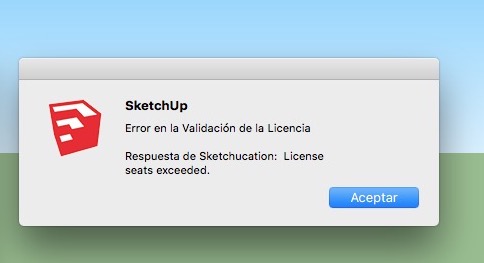
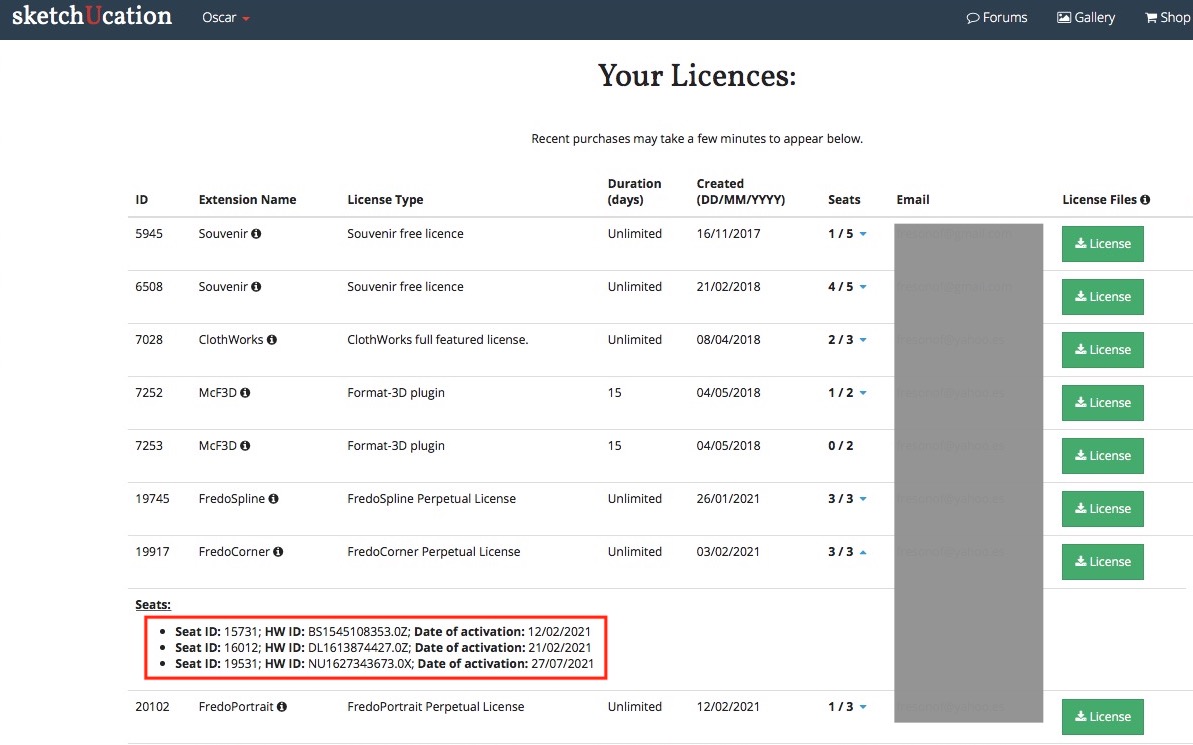
I have installed Sketchup 2016 Make & Sketchup 2017 Make in my desktop computer and Sketchup 2017 Make in my laptop, but FredoCorner isn't validate in these 3 computers. I can't release the licences to have seats free.
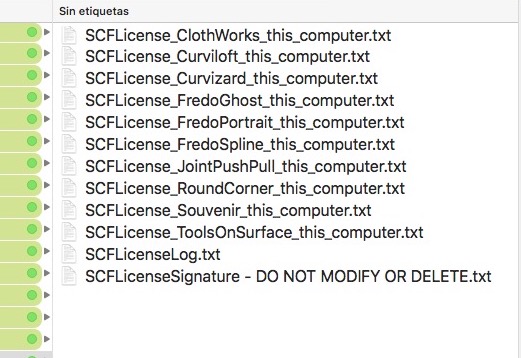
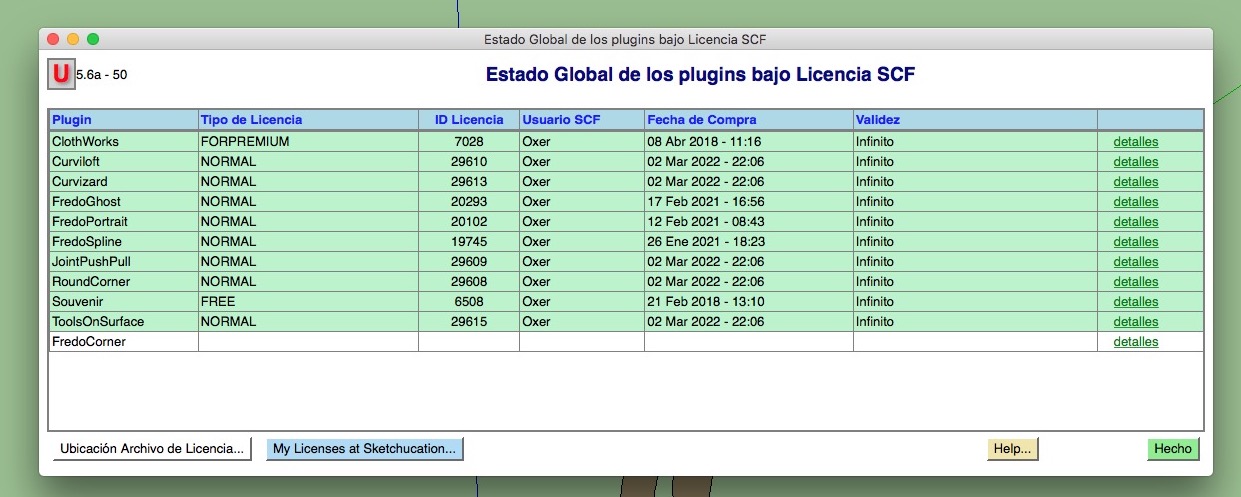
In the Licenses folder the FredoCorner ins't:
My Licenses Page:
Global Status:
How can I reset the seats for FredoCorner?
Waiting the answer, Greetings!!
-
Hi, I have a problem with FredoCorner License, when I try validate the License it appears a popup window with this message:
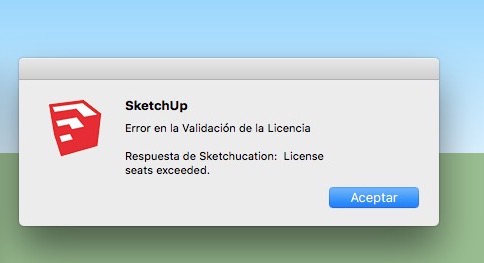
I have installed Sketchup 2016 Make & Sketchup 2017 Make in my desktop computer and Sketchup 2017 Make in my laptop, but FredoCorner isn't validate in these 3 computers. I can't release the licences to have seats free.
In the Licenses folder the FredoCorner ins't:
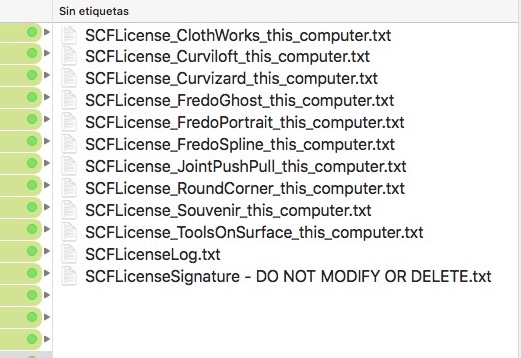
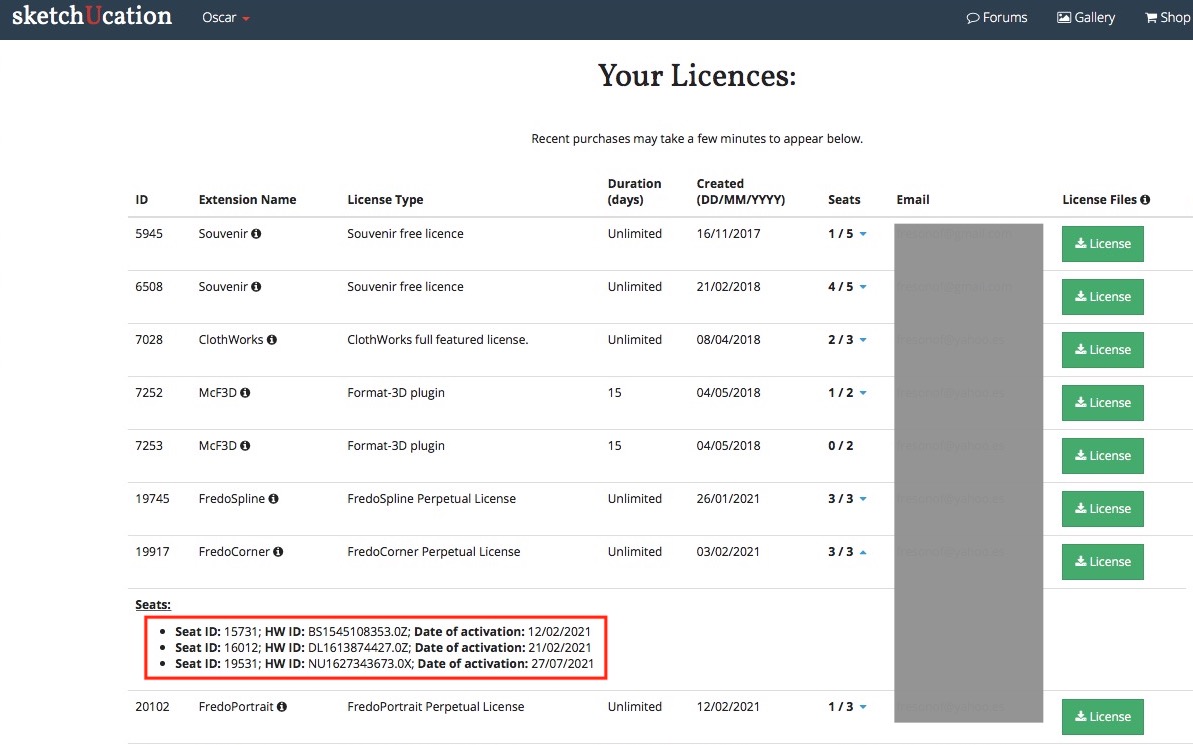
My Licenses Page:
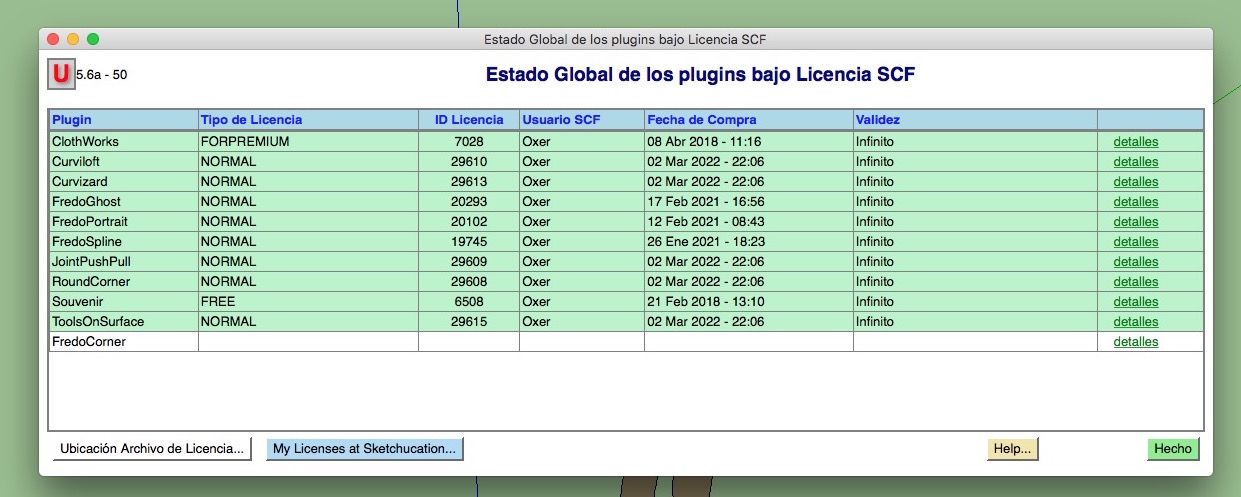
Global Status:
How can I reset the seats for FredoCorner?
Waiting the answer, Greetings!!
-
Hi, I have a problem with FredoCorner License, when I try validate the License it appears a popup window with this message:
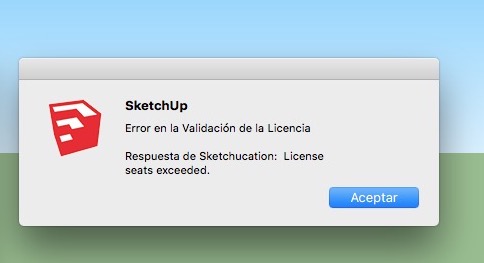
I have installed Sketchup 2016 Make & Sketchup 2017 Make in my desktop computer and Sketchup 2017 Make in my laptop, but FredoCorner isn't validate in these 3 computers. I can't release the licences to have seats free.
In the Licenses folder the FredoCorner ins't:
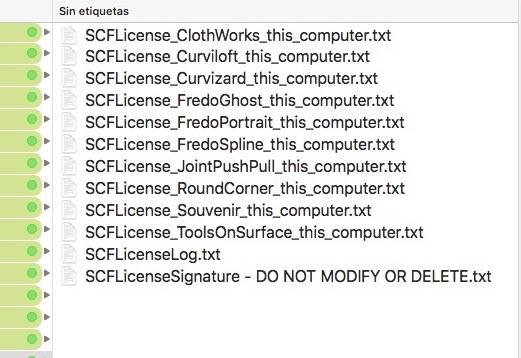
My Licenses Page:
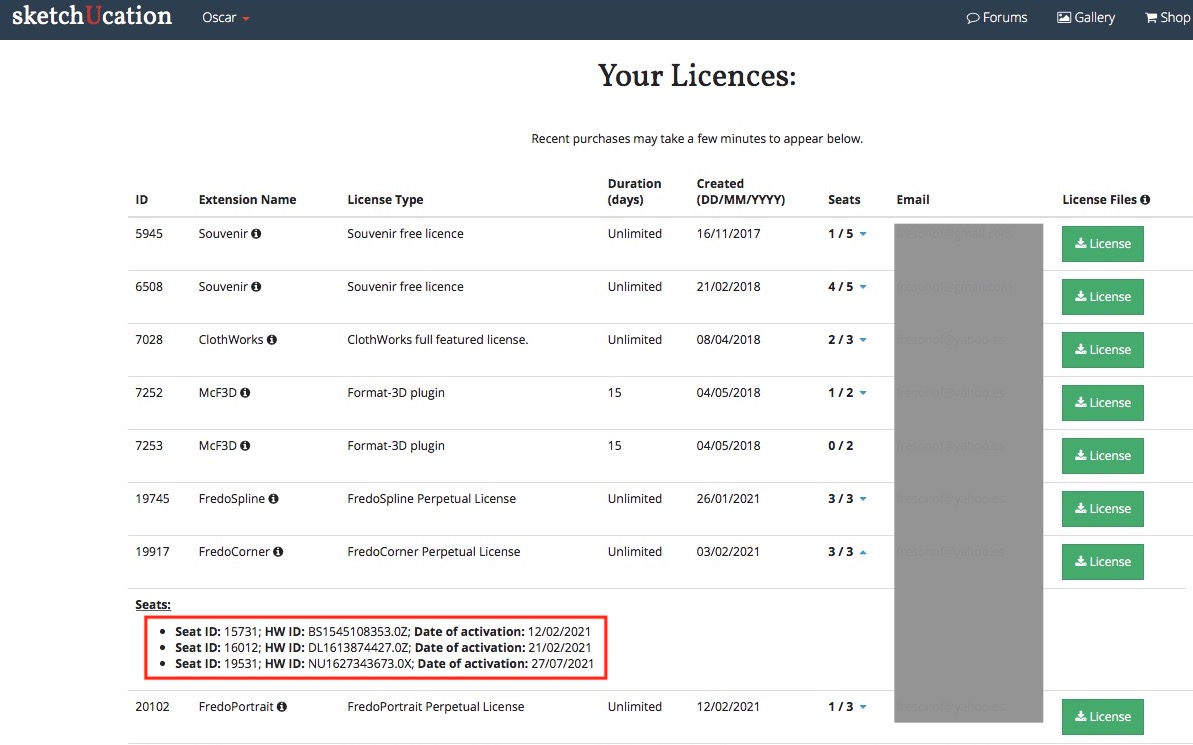
Global Status:
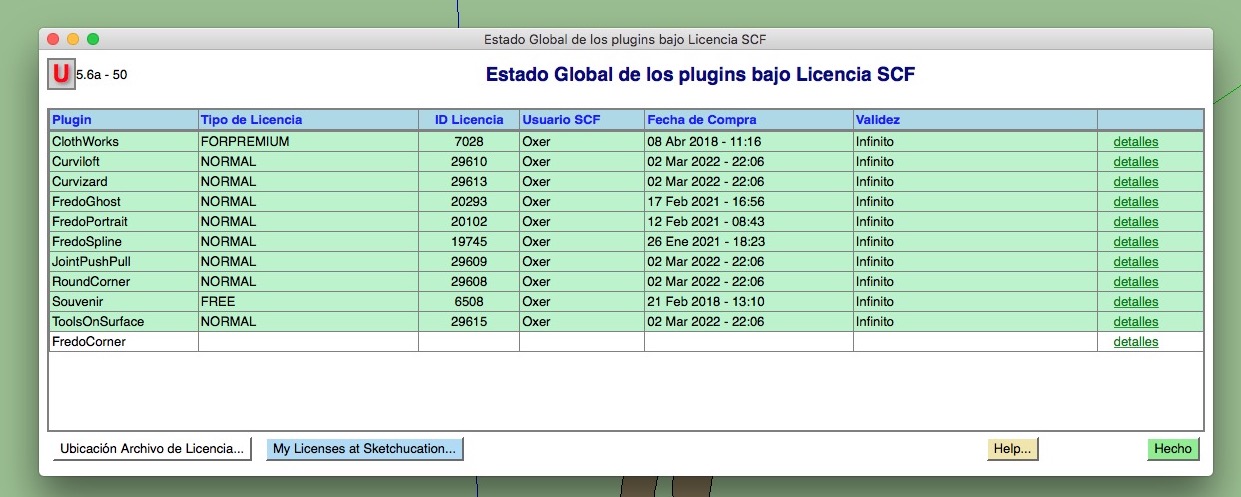
How can I reset the seats for FredoCorner?
Waiting the answer, Greetings!!
-
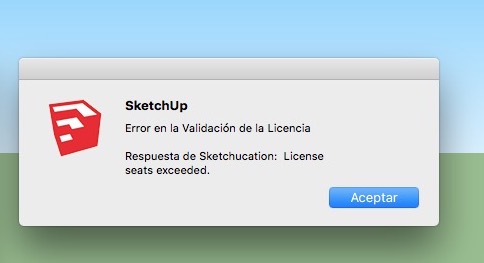
Hi, I have a problem with FredoCorner License, when I try validate the License it appears a popup window with this message:
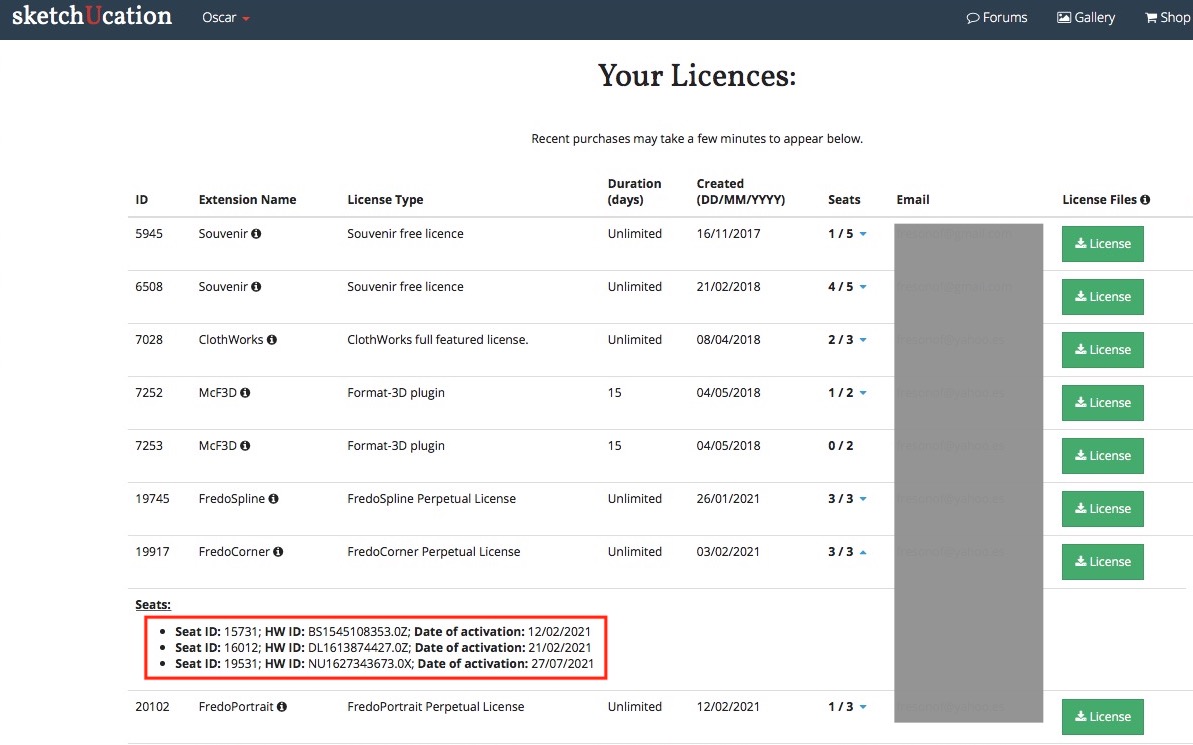
I have installed Sketchup 2016 Make & Sketchup 2017 Make in my desktop computer and Sketchup 2017 Make in my laptop, but FredoCorner isn't validate in these 3 computers. I can't release the licences to have seats free.
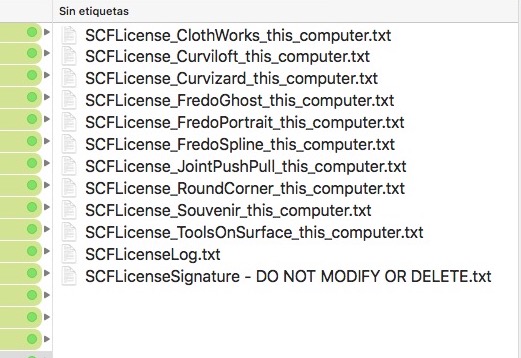
In the Licenses folder the FredoCorner ins't:
My Licenses Page:
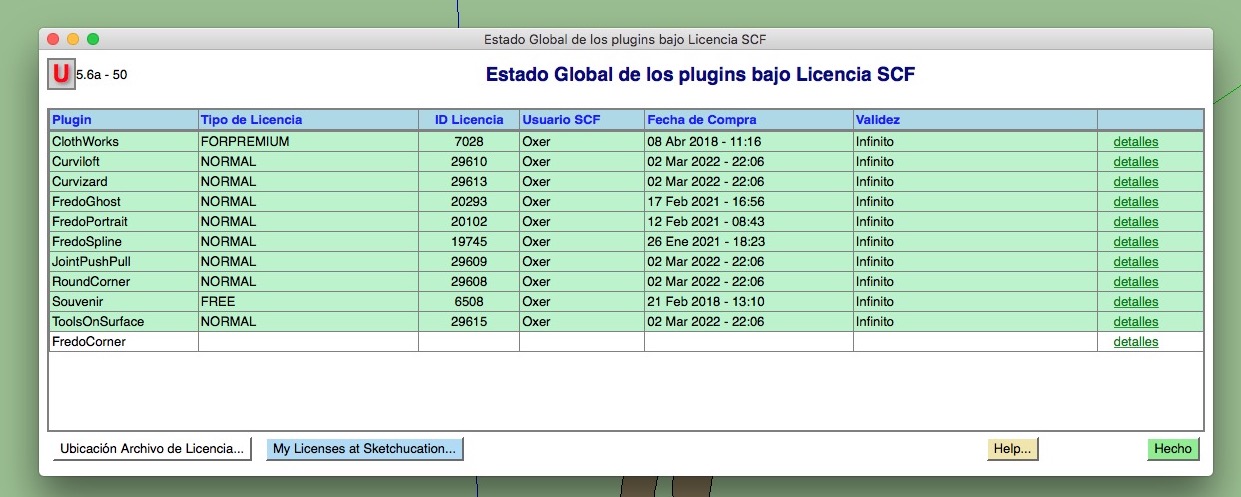
Global Status:
How can I reset the seats for FredoCorner?
Waiting the answer, Greetings!!

Hello! It looks like you're interested in this conversation, but you don't have an account yet.
Getting fed up of having to scroll through the same posts each visit? When you register for an account, you'll always come back to exactly where you were before, and choose to be notified of new replies (either via email, or push notification). You'll also be able to save bookmarks and upvote posts to show your appreciation to other community members.
With your input, this post could be even better 💗
Register Login


Advertisement