Jim's Toolbar example "Option" Not working in 2013
-
Because of the Aerilius Plugins. It is a very usefull tool. But I use a lot of single scripts, one liners and and extra functions ( like open second Sketchup instance or paste in place ) as buttons, to create some workflow improvements or special workflows, where I have a set of tools which help me in this case.
If there is an automatic commandbuilder for single scripts and a bunch of icon samplers ( like Cadfathers) Aerilius or Ricks Toolbar Builder are unbeatable
-
yeah I have it set.
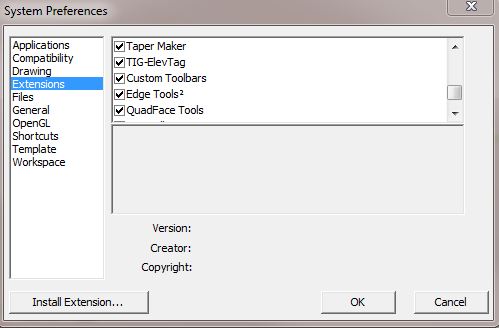
-
Ok... thanks to Burkard we have a fix. replace your loader.rb file located here \SketchUp\SketchUp 2013\Plugins\Toolbars\Files with this one.
-
@krisidious said:
Ok... thanks to Burkard we have a fix. replace your loader.rb file located here \SketchUp\SketchUp 2013\Plugins\Toolbars\Files with this one.
[attachment=0:2nhe1o07]<!-- ia0 -->loader.rb<!-- ia0 -->[/attachment:2nhe1o07]
Thanks both , it worked ¡

-
Good to hear Juan... I use this toolbar constantly. Had to have it.
-
Many, many thanks



Hello! It looks like you're interested in this conversation, but you don't have an account yet.
Getting fed up of having to scroll through the same posts each visit? When you register for an account, you'll always come back to exactly where you were before, and choose to be notified of new replies (either via email, or push notification). You'll also be able to save bookmarks and upvote posts to show your appreciation to other community members.
With your input, this post could be even better 💗
Register Login


Advertisement