Realistic Smoke brushes for Adobe PS...
-
Hi All,
At the Kerkythea Forum, one of our uses (Blair) posted this tip some days ago...

Although credits shouldn't go to me, I thought I should give the tip here as well on some amazingly high quality and free Real Smoke Brushes for Adobe Photoshop...

@fletch said:
- download zipped brush file.
- Unzip download
- copy .abr format brush file to your "C:\Program Files\Adobe\Adobe Photoshop xxx\Presets\Brushes" folder
- open new session of photoshop
- open file in which you need smoke
- use white color to paint
- choose "brush" button in photoshop
- make new layer above your rendering
- under brush shape type choose the tiny arrow pulldown menu>Load Brushes
- choose the "Real Smoke" brushes
- choose "append" to current brushes
- now you will find the new smoke brushes loaded into your brushes pallette
- choose a smoke to paint with, resize the brush tool to be the right size
- a single click-and-release of the mouse to paint the perfect smoke.
- if desired, change blending mode of the smoke layer to something like "overlay"... but not necessary.
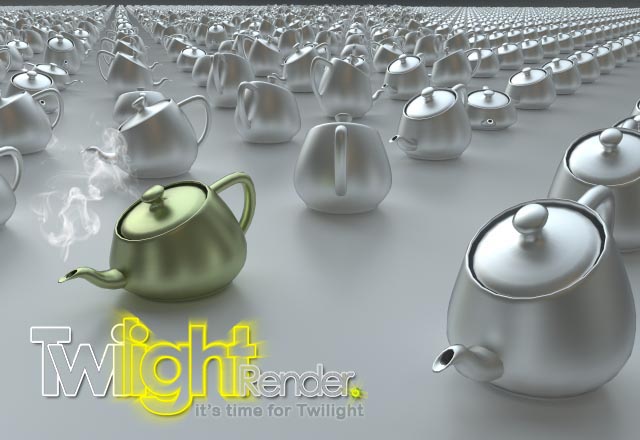
-
Oh, those look nice. Too bad they don't have those for Gimp.
EDIT: I spoke too soon, I guess you can! Great! http://www.katspace.org/graphics/digitart/brushes#A


Hello! It looks like you're interested in this conversation, but you don't have an account yet.
Getting fed up of having to scroll through the same posts each visit? When you register for an account, you'll always come back to exactly where you were before, and choose to be notified of new replies (either via email, or push notification). You'll also be able to save bookmarks and upvote posts to show your appreciation to other community members.
With your input, this post could be even better 💗
Register Login


Advertisement