Plugins folder?
-
This is a question from a relative newcomer to .rb files and where to put them.
I have quite a few plugins that work fine.
reading through the freescale thread posted by fredo6 and watching the video i, like most of you thought - Thats a must have! But I can't seem to get started - am i putting it in the wrong place?if anybody wants to help with this basic question - can you post the extension of where it goes ????
I'm on a Mac. I have been putting my plugins in to
Macintosh HD then Library, application support, sketchup7, sketchup, then finally plugins - normally they work putting them here.as per the thread says I downloaded them and put them in from the latest post - ( the 10th feb one)
cheers for the help
-
Here's a method that tells you right where your version of SketchUp is looking for extensions. Copy and paste the code into the Window > Ruby Console dialog, and press ENTER. It works for all versions of SketchUp, and on all operating systems, too.
Sketchup.find_support_file("Plugins")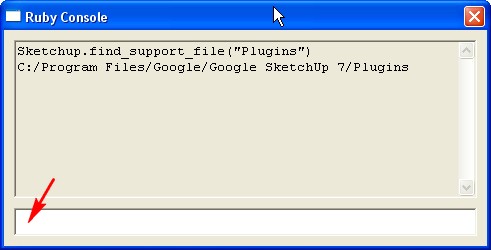
As you can see, in my case the location to install plugins is
C:/Program Files/Google/Google SketchUp 7/Plugins -
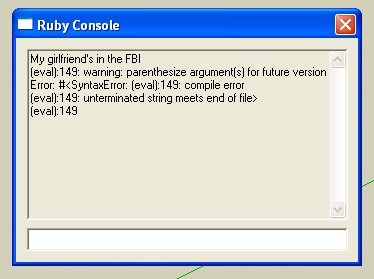
seems that don't work with this entry


-
very funny.


Hello! It looks like you're interested in this conversation, but you don't have an account yet.
Getting fed up of having to scroll through the same posts each visit? When you register for an account, you'll always come back to exactly where you were before, and choose to be notified of new replies (either via email, or push notification). You'll also be able to save bookmarks and upvote posts to show your appreciation to other community members.
With your input, this post could be even better 💗
Register Login


Advertisement