sketchucation logo sketchucation
    • Login
    Oops, your profile's looking a bit empty! To help us tailor your experience, please fill in key details like your SketchUp version, skill level, operating system, and more. Update and save your info on your profile page today!
    Mac User? | Join the Rayscaper Beta for Mac Learn More

    Procedural terrains

    Scheduled Pinned Locked Moved Gallery
    63 Posts 25 Posters 12.6k Views 25 Watching
    Loading More Posts
    • Oldest to Newest
    • Newest to Oldest
    • Most Votes
    Reply
    • Reply as topic
    Log in to reply
    This topic has been deleted. Only users with topic management privileges can see it.
    • L
      lapx
      last edited by

      Gaieus,
      Can you post a test file or link to a data file? I would like to test the cloud ruby.

      1 Reply Last reply
      Reply Quote 0
      • GaieusG
        Gaieus
        last edited by

        Lapx,

        There is an "exmple.dat" file at Didiers site that you can downoad (and it's also fun at the end)
        http://www.crai.archi.fr/RubyLibraryDepot/Ruby/em_geo_page.htm
        Go down to cloud.rb and it's on the right side.

        Gai...

        1 Reply Last reply
        Reply Quote 0
        • L
          lapx
          last edited by

          Thanks Gaieus,
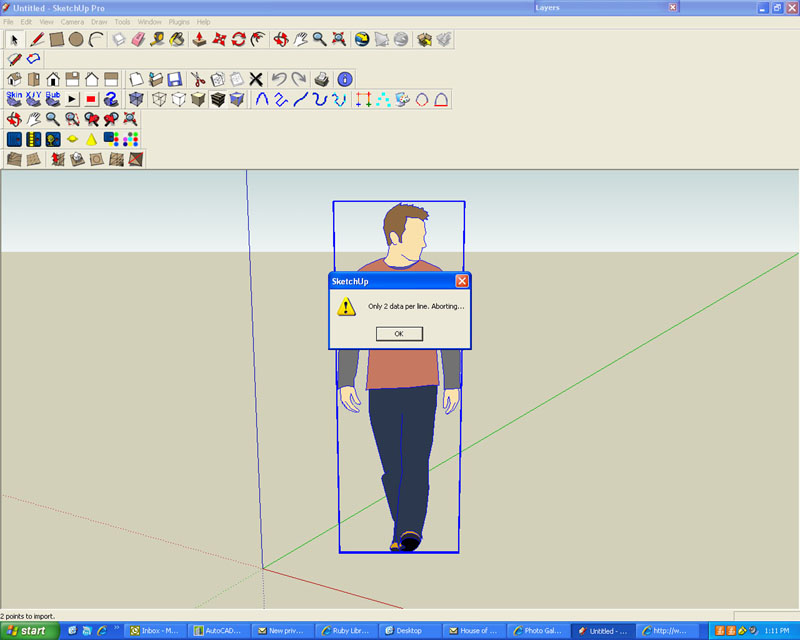
          But I get thid error message after loading the example "ioc_dat.gif" file.
          Any idea what the problem might be?

          ERROR.jpg

          1 Reply Last reply
          Reply Quote 0
          • L
            lapx
            last edited by

            Ok, got the dat file to download now. Now it does nothing 😕

            1 Reply Last reply
            Reply Quote 0
            • L
              lapx
              last edited by

              Got it to work. Make sure you have the latest ruby 😎
              Now I need to find practical ways to apply it.
              Where would one get or create the data files where they could be applicable?

              1 Reply Last reply
              Reply Quote 0
              • GaieusG
                Gaieus
                last edited by

                What I useit for is to reconstruct ancient ground surfaces that we explore during archaeological excavations. We set up a co-ordinate system and do the surveys ourselves during the digs. xyz co.ordinates. They are then easy to enter through the script. The more accurate the survey is (i.e. the more point we measure) the more precise the mesh is.

                Gai...

                1 Reply Last reply
                Reply Quote 0
                • L
                  lapx
                  last edited by

                  I guess as I was thinking, a powerful use for 3d would be using it to actually displace difficult to model textures i.e. frieze detail on ancient structures. But this may be overmodeling depending on how close you are to the model.

                  1 Reply Last reply
                  Reply Quote 0
                  • P
                    pichuneke
                    last edited by

                    Does someone have a quick way to convert the generated list of coordinates in the page:

                    http://www.zonums.com/gmaps/terrain.html

                    to UTM?

                    It is not related to sketchup, I need it for my work. (I have the tools to convert it, but just one point at time).

                    Forgive my spanglish...

                    1 Reply Last reply
                    Reply Quote 0
                    • M
                      mirjman
                      last edited by

                      like this?

                      http://www.zonums.com/online/coords/cotrans.php?module=13

                      thanks to rsw

                      1 Reply Last reply
                      Reply Quote 0
                      • P
                        pichuneke
                        last edited by

                        mirjman, you saved my life today 😍

                        Just a size limit of 500 points in:

                        http://www.zonums.com/online/equery.html

                        Forgive my spanglish...

                        1 Reply Last reply
                        Reply Quote 0
                        • M
                          matteo
                          last edited by

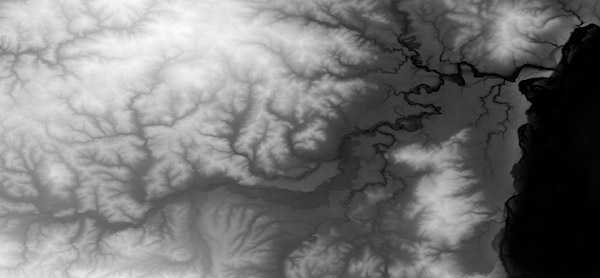
                          hi, according to me, if you can get a grayscale height map of your terrain, you'll do some magic with Bryce.
                          For those who don't know it, Bryce is s landscape renderer and you can download a legal copy of version 5.5 for free - just check the webpage of Daz, who now owns it. The render engine is a bit outdated, but the terrain editor still rocks.

                          Start with a grayscale map like this beneath (found at http://www.photoshoproadmap.com/)

                          relief-shading2.jpg

                          hire me: http://www.nonsolo3d.it/ !

                          1 Reply Last reply
                          Reply Quote 0
                          • M
                            matteo
                            last edited by

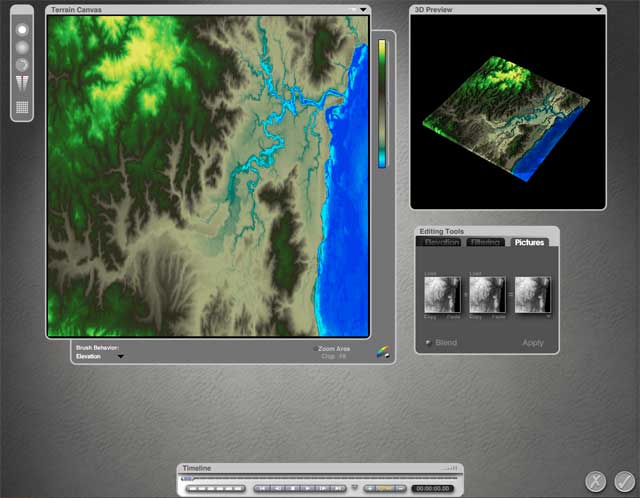
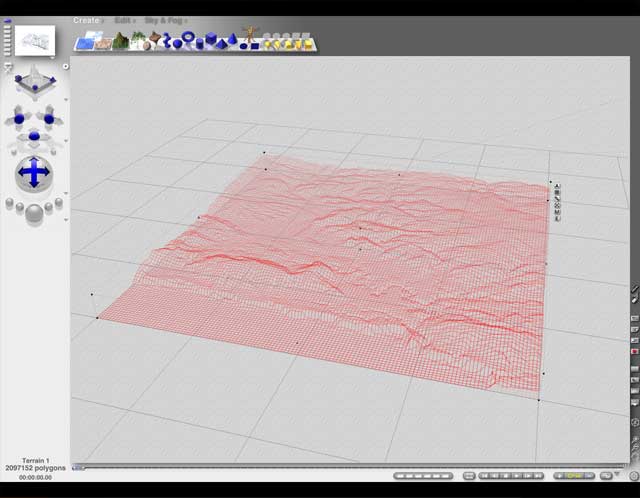
                            load this image into the terrain editor, and it will automatically converted to a 3D mesh: you can set the grid resolution of the mesh. In this case I've chosen a 640x640 units grid, and set a color gradient that helps me understand better the terrain morphology.
                            bryce-terrain-editor.jpg


                            bryce-terrain---wireframe.jpg

                            hire me: http://www.nonsolo3d.it/ !

                            1 Reply Last reply
                            Reply Quote 0
                            • M
                              matteo
                              last edited by

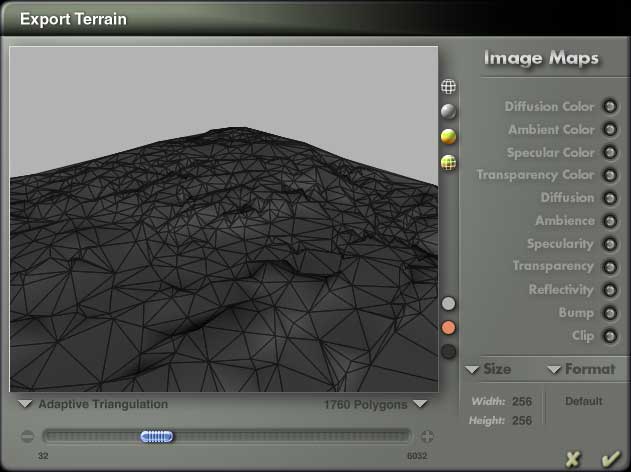
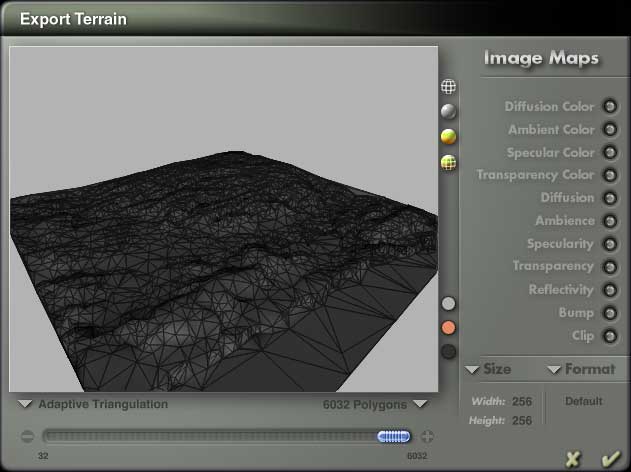
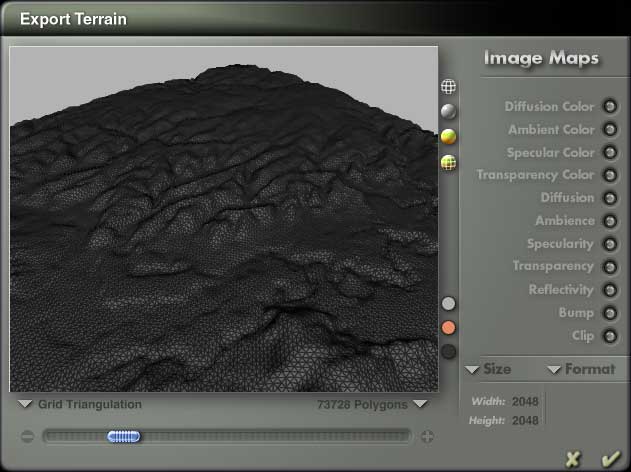
                              now there comes the best part: you can export the terrain as .dxf or .3ds file. In the export panel there is a slider that will optimize the poly count of your terrain. This function is perfect for exporting to sketchup, since a low poly mesh will be handled much better. The algorithm to decimate the mesh is really fair and it offers you two ways to do it.
                              grid-triangulation-low.jpg


                              grid-triangulation-med.jpg


                              grid-triangulation-hi.jpg

                              hire me: http://www.nonsolo3d.it/ !

                              1 Reply Last reply
                              Reply Quote 0
                              • M
                                matteo
                                last edited by

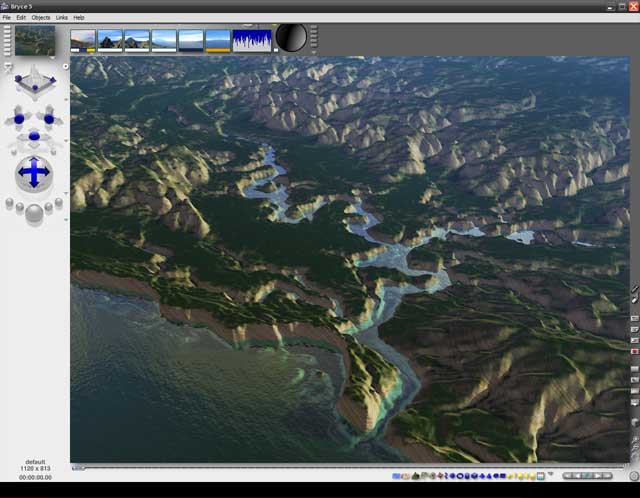
                                The terrain editor offers you the chance easily modify some part of the mesh by "repainting" it or by applying erosion filters.
                                It's useless to say that Bryce's Terrain Editor is a great organic modeler and you can create many more shapes than terrains. There is plenty of tutorials in the web.

                                bryce-terrain-rendering.jpg

                                hire me: http://www.nonsolo3d.it/ !

                                1 Reply Last reply
                                Reply Quote 0
                                • P
                                  pichuneke
                                  last edited by

                                  My first approach to 3D was Terragen 1.0.

                                  Link Preview Image
                                  404 Not Found

                                  favicon

                                  (www.planetside.co.uk)

                                  I enjoyed a lot that software. Personally I think that even the new version is a bit old today. It's a terrain editor with raytracing. But I learned some interesting things.

                                  Forgive my spanglish...

                                  1 Reply Last reply
                                  Reply Quote 0
                                  • T
                                    tomislavm
                                    last edited by

                                    Thank You, nice program!

                                    1 Reply Last reply
                                    Reply Quote 0
                                    • H
                                      haynesc
                                      last edited by

                                      how can i do this ...

                                      whats a displacement map ? which rubies do i need to download and how to i go about creating these terrains like solo has done?

                                      1 Reply Last reply
                                      Reply Quote 0

                                      Hello! It looks like you're interested in this conversation, but you don't have an account yet.

                                      Getting fed up of having to scroll through the same posts each visit? When you register for an account, you'll always come back to exactly where you were before, and choose to be notified of new replies (either via email, or push notification). You'll also be able to save bookmarks and upvote posts to show your appreciation to other community members.

                                      With your input, this post could be even better 💗

                                      Register Login
                                      • 1
                                      • 2
                                      • 3
                                      • 4
                                      • 1 / 4
                                      • First post
                                        Last post
                                      Buy SketchPlus
                                      Buy SUbD
                                      Buy WrapR
                                      Buy eBook
                                      Buy Modelur
                                      Buy Vertex Tools
                                      Buy SketchCuisine
                                      Buy FormFonts

                                      Advertisement