sketchucation logo sketchucation
    • Login
    Oops, your profile's looking a bit empty! To help us tailor your experience, please fill in key details like your SketchUp version, skill level, operating system, and more. Update and save your info on your profile page today!
    Mac User? | Join the Rayscaper Beta for Mac Learn More

    Slider controlers missing

    Scheduled Pinned Locked Moved SketchyPhysics
    27 Posts 7 Posters 6.4k Views 7 Watching
    Loading More Posts
    • Oldest to Newest
    • Newest to Oldest
    • Most Votes
    Reply
    • Reply as topic
    Log in to reply
    This topic has been deleted. Only users with topic management privileges can see it.
    • D
      dolf
      last edited by

      Problem solved: The slider dialog is constructed in ControlPanel.rb by:

          $PhysicsControlPanelDialog=UI::WebDialog.new("SketchyPhysics Control Panel", true,"bzasdfasdfa12ctrasaa123", 290, 200, 1000,800, true)
      

      I looked up WebDialog.new and guessed from the missing description that the parameters with values here 1000 and 800 are width and height. Like cdauscher, I'm trying to use the stuff on a notebook - replacing 1000 and 800 with e.g. 600 and 400, I get a small but nice window of sliders. 😍

      Bug in WebKit: windows that are as big or bigger than screen size (mine is 1280*800) don't get displayed.

      1 Reply Last reply
      Reply Quote 0
      • C
        cdauscher
        last edited by

        Hi dolf,
        many thanks for your GREAT analysis !!
        after editing ControlPanel.rb everything works perfect !! πŸ‘ 😍 😍

        Stoff .......... ( search in 3DWarehouse for my SKPhyModels )

        1 Reply Last reply
        Reply Quote 0
        • C
          CPhillips
          last edited by

          Thanks for tracking that down! I will fix it in the next release.

          1 Reply Last reply
          Reply Quote 0
          • Z
            ziggystardust
            last edited by

            hi it doesn't work for me, help!!!!!!!! spent a whole day on it

            1 Reply Last reply
            Reply Quote 0
            • M
              Mr.K.1
              last edited by

              @ziggystardust said:

              hi it doesn't work for me, help!!!!!!!! spent a whole day on it

              Well what version are you running?
              With version 3.2 all those problems should be long gone, and this thread is actually 3 years old.

              1 Reply Last reply
              Reply Quote 0
              • Z
                ziggystardust
                last edited by

                i know, I've tried both 3.1 and3.2 both on su 7 and 8 pro, to no avail, i'm loosing hope, all goes well but the ui
                isn't displaying anything in the line, just blank white lines, nor do i get controllers when i play is pressed, even on down loaded models

                1 Reply Last reply
                Reply Quote 0
                • Z
                  ziggystardust
                  last edited by

                  i know, I've tried both 3.1 and3.2 both on su 7 and 8 pro, to no avail, i'm loosing hope, all goes well but the ui
                  isn't displaying anything in the line, just blank white lines, nor do i get controllers when i play is pressed, even on down loaded models

                  1 Reply Last reply
                  Reply Quote 0
                  • M
                    Mr.K.1
                    last edited by

                    Well then I'm quite lost.
                    If you open up the Ruby Console and then try using the UI or running SketchyPhysics does it report any errors?

                    1 Reply Last reply
                    Reply Quote 0
                    • Z
                      ziggystardust
                      last edited by

                      no it doesn't show errors, i'm convinced by now that it has to do to me uninstalling internet explorer, but even
                      after re-installing ie and su again i don't get it! on 2 different pc's! i'm going mad

                      1 Reply Last reply
                      Reply Quote 0
                      • M
                        Mr.K.1
                        last edited by

                        Well yes IE is essential to all Sketchup UI stuff, but without it the Webdialogs wouldn't turn up at all.

                        What if you try File -> 3D warehouse -> Get models, does that work?

                        1 Reply Last reply
                        Reply Quote 0
                        • Z
                          ziggystardust
                          last edited by

                          so what should i do? mr. k are you then saying that i shouldn't focus on ie?

                          1 Reply Last reply
                          Reply Quote 0
                          • Z
                            ziggystardust
                            last edited by

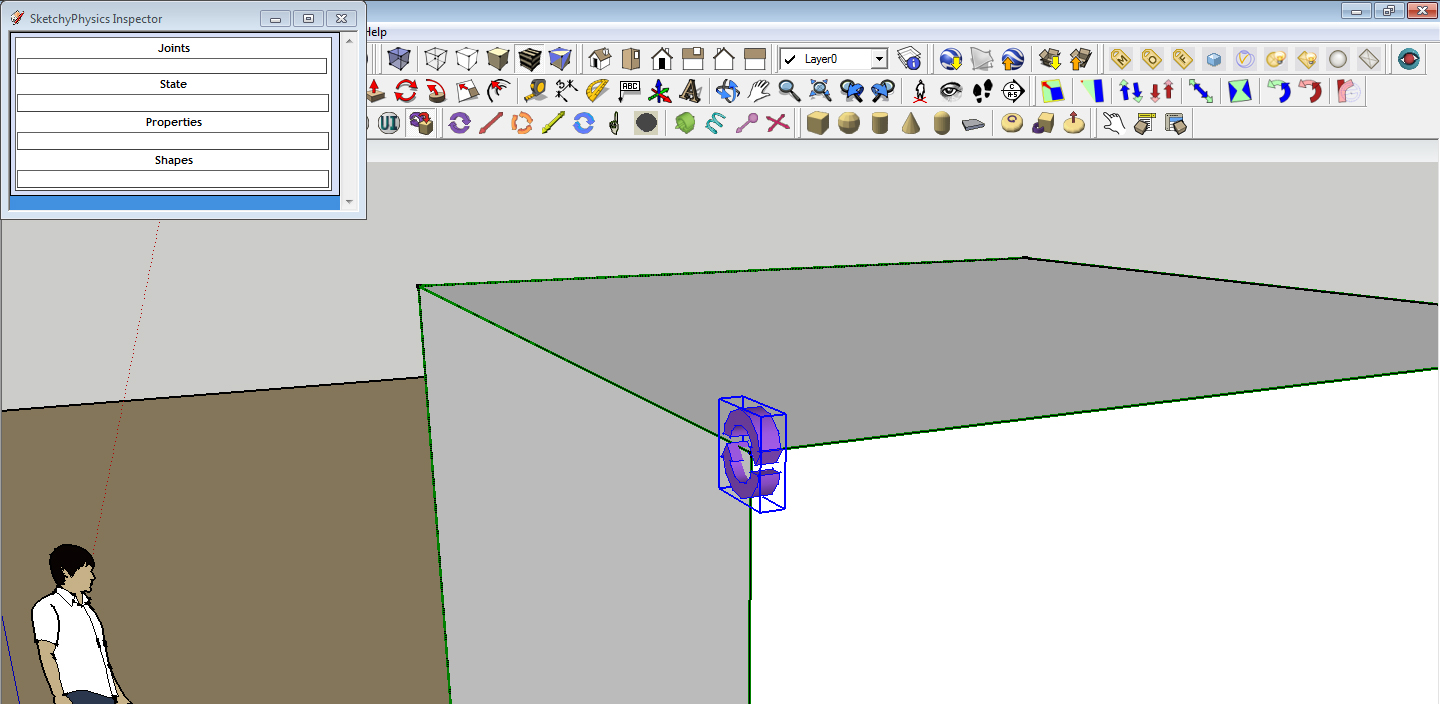
                            this is what i get when i press the ui,1.jpg

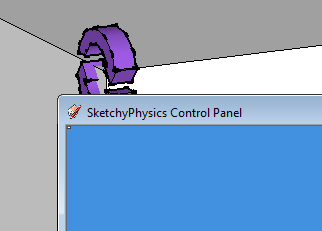
                            and the second picture is when i press the play button,2.jpg

                            don't know if you can see but there's a very little square window in the left corner, think this is the problem , everything else works, but sketchphysics is useless like that!!!!!help!!!

                            1 Reply Last reply
                            Reply Quote 0
                            • M
                              Mr.K.1
                              last edited by

                              Well SP adds in elements via Javascript so the most likely culprit for the UI to stay empty are your browser settings, it needs to have javascript enabled.
                              Or maybe it's an issue with the IE version, I hear some of them cause problems when combined with Sketchup.

                              1 Reply Last reply
                              Reply Quote 0
                              • Z
                                ziggystardust
                                last edited by

                                so what do you suggest mr. k?

                                what versions are u using?

                                1 Reply Last reply
                                Reply Quote 0
                                • M
                                  Mr.K.1
                                  last edited by

                                  I'm not sure if Windows will allow it but try installing versions 8 or 7, I got 7 and it works... fairly well.

                                  But before that make sure your browser isn't blocking scripts, because I heard IE9 is locked down pretty tight by default.

                                  1 Reply Last reply
                                  Reply Quote 0
                                  • Z
                                    ziggystardust
                                    last edited by

                                    thx again mr. k, i'm sure god will remember all that help when the right time comes
                                    and you'll go to heaven πŸ˜„
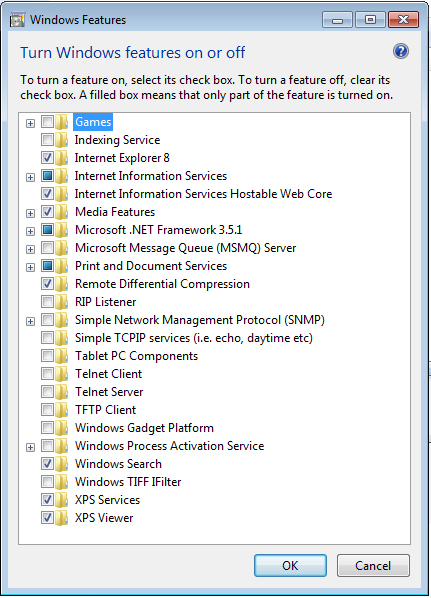
                                    can you tell me how to check the scripts on ie, i've installed 8 after uninstalling 9
                                    but to no help, thought maybe some of my win features caused the problem, this is how they
                                    stand now.....

                                    1 Reply Last reply
                                    Reply Quote 0
                                    • Z
                                      ziggystardust
                                      last edited by

                                      8.jpg

                                      1 Reply Last reply
                                      Reply Quote 0
                                      • M
                                        Mr.K.1
                                        last edited by

                                        Well I had a quick look on google and found these:
                                        http://answers.microsoft.com/en-us/ie/forum/ie8-windows_xp/unable-to-enable-javascript-in-ie8/0aba6b02-5783-49ca-a27b-6636e43ed1dc

                                        I can't tell if this will work but it's worth a shot.

                                        1 Reply Last reply
                                        Reply Quote 0
                                        • R
                                          rahdad1
                                          last edited by

                                          I noticed when using a hinge joint, nothing shows up in the slider window, but when using a servo joint the slider shows up and is functioning.

                                          1 Reply Last reply
                                          Reply Quote 0
                                          • S
                                            Scott Haines
                                            last edited by

                                            I'm having the same issue as rahdad1. When I name the hinge joint in the Controller window (blue field), close the window and then re-open the window, I find that the name is gone. When I hit the play button there is no slider in the pop-up. I'm running Windows 7, Sketchup 8.0.4811 and Sketchyphysics 3.. Thanks for the help.

                                            1 Reply Last reply
                                            Reply Quote 0

                                            Hello! It looks like you're interested in this conversation, but you don't have an account yet.

                                            Getting fed up of having to scroll through the same posts each visit? When you register for an account, you'll always come back to exactly where you were before, and choose to be notified of new replies (either via email, or push notification). You'll also be able to save bookmarks and upvote posts to show your appreciation to other community members.

                                            With your input, this post could be even better πŸ’—

                                            Register Login
                                            • 1
                                            • 2
                                            • 1 / 2
                                            • First post
                                              Last post
                                            Buy SketchPlus
                                            Buy SUbD
                                            Buy WrapR
                                            Buy eBook
                                            Buy Modelur
                                            Buy Vertex Tools
                                            Buy SketchCuisine
                                            Buy FormFonts

                                            Advertisement