Adding sun bursts/volumeteric lights
-
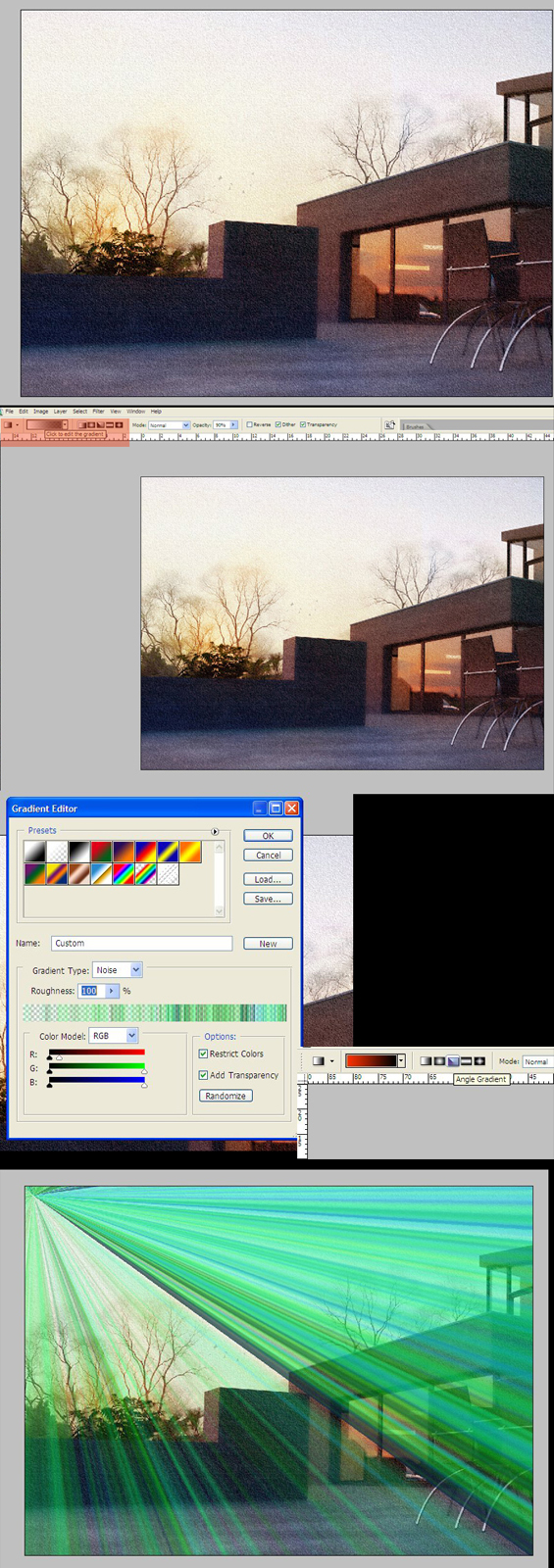
Attached is a step by step for adding sun bursts/god rays emanating from the sun.This can also be used for faking volumetric light to a certain degree.
1.Open the image.
2.create a new layer called "sunburst".
3.pick the gradient tool and use the settings shown.
4.using the ANGULAR GRADIENT,drag from the top left corner to the bottom right.
5.Desaturate the gradient and ad a small motion blur of between 4 and 5.
6.change blending mode to SCREEN.
7.you can also add some colour variations to the gradient,in this case a warm yellow/red.
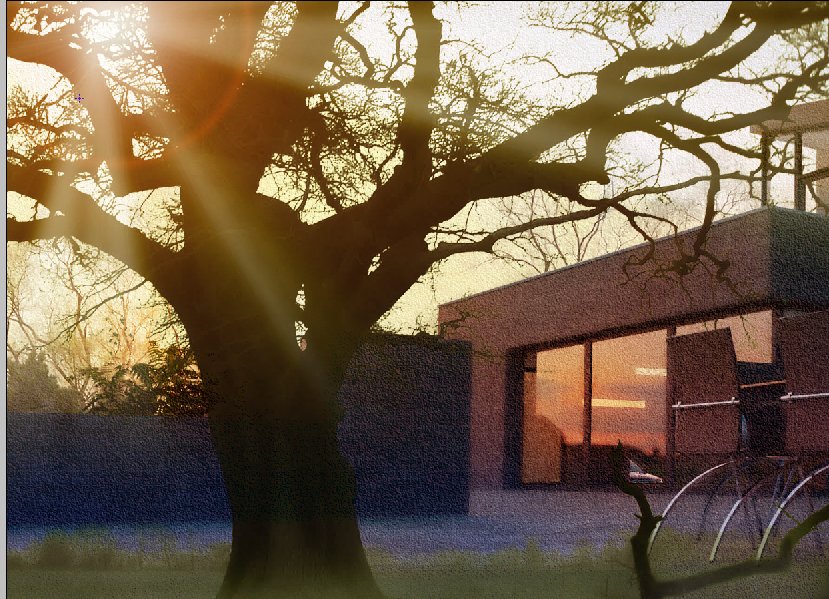
8.To really get the effect working,place a tree in the foreground and add a lens flare at the center of the gradient effect.
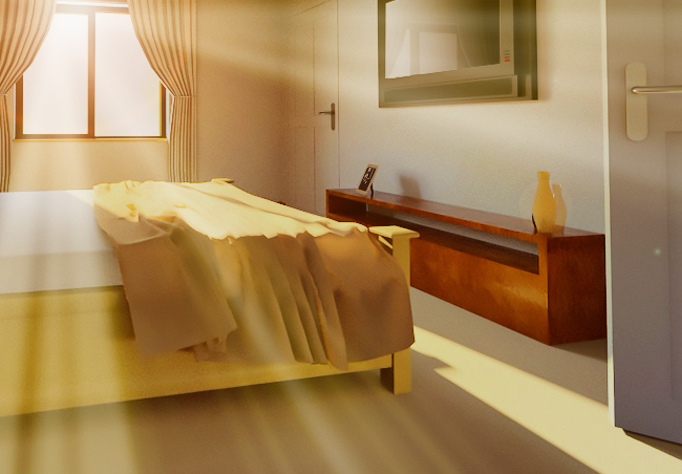
9.This is optional-If the effect of the gradient/sun burst is too strong add a layer mask and fade the gradient/sun burst from the top.this has the effect of the sunburst being stronger at lens flare and gradually diminishing as it travels to the bottom.(see third image "faded sun burst")The effect can also be used internally to show sun bursting thru a window.(see last image of bedroom)

Hello! It looks like you're interested in this conversation, but you don't have an account yet.
Getting fed up of having to scroll through the same posts each visit? When you register for an account, you'll always come back to exactly where you were before, and choose to be notified of new replies (either via email, or push notification). You'll also be able to save bookmarks and upvote posts to show your appreciation to other community members.
With your input, this post could be even better 💗
Register Login


Advertisement