Ah, I see. Why do we need to know that?
Oops, your profile's looking a bit empty! To help us tailor your experience, please fill in key details like your SketchUp version, skill level, operating system, and more. Update and save your info on your profile page today!
⚠️ Important | Libfredo 15.6b introduces important bugfixes for Fredo's Extensions Update
V
Offline
Posts
-
RE: New material from beta BRDF
From what I understand, the BRDF material works just like a V-Ray material in Max and renders faster. Fernando discussed it in his Novedge Webinar that you can watch on Vimeo.
-
RE: Vray Parallel Projection & HDRI?
This is very interesting and never realized it did this. Might be a bug or it just may be the way the phys cam reacts to such a small FOV.
My 2 quickest fixes would be to either just photoshop the reflections in inside Photoshop or you could make a plane in front of the building with a image you want to reflect but if you do this, you need to create a SketchUp 2-Sided material and have a 100% transparent material on the backside so you can see through it. With a FOV of 1, it will appear in front of your camera.
-
RE: Rendering in VRImage?
It's normal. I think it's been discussed on the Chaos forums. I am not sure why they do this. To me, red is a signal that something is incorrect or needs to be addressed. Devin, can you chime in why we need the box to be red?
-
RE: How to archive my SU file with all the vray links
Correct, but 1.6 is now 2.0 as we move forward.
-
RE: How to make Vray show render time
Oh, yep I misread that as well. The answer is no but VR4SU2.0 did bring the progress bar back, so you have some indication of where you are in the process.
-
RE: Materials or what
My workflow is to model 85% of my scene and then start to work on materials, whether this is importing vismat files or making them on top of your SketchUp materials. In most cases, A SketchUp material may only need some glossy reflectivity, so the process goes very quickly. If you are using the latest 2.0 version, you can now create SketchUp material libraries that already have the V-Ray settings applied to them. Now, as you learn and create and load V-Ray materials, save them into your SketchUp libraries for efficient workflow.
-
RE: Vray reflection problem
I agree, check to see if there are duplicate objects fighting for the same space. It is also good practice to model with front faces out. I don't think having a back face out would cause this, but it is good modeling practice to eliminate these back faces.
-
RE: How to archive my SU file with all the vray links
The latest beta of 2.0 will allow this. It is located under the V-Ray menu. V-Ray 1.49 or older does not have this feature.
-
RE: Advice Rendering Streetscape?
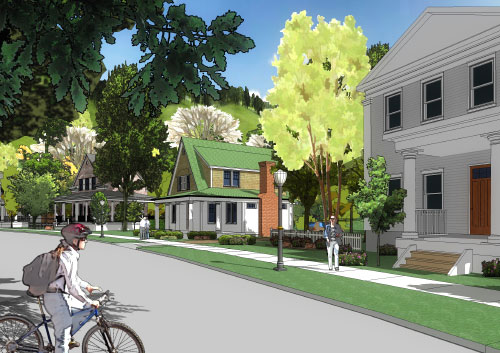
Here is an example of a streetscape done using only SketchUp.
-
RE: Advice Rendering Streetscape?
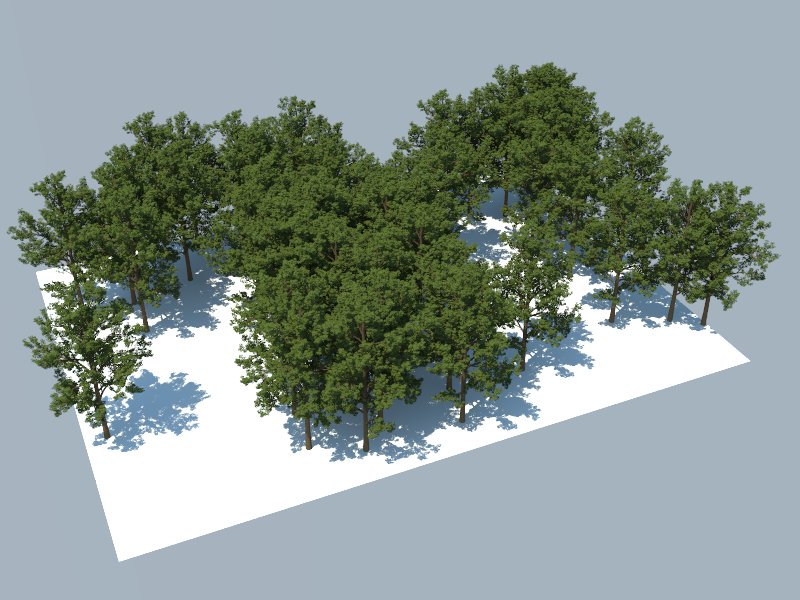
My advice is to invest in a subscription at FormFonts if you dont already have one. Then I would suggest looking at SketchUpArtists website for some NPR techniques maybe. Then my next suggestion would be to seriously consider upgrading to the new V-Ray 2.0 because proxies are INSANE!
-
RE: Help needed for exterior stage renders!
No other rendering engine exists.

Corel? Hmmmm. I really have to recommend Photoshop highly. Creative Cloud makes it pretty affordable now. You can pay for a month and see if it works for you. If not, I assume the same techniques can be applied to Corel Draw.
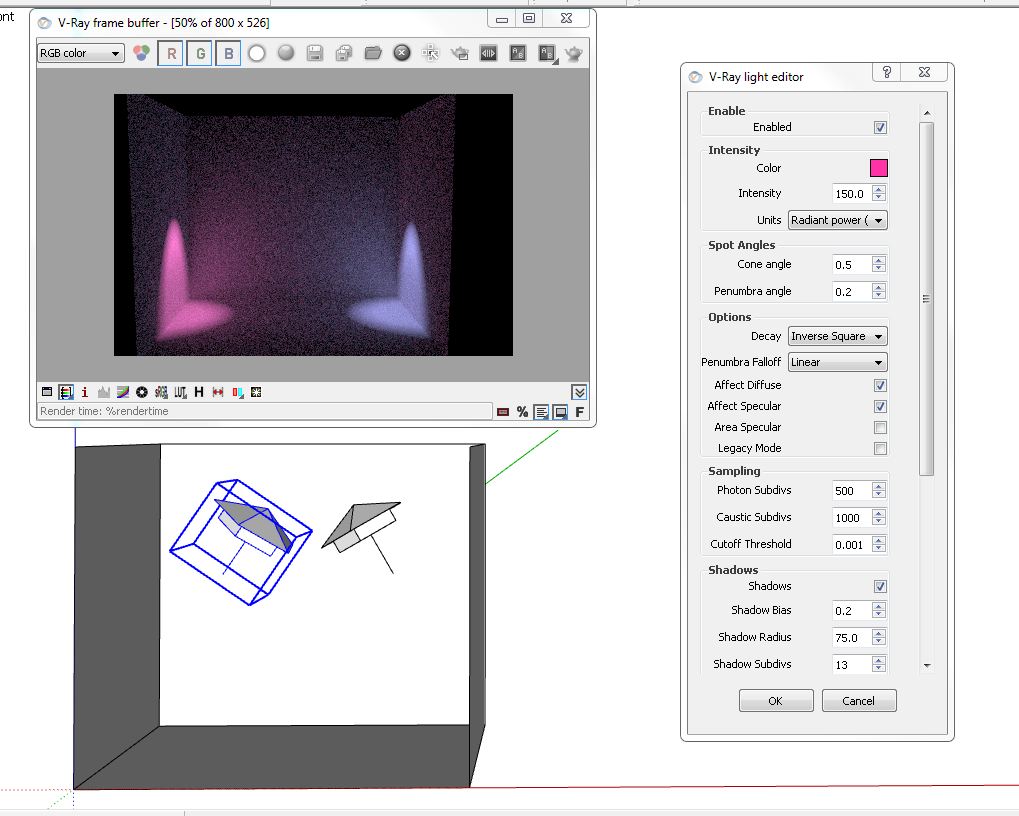
As far as the spotlights not working, what version of V-Ray are you using? I am using the latest VR4SU2 RC and it seems to be working on my end. The nicest feature is that you can adjust them in RT, so this makes your lighting setup really fast. This is great for the kind of work you are doing.
-
RE: How to make Vray show render time
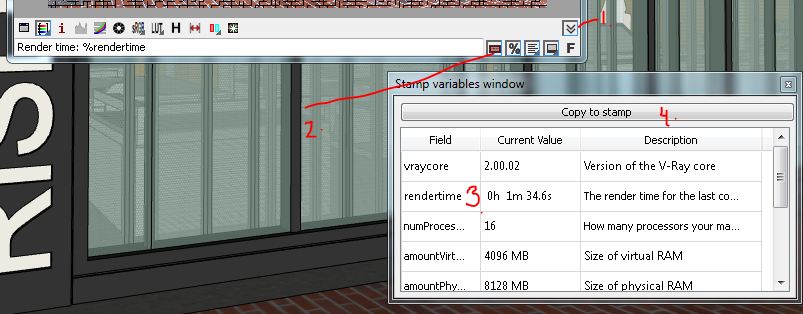
Here is a visual - you can add a variety of stamps as well.
-
RE: Help needed for exterior stage renders!
Those kind of lighting effects are really achieved with environment fog, which VR4SU doesn't currently support. The way I would do this is -
1 - Use Spotlights in your fixtures to generate the casted lighting you need
2 - In Photoshop, add the lighting fog effects with specialty brushes from the web. Experiment to get it just right. Very easy and flexible.
This video will be helpful
http://www.pixelflakes.com/tutorial/ps-breakdown/These brushes will be helpful also
http://redheadstock.deviantart.com/art/Light-Beams-Rays-Brushes-72493128 -
RE: No decent material collections?
Sorry for the late response, but I just came across this site, which is pretty incredible.
http://www.sketchuptexture.com/search/label/VISMAT%20VRAY%20SKETCHUP
-
RE: VRay output problem
Override viewport unchecked will render the view that is currently displayed in SketchUp at the same resolution at the screen resolution. If you have it checked and have not clicked Get view aspect, then you will end up with a cropped portion of your SketchUp view.
-
RE: Npr movie?
Based on your sample, I would say the best way to do this is just use SketchUp and Photoshop Extended. You can export your animation with the applied style you have right our of SketchUp as MP4 movie format.
You could also export as a series of images or as a and open the movie file in Photoshop Extended and edit it there. Another option is to export the animation as a series of layers and overlay them in Photoshop. PS Extended allows you to do this and you can achieve some incredible results along with filters and adjustment layers.