Depth Maps from SU
-
yes by all means because I am just barely following you...
but as I see it... your target has the car included and that's throwing off the map... is the car actually inside your target mask?
-
I did do an export to EPIX and then changed the extension of the file to TIF. On the Mac, the file opened in Preview to show that there were 3 images inside. The first was the visible scene as in SU, the second was the grayscale depth map and the third was pure white - don't know what that was about. But I could then export the second image for my own use without ever going near Piranesi.
Just thought that might be useful to you.
Kelly
poster-kdjanz
-
Photoshop Elements has a plugin that enables many Photoshop features, like Channels http://hiddenelements.com/
poster-gata
-
@kdjanz said:
I did do an export to EPIX and then changed the extension of the file to TIF. On the Mac, the file opened in Preview to show that there were 3 images inside. The first was the visible scene as in SU, the second was the grayscale depth map and the third was pure white - don't know what that was about. But I could then export the second image for my own use without ever going near Piranesi.
Just thought that might be useful to you.
Kelly
EPix is supposed to be an extension to TIFF with two additional channels. I can force it to open in Photoshop, but all I find are the normal 3 RGB channels, unfortunately. What is Preview? I assume it is a Mac only program.
--Lewis
poster-Lewis Wadsworth
-
I actually have a license to Piranesi 3 for PC. I just happen to really dislike that application, enough that I never bothered to upgrade to more recent versions. But it is possible to export the depth mask only from Piranesi as a TIF or some other format. It needs to be adjusted slightly, because Piranesi makes nearer objects darker as opposed to lighter, and background in SU becomes some strange blood-red color in Piranesi's depth mask that needs to be selected and filled with white in Photoshop before it will work properly with anything in Photoshop.
Here is the adjusted Piranesi-generated mask:
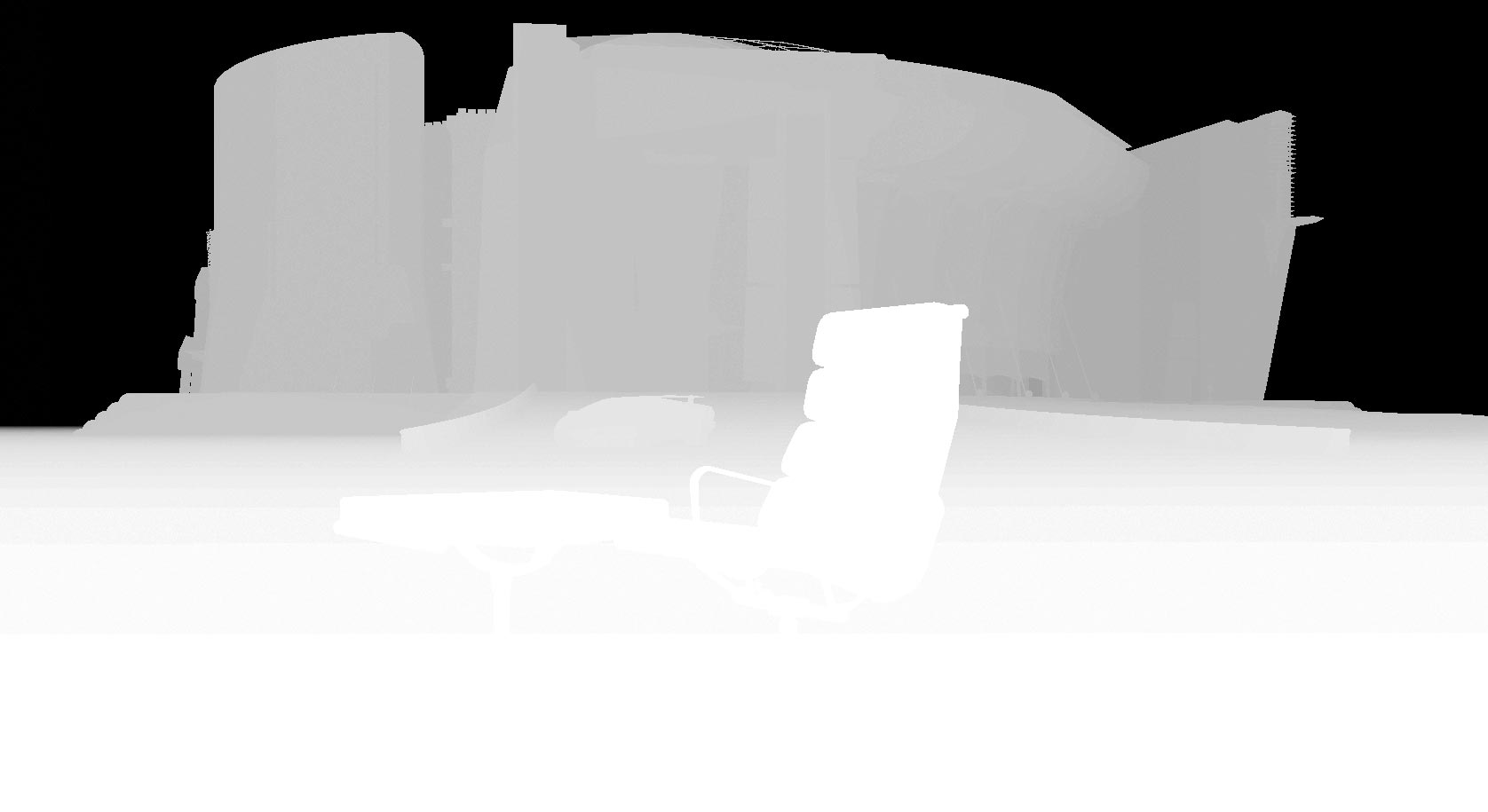
and here it is applied in Photoshop using the lens blur filter:
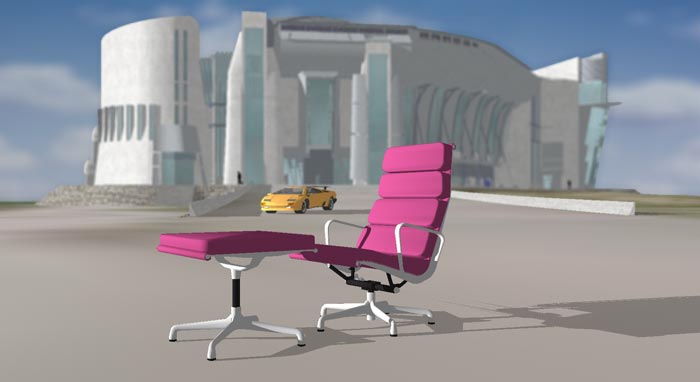
There are actually some buggy bits in the Piranesi depth mask as well...striations along the ground plane, and fringing of some kind along the roofline of the background building. Plus, of course, SketchUp's Epix exporter doesn't allow for antialiasing, which means that the depth mask produced from Piranesi has the same prevalent jaggies as the RGB image contained int the Epix file. In other words, with the exception of the problem with horizontal planes a depth mask produced using SketchUp's Fog, Styles, and Shadow controls is somewhat higher quality than one produced using Epix export from SketchUp via Piranesi.
EDIT: I discovered that if you switch Piranesi's View menu > Depth and thenexport a "depth" EPix channel as some normal bitmap (like a TIF)--as opposed to doing that while View > RGB--you end up with a higher quality depth mask that merely needs to be inverted in PS to work properly with Lens Blur and similar techniques in Photoshop. You can combine that Piranesi-generated depth mask with a straight-from-SU6 2D export at the same resolution (and with antialiasing turned on) to get a nearly ideal depth mask situation.
EDIT2: Okay, is anyone reading this and getting quite the same headache I am getting writing it? I think I'm going to call it a day and do something NOT involving depth masks and SketchUp for a while. I'll write up that tutorial tomorrow night.
poster-Lewis Wadsworth
-
Lewis,
Sorry, I've been offline this weekend (I almost always am).
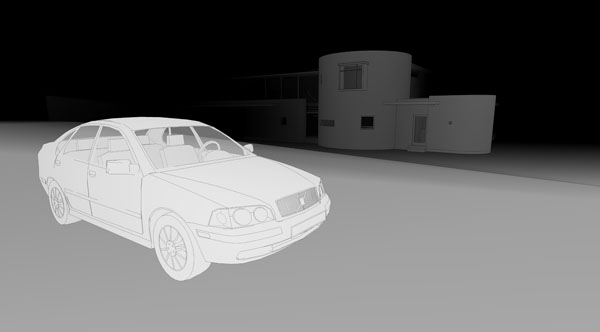
Yep, I see what you mean about the "depth map" exports- I got similar results. Bizarrely, when I exported now (with edges off) edges still show up in the exported jpg which I swear didn't occur last week.
Either way, neither of the bugs seem to affect the results enough to worry too much (although highly textured ground planes might show up the errors more dramatically). I've always found depth maps to be more of an art than a science so I'm not too worried about these glitches.
Jackson
-
@unknownuser said:
Lewis,
Sorry, I've been offline this weekend (I almost always am).
Yep, I see what you mean about the "depth map" exports- I got similar results. Bizarrely, when I exported now (with edges off) edges still show up in the exported jpg which I swear didn't occur last week.
Either way, neither of the bugs seem to affect the results enough to worry too much (although highly textured ground planes might show up the errors more dramatically). I've always found depth maps to be more of an art than a science so I'm not too worried about these glitches.
Jackson
I hadn't seen the edges bug, Jackson, but some tests I did yesterday seemed to implay that the "ground plane" problem doesn't really impact the use of the mask too much. I wish I could understand why it happens, though, since it is one of the few instances I have seen in SU where What You See Is NOT What You Get...the depth mask looks perfect on the screen. The ground plane problem doesn't seem to turn up if your ground plane is not particularly flat, or if the scale of the project is quite small, in any case. I'll write up the tutorial with some caveats about this.
I am curious to know though if all Mac users can really extract a true (or potentially true) depth mask from EPix exported files without owning a license to Piranesi. Could someone on a Mac check this? (See kdjanz' post above, first, about how he did that.)
poster-Lewis Wadsworth
-
I should've said that the ground plane in my example was built geometry not SU's own ground plane. So it's not even a ground plane bug- it seems to be something to do with either orientation or angle of view relative to a viewed plane. Weird.
Jackson
-
Come on, guys, if you don't stop this, I'll move ya'all to the post processing how to forum!

Seriously speaking - don't you think if you elaborate this thread well enough, it should move there?
-
It wouldn't bother me to move it to post-processing. Jackson, do you mind?
(You're right, incidentally, we should call the bug the "horizontal plane error"...that's more accurate since I don't use SU's ground plane either.)
poster-Lewis Wadsworth
-
Moved.
Jackson
-
Hi Lewis, you are a busy guy.
I get both "the edges bug" and "horizontal plane error".
I tried this depth map thing a while ago and immediately I encountered the above problems.
Then I figured this cannot be done, but look at what you guys accomplished here...
I downloaded and used Lewis's style setting but got the same problem.
It could be my videocard problem (I use GeForce though).
There might be some workarounds for "horizontal plane error", but those edges are very difficult to get rid of.BTW I found a nice tutorial of how those depth map should be applied to the original image.
This should save some of Lewis's time.
http://photography-on-the.net/forum/showthread.php?t=102294Did you ever find a setting to get rid of edges, jackson?
poster-takesh h
-
Takesh,
I must admit I've been too busy with boring stuff to have another go at doing these depth maps- I keep meaning to create a Style which incorporates the right settings. I didn't worry too much about the lines as it didn't have much of an effect on the blurring (as it bled over the lines anyway). I'll try to have another go at this this week.
Regards,
-
Takesh,
I've received your message and I sent you my test model. Let me know how it goes.
You know what's odd? I've been using VRay a lot lately, and the quality of the depth mask it produces from an SU model (assuming we have no extraneous lines or whatever) is not better than what happens with this direct SU "cheat."
--Lewis
poster-Lewis Wadsworth
-
Thank you for your sample model, Lewis.
I never imagined it was that big... the 18MB almost killed my PC.
Now I know what I did wrong. I turned "use sun for shading" off.
I discovered that either "shadow" or "use sun for shading" has to be on (even with both on, I got the same result).
IOW the sun has to be there somehow, but shadows has to be erased by setting "dark slider" to the most right.
Doesn't make much sense to me but it works.poster-takesh h
-
Glad to help, takesh. For some reason I didn't get a notification that you had responded to this thread...so ignore the email I sent you asking if you had received the models.
--Lewis
poster-Lewis Wadsworth
-
Good thinking Lewis, thanks for this.
Mike
-
nice!!! such a great info.. thanks all
-
I'm sure someone's already thought of this, but this just struck me. Another cool use for this technique... you can use your 2d export as a displacement map in your favorite rendering program.
Here's an example of my test depth map in plan view with camera set to parallel projection(very quickly modelled terracotta roof tiles


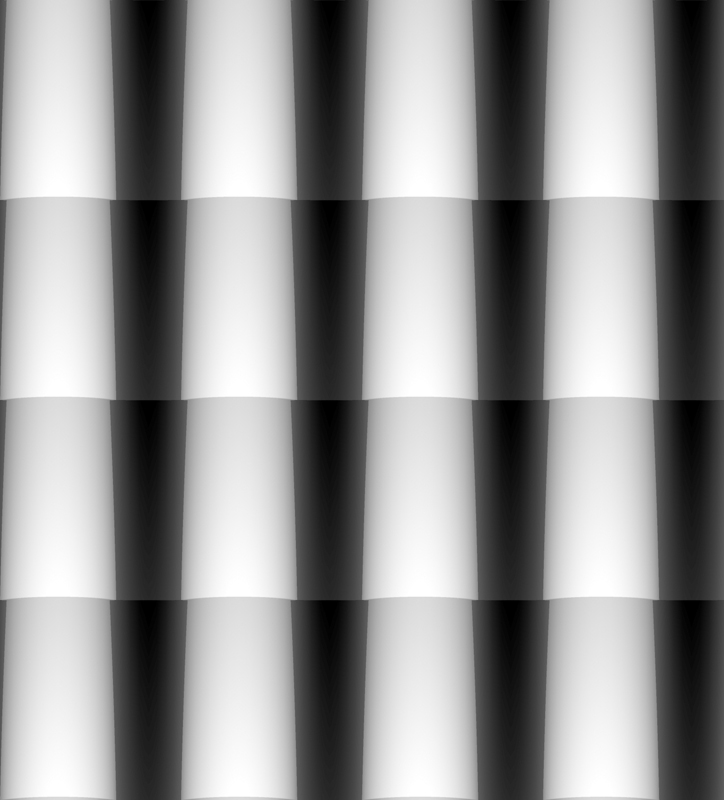
and the output when rendered on a single plane with it in the displacement slot and no diffuse:
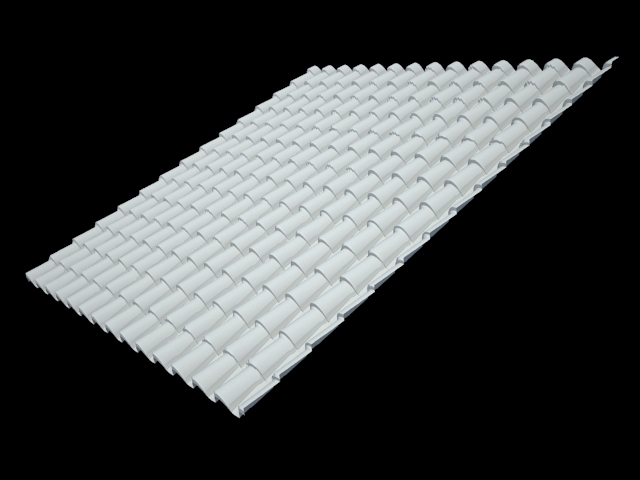
and the output when rendered on a single plane with it in the displacement slot and a diffuse color map:
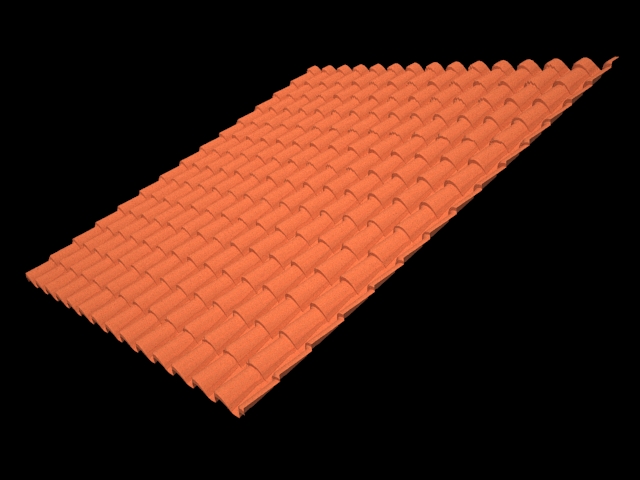
fun stuff!

-
This is really cool and I'd love to use it but the rendering program I'm just trying to familiarize myself with does not support displacement maps (yet?).
Howeve your image can also be used as a bumpmap (which certainly will give a "poorer" result - especially at the edges).






Advertisement