New version of the CBS tools
-
Oh, thank you for that plugin! I've used it a lot.
-
I'm Skecthup beginner. Could you please help me with CBS on SU2013. It's not working on my MacOS 10.9.3.
The error message that I get is the following:Error Loading File cadbox-ch.rb
no such file to load -- CBStool/lang/en.rbHow can I fix that?
-
How did you install this toolset ?
The downloaded RBZ's contents [including the missing file[s]] will install properly into the Plugins folder by using Preferences > Extensions > Install.... button.
If you have got the ZIP version, then you must extract its contents properly - keeping all of the files in their subfolders intact, and transfer that into the set into the Plugins folder manually.
If you have mis-installed things [as I guess is the case
 ], you must remove ALL of the files you have incorrectly put into the Plugins folder, and start again... AutoInstalling the RBZ is the proper [and foolproof] way !

-
I deleted CBStool folder and cadbox-ch.rb from Applications Suuport-Sketchup 2013-Plugins.
Opened SU2013, Preferences-Extensions-Install Extension -> CBStool2014.rbz
Relaunched SU2013 and got the same error again:Error Loading File cadbox-ch.rb
no such file to load -- CBStool/lang/en.rb -
Did you look in the indicated folder in the Plugins directory to see if en.rb is in there? I just tried installing it and it worked fine for me. Maybe you could try contacting the author directly through his website?
-
I go equal on an outdoor camping tour
 and can only answer briefly.
Your problem I am very sorry.
I have Win7 and SU14 and it works very well.
Unfortunately, I can not make a test (on a Mac with SU13).
I ask once in the round: Does anyone have a Mac with SU13 and it works? -
Find your default 'Plugins' folder [the one got from typing/pasting
Sketchup.find_support_file('Plugins')in the Ruby Console].
Step up one level so you see its icon [aka 'Show in Enclosing Folder'].
Select it and use 'Get Info' to see its Security settings [aka 'Sharing & Permissions']...
Set to FULL Read and Write for everyone in the list.
You will probably need to Unlock the padlock icon and type in an admin password to do this.
At the bottom pick the 'cog' icon and fro the drop-down list choose 'Apply to enclosed items...'
OK when prompted.
This should ensure that existing, and future files and subfolders are 'unlimited'...Now re-install the toolset from the RBZ.
The files you get reported as missing ARE in the RBZ archive.
They should be AutoInstalled, if you have appropriate permissions set...After installing restart SketchUp and test it again...
Report back
-
I had a suggestion for this fine tool. Will it be possible to give a choice of changing the base dimension to the user, which for now is fixed at 127mm?
127*6 + 100 mm skirting + 40mm stone slab counter top creates cabinets which are a tad taller than those made in our lands. 850mm is the ideal ht. for kitchen counter tops here.
Sent from my HTC One X using Tapatalk
-
Yippie!!

I fixed that!
There was actually a problem in "langdat.txt" file that comes inCBStools/lang/
In that file there was aline-break/new-line/EndOfLineafter the "en" text.
Cadbox-ch.rbfile contains the following:` path = File.join(File.dirname(FILE), "CBStool", "lang", "langdat.txt")
la = IO.read(path)
la = la.gsub("\n", "")require 'CBStool/lang/' + la + '.rb'`Therefore as I understand that was giving us 'C
BStools/lang/en .rb' file path, yes with the unneeded space between "en" and ".rb" extension. Hence the error message that I was getting over and over regardless of installation method (manual or via RBZ):"
Error Loading File cadbox-ch.rb no such file to load -- CBStool/lang/en .rb"I deleted the
EndOfLineinlangdat.txtand now it works as it should. -
Thanks for sharing the solution !
A hard one to spot !! -
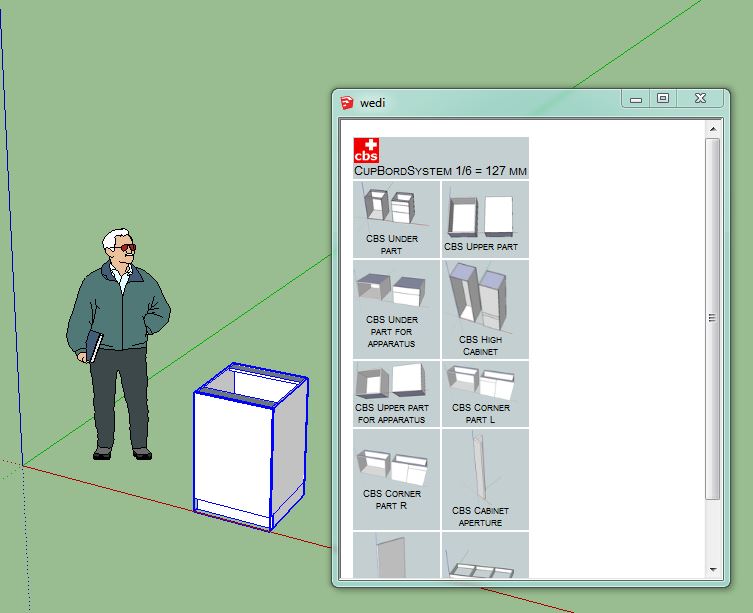
Does this plugin works for SU2015 64 bit?
-
You could always try it and see, but it certainly appears to.
-
Seems to work!
Great!
-
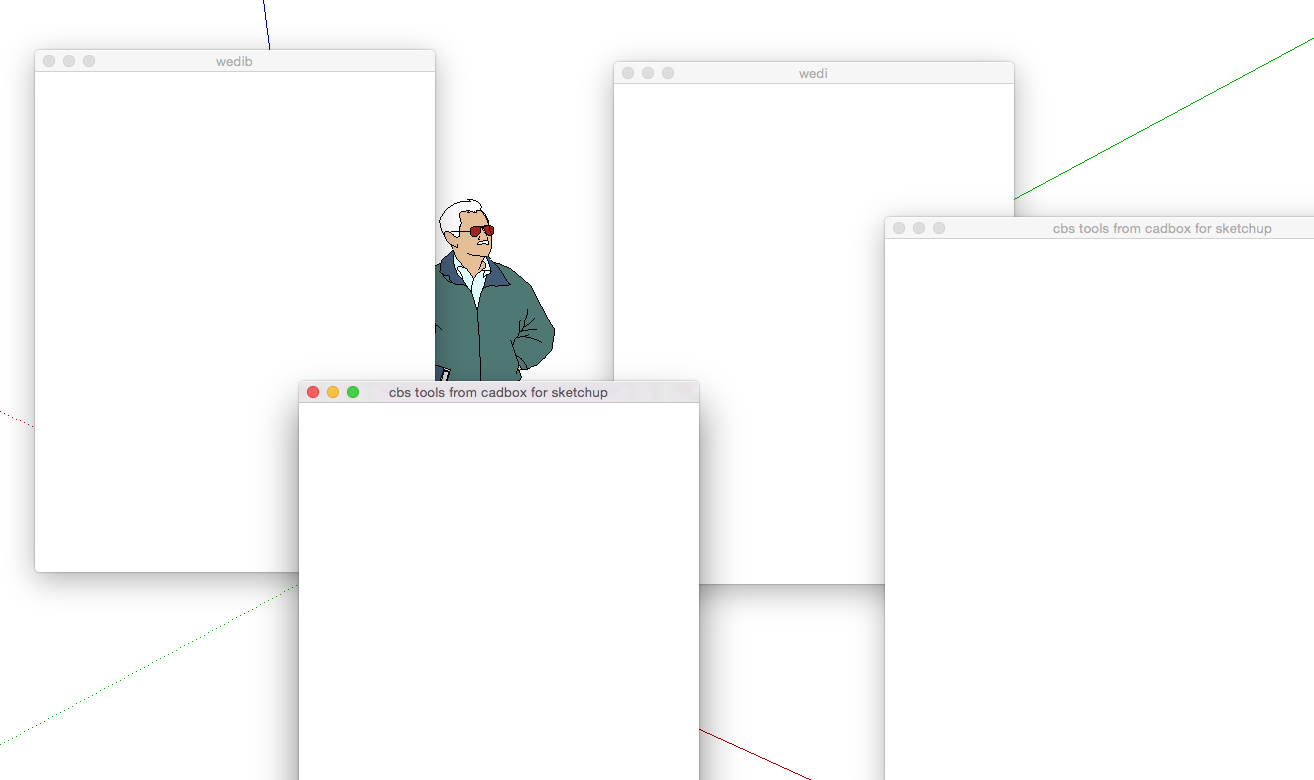
Mac OS + SU2015, Clicking on any of CBS icon buttons (red, green, help, info) gives empty windows.
I think it's something with the syntax in scripts such as unneeded spaces somewhere in parameters, but unfortunately I don't know ruby.I can use Extensions-CBS Tools Menu and choose any of the cabinets from the list, that works fine.
But no help or wedi/wedib windows.







Advertisement