My first run of vray 1.6
-
I was so excited to get hold of VFSU 1.6 beta.
First off, Good to see the progress bar back again
Second, the time it takes for the frame buffer to pop up after hitting the render button is greatly reduced.Tried it with an old model which I posted in WIP sometime ago and the result is:
- Took me 8 hours 4 mins at 3000 x 2250 – about an hour longer than 1.49 – strange
(could it be the materials are created in 1.49 and my visopt kinda clash someow) - The IES map which worked with 1.49 doesn’t work with 1.6 . the default power which is “0” gives a pale projection and totally disappears as I increase.
- The quality of the render appears to be less.
I hope Im just doing things wrong here.
Im still trying out the rest of the features which Chaos calls “massive” . Hope to see great results next time around.
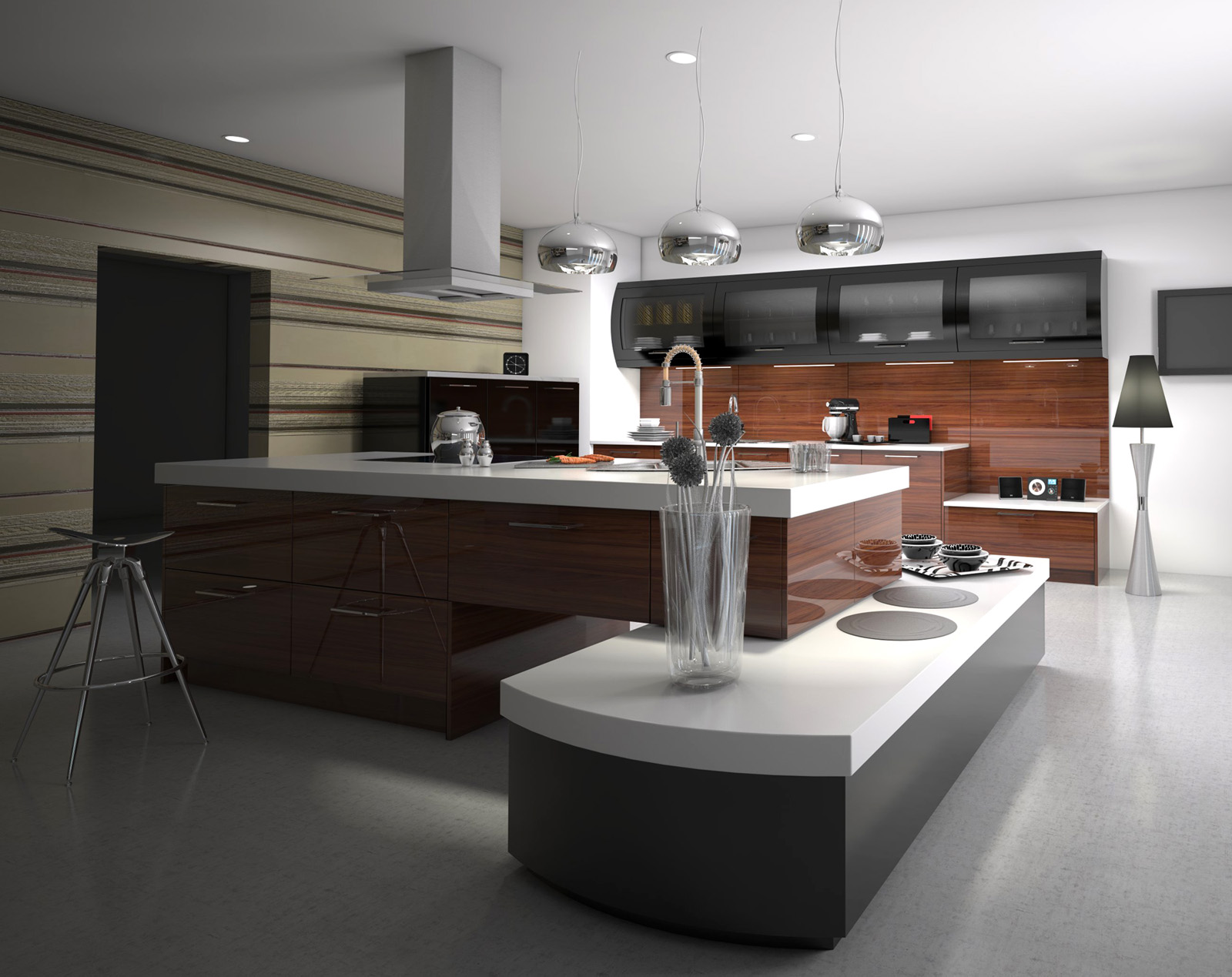
- Took me 8 hours 4 mins at 3000 x 2250 – about an hour longer than 1.49 – strange
-
There have been some changes in the V-Ray core, across all products, which may require some tweaking in order to get the exact same render as what you had in 1.49.01, and you should be able to achieve a reduced render time as well. I would suggest working with our in house expert, Fernando, on our forums, to see if you can find the culprit for the render time and render quality.
IES lights use the physically accurate information contained in the .ies file when the power is set to 0 (there should be an explanation of this in the tooltip for that parameter I believe). If you "increase" it to 1, then you're doing 2 things. You are setting the power of the light to an incredibly low number, and you are ruining the physically accurate representation of that light. Either render options needed to be adjusted, or there is something going on with that .ies file. If you believe it's a bug, please follow the instructions outlined in the beta testing forum on the chaosgroup website.
Nice render btw! I look forward to hearing more feedback about this build
-
8 hours 4 minutes at 3000 x 2250!!?

Amazing!
What do you use for a PC?
This scene renders with me for about 30 minutes with this resolution
-
@reymond said:
8 hours 4 minutes at 3000 x 2250!!?
Amazing!
What do you use for a PC?
This scene renders with me for about 30 minutes with this resolutionMy PC: I7 3.4 ghz, 16GB RAM, 4Gb Graphic, 64 bit . Not bad for this kind of Job.
This is reduced to be able to upload it here.This scene looks simple but every object (with exception of about 2 models)are highly detailed.Normally when you have highly reflective objects,the size of this model, It will never be less than an hour. But hey, 8 hours is quite absurd.
I agree something must be conflicting with my 1.49 settings and the 1.6 beta, must be some materials or visopts.
-
We brought the V-Ray Material from 3D Studio Max over to VfS (no you can't use a .mat file, we just brought the functionality of the material over to VfS), and I've heard reports of improved performance when using it. I would really recommend posting about this on the Chaos Group forums, so that Fernando can give you some tips about how to optimize the scene for 1.6.
-
@dkendig said:
We brought the V-Ray Material from 3D Studio Max over to VfS (no you can't use a .mat file, we just brought the functionality of the material over to VfS), and I've heard reports of improved performance when using it. I would really recommend posting about this on the Chaos Group forums, so that Fernando can give you some tips about how to optimize the scene for 1.6.
Yes I saw it... Its becoming more like Max. More buttons to tweak, check uncheck, roll down menus. But Is a standard Material not Vray Material?? (Until 1.49 I believe it was called standard vray material , isn't it?)
If a Vray material could render faster, Is there a one click command to convert my standard material to "Vray Material" with BRDF properties and all?
-
I have noticed that there aren't any options for bump or diplacement maps in the new Vray Material.
Is that true?
-
what is the vray material intended for?
-
@cuttingedge said:
Its becoming more like Max. More buttons to tweak, check uncheck, roll down menus.
actually not, they moved them here and there, but i can see the buttons are more or less the same if i'm not wrong, plus having the fresnel map default for reflections saves tons of clicks.. not a big revolution, but is pretty much useful anyway.. one don't need perfect mirrors so often..
-
The V-Ray Material is a port of the material that is available in Max. The "Standard" material is our LayeredBRDF material that we have traditionally used in V-Ray for SketchUp. You can also use a V-Ray Material as a layer in our Standard Material (confusing, I know). We allow this, because the V-Ray material itself does not support bump or displacement unfortunately. At least not at this time. When used as a layer in our Standard material, you can use bump/displacement as you normally would, but with the added benefit of using the V-Ray material.
-
@dkendig said:
You can also use a V-Ray Material as a layer in our Standard Material (confusing, I know).
Oh, I see. It is a bit confusing but it works, I guess. I did not know that i could put the vray material as a layer in the diffuse, going to try that.
BTW I am still wondering why different versions of vray are using different material formats. Wouldn't it be easier to use only .mat for everything?
-
.mat isn't V-Ray, it's 3D Studio Max only and has nothing to do with us at all. Until ASGvis made the vismat format, the only other way to move materials from one product to another, was by using the Chaos Group's vrscene format. As far as I know, that was only helpful if you were going to be using the V-Ray Standalone, and not other V-Ray plugins. The reason why there is a "standard"(layeredbrdf) and "v-ray" material, rather than just one, is mainly for compatability reasons. We could remove our layeredbrdf from the product completely, but then any scenes made prior to 1.6 wouldn't work at all, or would require an annoying upgrade process, as was required when upgrading from 1.05.30 to 1.49.01. Seeing as how the ported V-Ray material from V-Ray for 3D Studio Max, currently doesn't support all of the features that our layeredbrdf material does, we allow users to use the V-Ray material as a layer in our layeredbrdf.
-
i have the same problem, even if i try to increase the intensity its still the same.. well right now i uninstalled it and went back to 1.49. i might try i.6 using my home computer to check and do some trial and error thing
 ..
.. -
1.49.01!!! NO! dont do it! Seriously, get the latest 2.0 release trial and give it another go. I am in no way ever looking back at 1.49.01.
-
I don't know if anyone can offer some advice with using dome lights...
I have set up scenes using the dome light and everything is perfect except the shadows created by using the dome light with the GI are almost non existent - they're very weak and not nearly dark enough.
Whereas before you could control the shadows in the sunlight map, I have no idea how to control the shadows using the dome light.
Any ideas?
-
Domelight Tips-
- Turn off your GI and BG in your Options
- Add a spherical HDRI map to the dome light - make sure to set the mapping to Environment
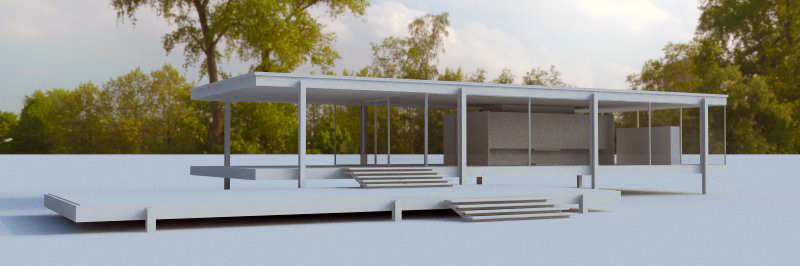
Note - You need an HDRI file in order to get shadowing. If you use just a dome light with no texture, it will be the same as just having your GI set to white. The horizontal rotation of the map controls where the sun is in relation to the dome. In my example I used 250. - Increase the subdivis in the dome light settings to 12 or higher to reduce noise
- Use a good HDRI file - something made professionally - I use VizPeople's collections as well as http://www.hdri-hub.com/ which has some nice freebies.
Note - some free HDRIs from the web are poorly created. - Depending on the HDRI, you can decrease the gamma of the map to increase the shadows, I would try .85-.9 first.
- Use RT to play around with the rotation of the map to adjust how your sun is projecting.
I used this file http://www.hdri-hub.com/hdrishop/freesamples/freehdri/item/113-hdr-111-parking-space-free in my test
Peter Gunthrie discusses the gamma adjustment on his blog. He also creates beautiful HDRI images that can be found on 3DOcean.
http://www.peterguthrie.net/blog/2012/02/hdri-lighting-workflow/
-
@valerostudio said:
Domelight Tips-
Thanks so much for the tips, can't wait to try them out on monday! Cheers
Jack
-
i used vray 1.6 using my home computer. same model but i tried adjust the IEs settings to 150000 for intensity.. and thats the only time that it went brighter..
-
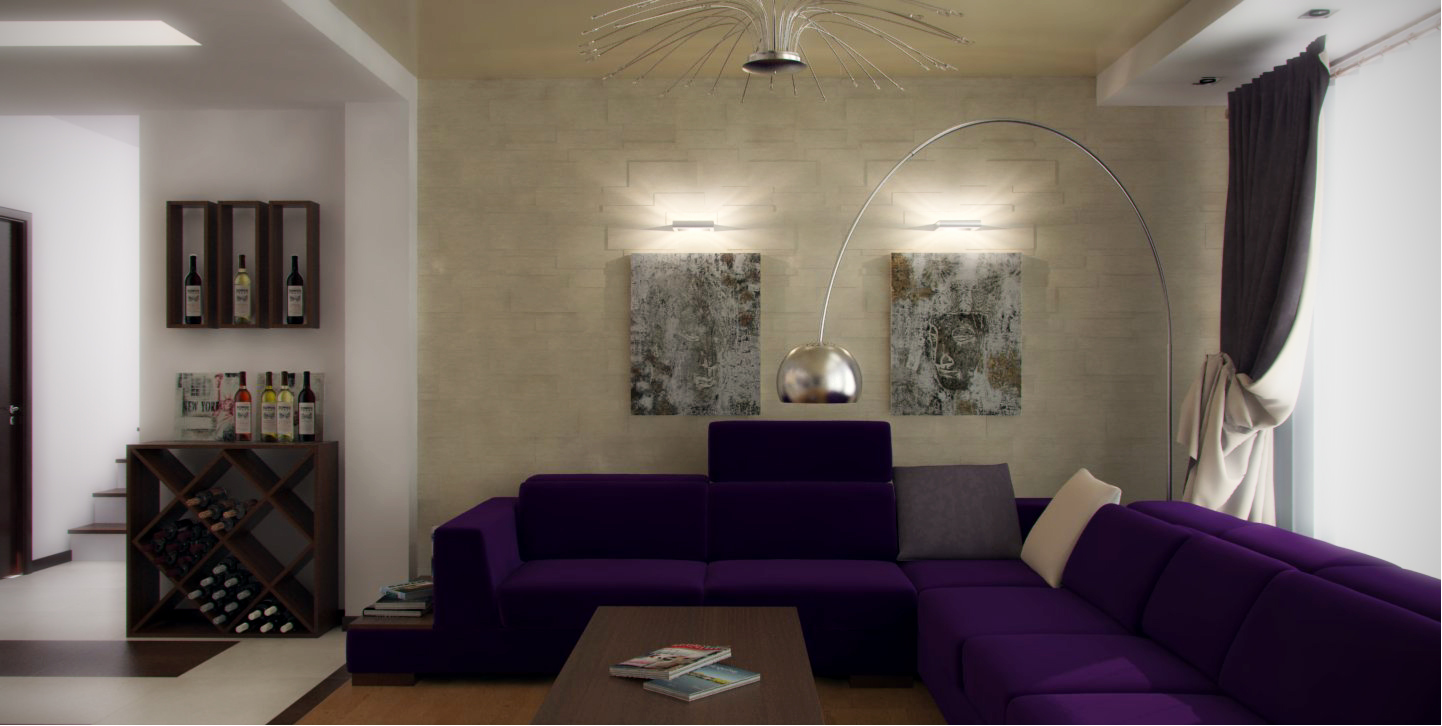
Guys, I love to use IES lights all the time, and I remember when it was hell to me to set-up v-ray. Spend many hours on the web, trying to find solutions. I got A hint on Nomeradona's awesome blog, where it was something about units. The long-short story is, I work in mm, but when I'm using IES lights, just before I hit the render button, I switch the sketchup units to inches. I don't touch the IES parameters. Everything looks correct.
Here is an example:
-
really nice render there Stefanq.. and the IES effect is really effective.






Advertisement