[Plugin] SU2POV for GSU6
-
Note sure is this is a bug or not.
If you change the color of a Point Light component (by painting the selected component without editing the component), then the SU display of ALL Point Lights are changed to that color as well even though the actual color properties of individual Point Lights (as seen in its Entity Info) are different.
++++++++++++++++++++++++++++++++++++++++++++++++++++++++++++++++++++++++++++
Comments:
I understand the script is targeted more towards architectural rendering. My work is primarily illustrating non-architectural models. Many times I turn on "Use Sun for Shading" to control the contrast of surfaces, but do NOT display shadows as shadows often 'hide' smaller, intertwined geometry. If it is possible to turn OFF shadows in the POV rendering (as an option) and there is a broad enough demand for this, I'd like you to consider that in some future release.
Likewise, being able to use Point Lights or Spot Lights to subtly accent a part of a model withOUT displaying the bulb would be handy. Perhaps there could be an option for this in their respective edit dialogs at some later time.
This may go over the "adding too much complexity" threshold, I hope its not the case.

Regards, John
-
Hi,
Version 3.1. released (at top of this thread)
@John: your suggestions have been included
-
thank you for update!
Keep it simple!
it's simple 5-min test work with all Finish mats(with photoshop)
used 2bounce-settings(1 picture...phong matt) and skylight-settings(for 3 pics,... glass, glossy) and without photon-mapping (a few dark places)...then layer post-processing in pshp
Please look at export mat like Phong Matt....i used 3.6 pov-ray
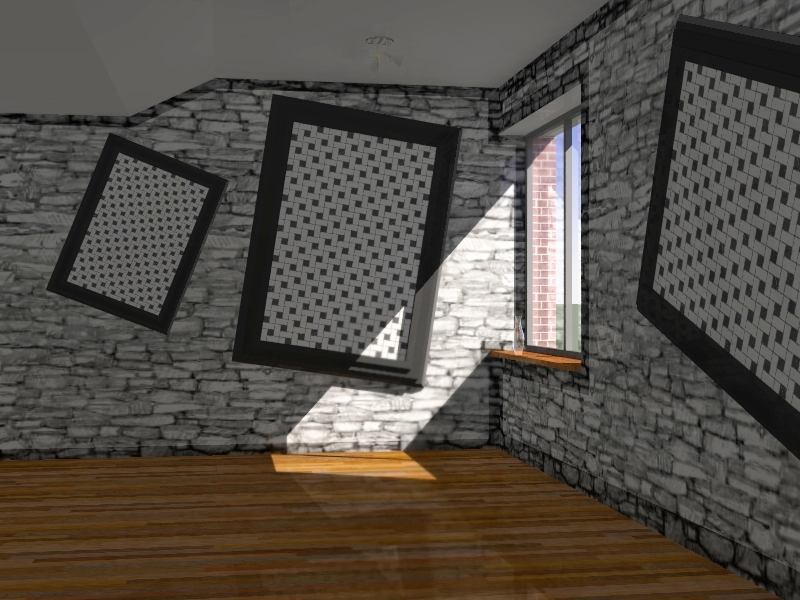
-
Hi,
Small bug fix this morning, thanx to ilay7k. -
Thanks for update
esc-pushing error(for placing lights) was fixed by Didier in latest...
John feel free for download it...Can somebody tell about megapov?
-
I thought I did as I downloaded yesterday. Perhaps a bad link exists. That's the benefit of having the version level listed in the menu.

-
Hi Didier, a brief follow up.
I haven't had a chance to try the new options except the render with Alpha Channel and I do like that a LOT; I still can't believe that SU isn't capable of doing this natively with their PNG expoxt filter.
What I can tell you is that the two light tools do work for me ONLY IF:
- I import each of their two respective .Skps FIRST so they are registered in the model's component library.
- Then, after selecting a tool from your menu, pressing ESC. This allows the scripts to respond to subsequent mouse clicks.
I am not sure if #1 is related to what the user's default component directory is or not or if it has to do with SU's installed location (mine is C:\programs\SketchUp 6...) .
Could you include the script's version number in the end of the script name listed in the Plugins' Menu? That would help identify if the latest version has been installed.
Hopefully, I can be more deligent this weekend and re-try all the settings of your lastest release.
Regards, John
-
Hi John,
@unknownuser said:
- I import each of their two respective .Skps FIRST so they are registered in the model's component library.
- Then, after selecting a tool from your menu, pressing ESC. This allows the scripts to respond to subsequent mouse clicks.
I am not sure if #1 is related to what the user's default component directory is or not or if it has to do with SU's installed location (mine is C:\programs\SketchUp 6...) .
All this is fixed now. The compos are loaded from a path relative to the Plugins folder, which Ruby can find by itself. So no matter where your SU main folder is, it MUST load components if they are not already present in the model. I've tested it hundreds of times believe me...
BTW good idea to put the version number in the menu -
I tried downloading again and I see no difference in the light tools and no version level in menu description so I can't verify if I am downloading the wrong version.
Can you post the zip here ... at least temporarily until Monday?
-
-
John put time-slider in the right end at shadow-toolbar and export with lights
and some explanation in POV sample scenes and help-system too...Strange, i haven't esc-effect...
")
-
Didier, thanks for posting the .Rb.
The component lights are now being found, I no longer have to manually import them prior to using the script,and the version level is displayed.
I still have to press the ESCAPE key to initiate creating the lights with mouse clicks, however.
Questions (of course :}
**1-**In your documentaton you mention that the Sun is automatically "shut off" at night. I had assumed that was when the model was Set to Use Sun for Shading, but this happens as well when it is not set for Use Sun for Shading and also when the rendering setting of Lights is set for lights only. Is this what you intended?**2-**I was curious what the default is for when the script is turned to night mode. Is it a prescribed amount of minutes before the sunset time listed in the Shadows Dialog?
**3-**In your documentation you show the Sun actually being rendered in the sky. How is this done, is it automatically placed (per SU's sun position) once the script is run the first time for a model?
-
Hi John,
@unknownuser said:
I had assumed that was when the model was Set to Use Sun for Shading, but this happens as well when it is not set for Use Sun for Shading and also when the rendering setting of Lights is set for lights only. Is this what you intended?
I never noticed any difference with that checkbox ticked or not. Here is what the SU help says: "Click on the Use Sun for shading checkbox to shade the faces of your model based on the position of the sun. SketchUp uses standard shading that follows the camera when Use Sun for Shading is not enabled."
Not correct, at least by me: no standard shading that follows the camera. It makes no difference, that's why the script doesn't take care of it...@unknownuser said:
Is it a prescribed amount of minutes before the sunset time listed in the Shadows Dialog?
Almost. The script calculates the "slope" of the sun rays and when it is less or equal than 0 radians it considers that it is night time (sun rays slope is negative during the night because the sun is "behind" the ground). Between 0 and 0.2 radians the color of the sun light is slightly modified (at sunset or sunrise).
@unknownuser said:
In your documentation you show the Sun actually being rendered in the sky. How is this done, is it automatically placed (per SU's sun position) once the script is run the first time for a model?
This is done this way: the script evaluates the angle between camera direction and sun rays vector, and calculates wether the sun is in the field of view or not. When it is, the component "su2pov_sun" is inserted at the right place, then removed after the export is finished. The component uses a png image that goes from white to transparent to mix the sun with the sky color.
Regards,
-
Thanks, Didier, for the feedback.
"..When it is, the component "su2pov_sun" is inserted at the right place, then removed after the export is finished. .."
Very clever programming.
Regards, John
-
@jclements said:
Thanks, Didier, for the feedback.
"..When it is, the component "su2pov_sun" is inserted at the right place, then removed after the export is finished. .."
Very clever programming.
Regards, John
+1!
-
Great plugin. Question. How does the plug in know what surface is glass for glass finish?
-
Hi,
If opacity is less than 100% the scripts considers this is a transparent material and applies a glass finish, if it is set in the rendering options.PS: i'll publish a 3.2. release soon with a basic material editor.
-
Hi Didier!
I have unzipped su2pov3 and installed su2pov_24_setup.exe. I've also been able to export to POV-Ray and I'm a happy user of that part already now. But installing the 2.4 version gave me the su2pov buttons also. My problem is that I get an error message using the buttons. The program can't find the components (su2pov_spotlights.skp, su2pov_tree.skp etc.) and I can't find them in the installation or in any zip file. Where do I find them? Or should they be in the 3.2 package but happen to be missing?
Another question: Is there a function for making a component a "piece of glass", i.e. give all its faces an interior definition with a IOR? Right now I'm doing it the hard way, pasting a "stolen" interior definition and references into the pov file, but there must be a simpler way...
Thanks for a great job!
/Rickard
-
Hi,
Release 3.2 and relase 2.4 are different, you guess. DON'T install 2.4 AFTER 3.2 !!! -
Hi again,
Yep, I do understand basic version numbers... But installing just the 3.2 version did NOT give me the buttons and component folders, so I tried installing the 2.4 anyway (even if it is an older version). So my question is: Is something missing in the 3.2 installer when I can't find the button toolbars and components? Or is the file su2pov_materials.exe supposed to install them? The problem is I get the following error message trying to run it:
Line -1:
Error: Array variable has incorrect number of subscripts or subscript dimension range exceeded.
Regards,
Rickard





Advertisement